


Windows 10 bereikte EO (einde ondersteuning) op 14 oktober 2025. Als je Windows 10 gebruikt, lees dan dit artikel.

Windows 10 reached EOS (end of support) on October 14, 2025. If you are on Windows 10, see this article.

Zoeken in Support

Vermijd ondersteuningsscams. We zullen u nooit vragen een telefoonnummer te bellen, er een sms naar te sturen of persoonlijke gegevens te delen. Meld verdachte activiteit met de optie ‘Misbruik melden’.

Meer info

Deze conversatie is gearchiveerd. Stel een nieuwe vraag als u hulp nodig hebt.

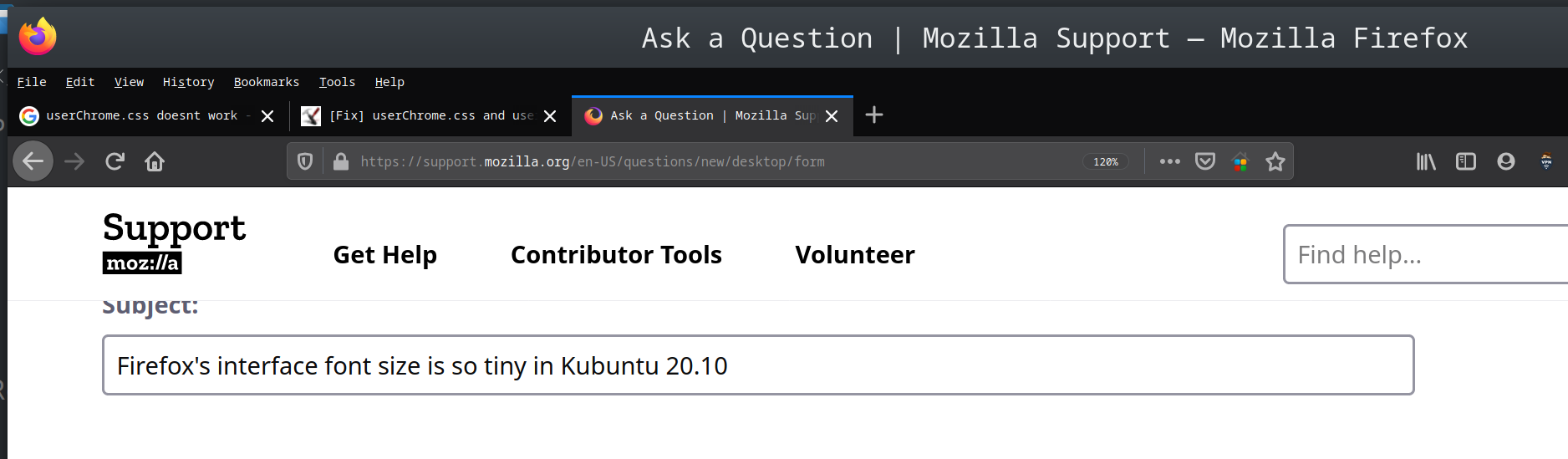
Firefox's interface font size is so tiny in Kubuntu 20.10

  • 1 antwoord
  • 1 heeft dit probleem
  • 220 weergaven
  • Laatste antwoord van jeyaganesh
  • Opgelost

Hi, I just installed Kubuntu 20.10 on an USB flash drive. System's font size is fine. But, the font size of Firefox's interface is so tiny. The font size of webpages are fine and I am able to change it in the Preferences.

When I searched on Google, the other users having same problem recommended to add a 'userChrome.css' file with some code that specify the font size to the Firefox's folder. Then, I came to know that Mozilla has disabled the userChrome.css in recent Firefox versions. I also changed a setting in about:config to make the Firefox accept the userChrome.css. But, the font size is not changing yet.

Please, guide me how to change the font size of Firefox's interface. Thanks in advance :)
Hi, I just installed Kubuntu 20.10 on an USB flash drive. System's font size is fine. But, the font size of Firefox's interface is so tiny. The font size of webpages are fine and I am able to change it in the Preferences. When I searched on Google, the other users having same problem recommended to add a 'userChrome.css' file with some code that specify the font size to the Firefox's folder. Then, I came to know that Mozilla has disabled the userChrome.css in recent Firefox versions. I also changed a setting in about:config to make the Firefox accept the userChrome.css. But, the font size is not changing yet. Please, guide me how to change the font size of Firefox's interface. Thanks in advance :)
Gekoppelde schermafbeeldingen

Gekozen oplossing

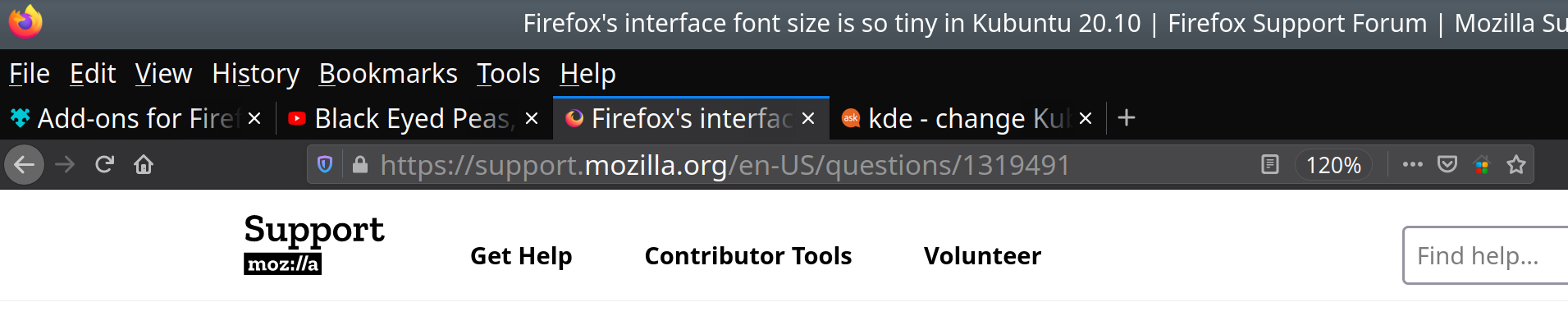
Hi, I found the solution from Ask Ubuntu website. I changed 'Force Font DPI' to 230 in Settings > Fonts. The default value was 96. Now, the fonts of Firefox's Menu bar and Tabs are bigger.
Dit antwoord in context lezen 👍 0

Alle antwoorden (1)

Gekozen oplossing

Hi, I found the solution from Ask Ubuntu website. I changed 'Force Font DPI' to 230 in Settings > Fonts. The default value was 96. Now, the fonts of Firefox's Menu bar and Tabs are bigger.