


To many reciepients?
I have an email with 38 recipients. When I click on Answer All, I get a list of recipients as usual, but it is so long that it fills the whole screen and I can not see the text portion of the email anymore.
Any ideas what to do?
Gekozen oplossing
It looks like you have more menu items on toolbar than by default. Perhaps you are using an addon extension that is interfering.
Close all Write windows.
Help > 'Restart with Addons disabled'
Now select the email and click on the 'Reply All'.
What happens ?
Alle antwoorden (9)

You can drag and resize that part of the window to hide those addresses. Place the mouse pointer just below the formatting bar (where you have bold, italics etc) then drag upwards.
Thank you Stans.
Unfortunately, that does not work. The recipients just run out of the screen at the bottom, no way to get to anything that would allow me to size it.
See attached.
I also tried it with all addons disabled, still does not work.
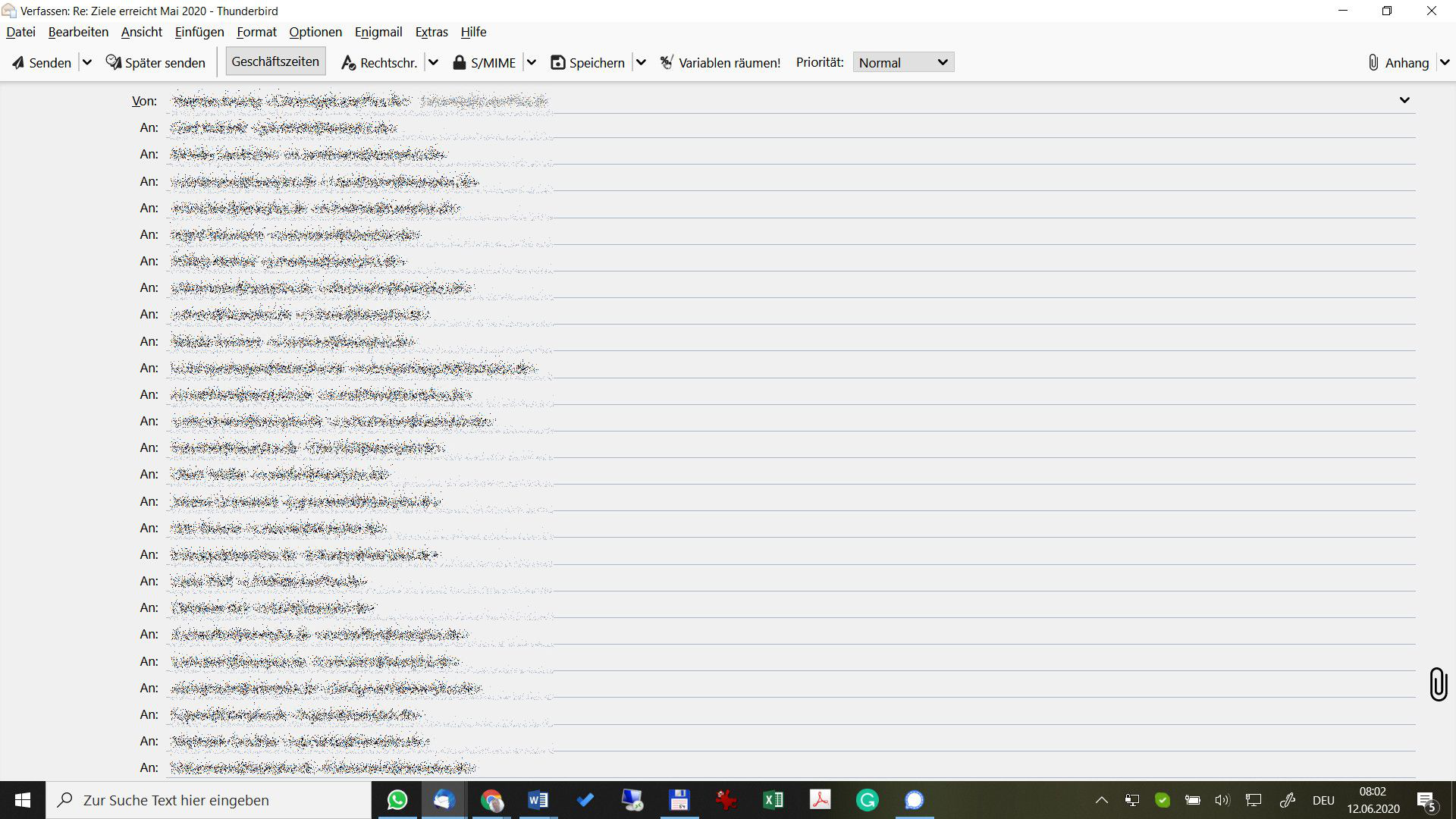
Close all Write compose windows.
Please check you have this setting:
- Menu app icon(3 lines) > Options > Options > Advanced > 'General' tab
- click on 'Config Editor' button
- In search type: numRows
- Double click on this line: mail.compose.addresswidget.numRowsShownDefault
- Enter integer value: 3
- click on OK
Close about:config window - top right x
It was 3 ...
Gekozen oplossing
It looks like you have more menu items on toolbar than by default. Perhaps you are using an addon extension that is interfering.
Close all Write windows.
Help > 'Restart with Addons disabled'
Now select the email and click on the 'Reply All'.
What happens ?
Strange, that works.
I had disabled all add ons manually before and it did not work.
I found the one causing the problem.
Thanks for all your help!
Bewerkt door Stephan op
It is always handy to advertise to the forum which caused your issue. That way the regular contributors learn what is causing issue at the moment. Just a guess, but conversations appear to have been a popular one with issue in the past few weeks.
It comes from a SmartTemplate4 update. I went back to the earlier, all fine now. Working with the developer to fix it.
Axel is usually very responsive to changes and issues, so I am guessing you will get a solution soon. Thanks for the advice.