


How do I prevent screen burn on my monitor while using Firefox?

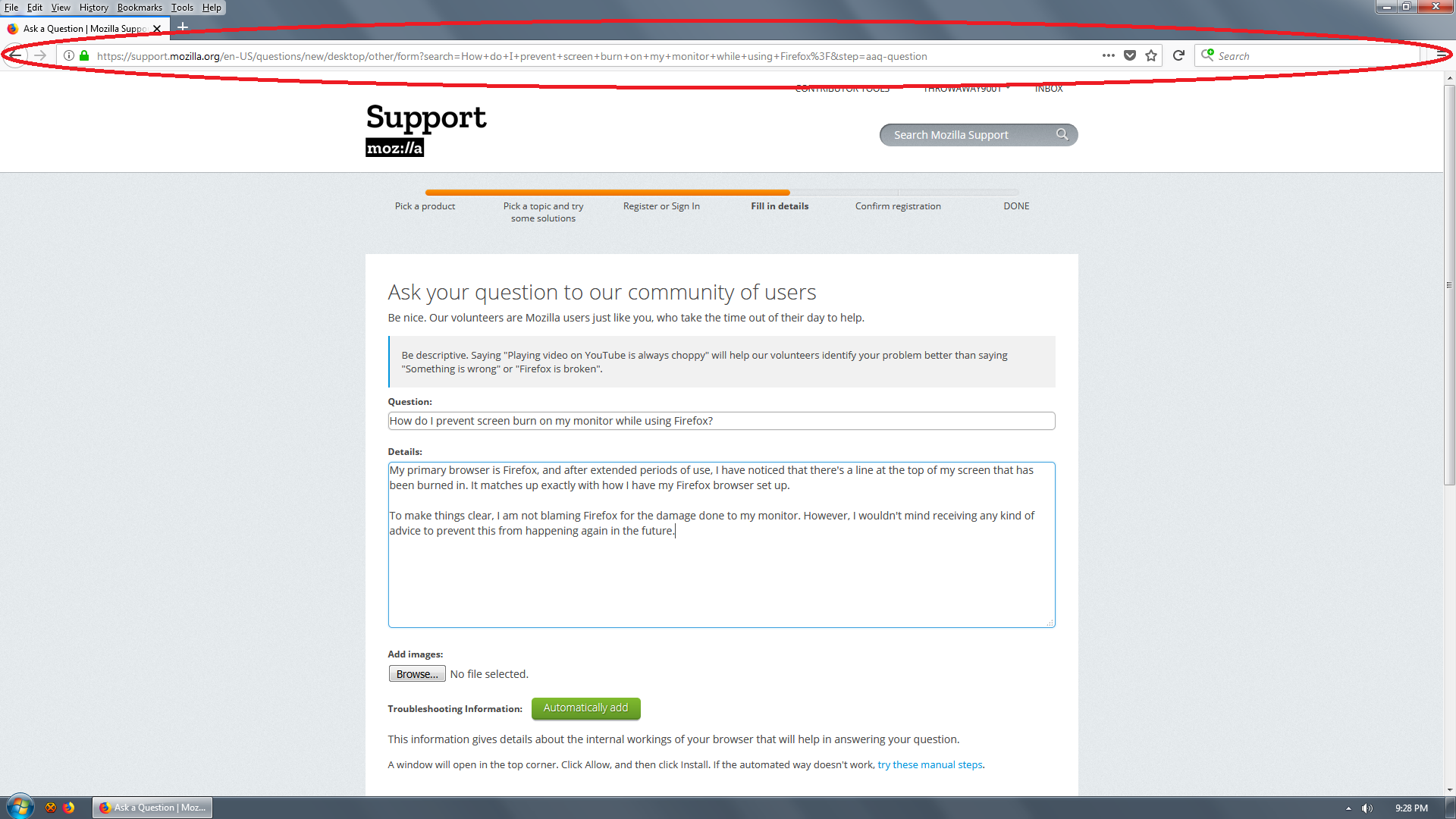
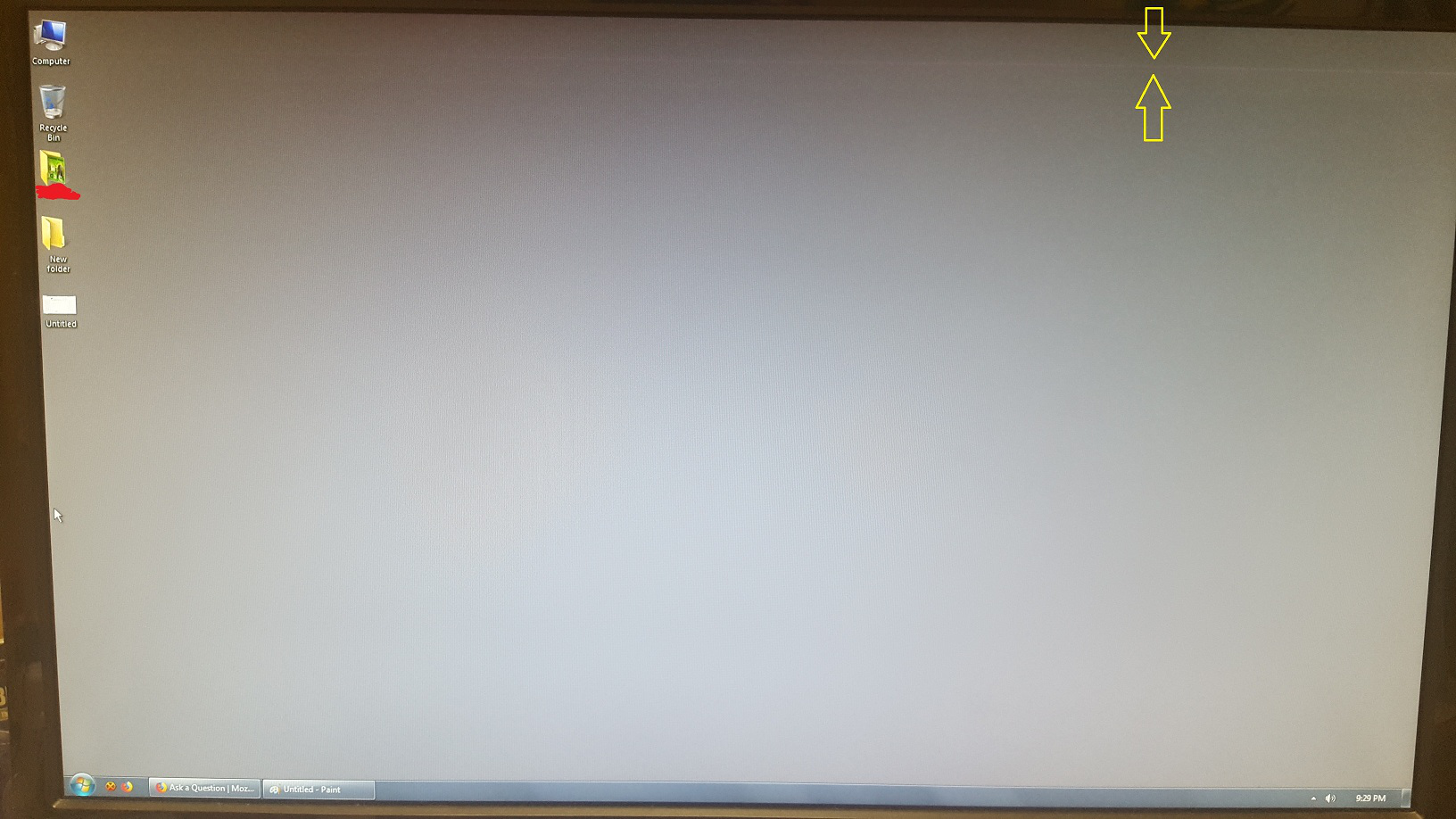
My primary browser is Firefox, and after extended periods of use, I have noticed that there's a line at the top of my screen that has been burned in. It matches up exactly with how I have my Firefox browser set up.
To make it very clear, I am not blaming Mozilla for the damage done to my monitor. However, I wouldn't mind receiving any kind of advice to prevent this from happening again in the future.
Alle antwoorden (8)
Hi, use a screen saver. Windows 7 has some in it. Careful downloading any as that is a place they stick malware/viruses.
Have the monitor turn off in Control Panel --> Power Options after 20mins if not using, or longer, 30mins if using a screen saver.
Or Right Click the Desktop --> Personalize or something like that in 7, some menu is there.
If have a SSD then leave power on to the drive, if normal h/drive have it turn off after a hour or less.
If this happens when you are using Firefox then a screen safer wouldn't be of much use (you would want to see Firefox).
How long does this line last after you have closed Firefox? Does this line move when to re-position Firefox on the screen?
What monitor do you have?
A LCD screen shouldn't have such burn-in issues, but a CRT type monitor might have. That only this one line appear and nothing else sounds weird as you would expect to see more from the top user interface area.
I didn't think LCDs could get screen burn-in, although it is known to occur on plasma displays.
Do you want to try using the dark theme for the toolbar area? You can select themes using Customize or the Add-ons page.
See: Built-in themes in Firefox - alternative to complete themes
cor-el said
If this happens when you are using Firefox then a screen safer wouldn't be of much use (you would want to see Firefox). How long does this line last after you have closed Firefox? Does this line move when to re-position Firefox on the screen? What monitor do you have? A LCD screen shouldn't have such burn-in issues, but a CRT type monitor might have. That only this one line appear and nothing else sounds weird as you would expect to see more from the top user interface area.
The line is permanent; it does not disappear, nor does it move.
My monitor is an Asus VG248QE, which is LED-based.
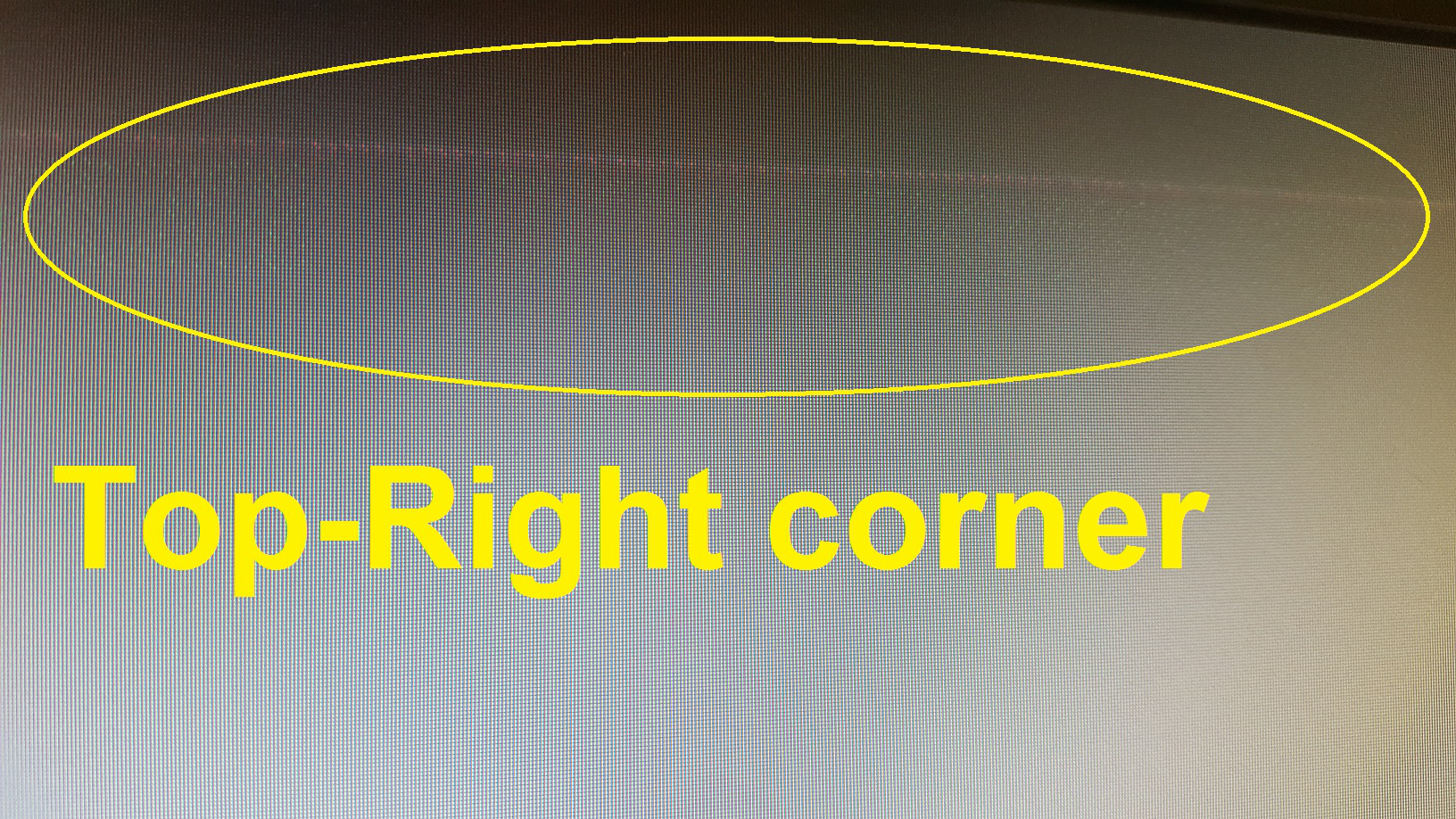
If you look in the third image I've uploaded, you can see faint green dots underneath the line. The pattern matches the URL & search bars.
jscher2000 said
I didn't think LCDs could get screen burn-in, although it is known to occur on plasma displays. Do you want to try using the dark theme for the toolbar area? You can select themes using Customize or the Add-ons page. See: Built-in themes in Firefox - alternative to complete themes
I'm willing to consider switching to a different theme when I repair/replace my monitor. Would this actually prevent burn-ins, or just delay/mitigate it?
I think your monitor is going out or the display it starting to fail.
throwaway9001 said
jscher2000 saidI didn't think LCDs could get screen burn-in, although it is known to occur on plasma displays. Do you want to try using the dark theme for the toolbar area? You can select themes using Customize or the Add-ons page. See: Built-in themes in Firefox - alternative to complete themesI'm willing to consider switching to a different theme when I repair/replace my monitor. Would this actually prevent burn-ins, or just delay/mitigate it?
I don't think displaying bright colors on an LCD panel causes burn-in, but if you think it could then using a darker colors should help, right?
You can check on other forums for advice on problems with LCD panels.
You can get burn out. Have seen a straight line across the screen as you say and there is no way to fix it on a LG. Try a TV ext time with good frame rate as then can control things from the remote that is impossible to do with a monitor.
jscher2000 said
I didn't think LCDs could get screen burn-in, although it is known to occur on plasma displays.
It can of sorts as I had a ViewSonic VX2025wm that had a very nice MVA panel in use from June 2006 to Dec 2016. I often had Firefox or SeaMonkey opened maximized and setup much the same way no mater the versions so it did leave faint outlines of some larger toolbar buttons and bottom of toolbar after some years. And this was with a black GTK2 theme in use.
throwaway9001 said
My monitor is an Asus VG248QE, which is LED-based.
Actually the Asus VG248QE is using a TN panel LCD (TN is terrible for colour but can be best in response) as the LED in this case is referring to the backlight as you need a light source behind the panel. LCD monitors and Tv's used to use CCFL (cold cathode fluorescent lamp) for backlight which is why the LCD Tv's and Monitors were thicker, heavier and had more power consumption before.
There are LED panels like OLED (organic light-emitting diode) panel TV's and Monitors (which does not need a backlight) but they can to have burn in easier depending on type of usage. Even LG I think may getting away from OLED and going to nano cell SUHD for Tv's.
Bewerkt door James op