


Bookmarks and browsing history have disappeared and I cannot restore them. I have tried all the tips I cna find in Mozilla support and it still does not work.

After a recent crash, my bookmarks (and browsing history) are gone. When i attempt to restore the bookmarks from Bookmarks -> Show all bookmarks -> Import and backup -> Restore I get the "Unable to process the backup file" error message. I have deleted the places.sqlite and restarted Firefox, no difference. I have also checked the integrity of the places.sqlite and there is nothing wrong. i exported the bookmarks backup to HTML and attempted to import it... still doesn't work.
All book marks are still missing. Please help.
Alle antwoorden (4)
Hi, please send the bp- along with the numbers :
The crash report is several pages of data. We need the report numbers to see the whole report.
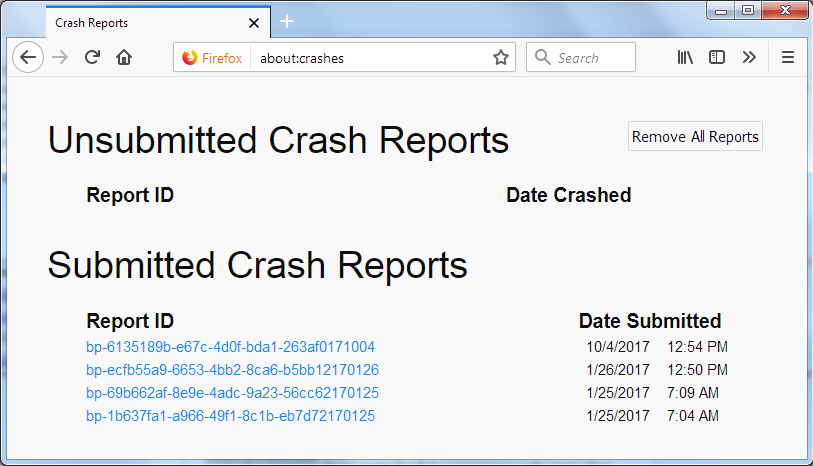
- Enter about:crashes in the Firefox address bar and press Enter. A Submitted Crash Reports list will appear, similar to the one shown below.
- Copy the 5 most recent Report IDs that start with bp- and then go back to your forum question and paste those IDs into the "Post a Reply" box.
Note: If a recent Report ID does not start with bp- click on it to submit the report.
(Please don't take a screenshot of your crashes, just copy and paste the IDs. The below image is just an example of what your Firefox screen should look like.)
Thank you for your help!
More information and further troubleshooting steps can be found in the Troubleshoot Firefox crashes (closing or quitting unexpectedly) article.
Gekozen oplossing
Try to create a new profile to test if your current profile is causing the problem.
See "Creating a profile":
- https://support.mozilla.org/en-US/kb/profile-manager-create-and-remove-firefox-profiles
- http://kb.mozillazine.org/Standard_diagnostic_-_Firefox#Profile_issues
If the new profile works then you can transfer files from a previously used profile to the new profile, but be cautious not to copy corrupted files to avoid carrying over problems.
In response to PKshadow
ccad10aa-8d61-4acb-ba55-ffe8d0ed5d6a 4/20/2018 8:54 AM 190baec9-0ad7-4a09-bc90-9d7df9218aae 4/20/2018 8:54 AM 841fab7a-3458-4aba-b3bc-d141dd9e45f1 4/20/2018 8:54 AM 7dbc5599-c428-46e1-a813-70a8f10b3323 4/20/2018 8:50 AM 8d6e47cd-ba6e-4239-b16c-547cdfd8f448 4/20/2018 8:50 AM
Hi cor-el. I created a new profile and it does help. I am able to import my bookmarks into this new profile successfully. I attempted to use the old profile and import the bookmarks from the new profile without success, so it definitely something in the old profile.
I have managed to recover everything i needed to the new profile. Thanks for the help
Bewerkt door batswinger op