


skype doesnt work with firefox

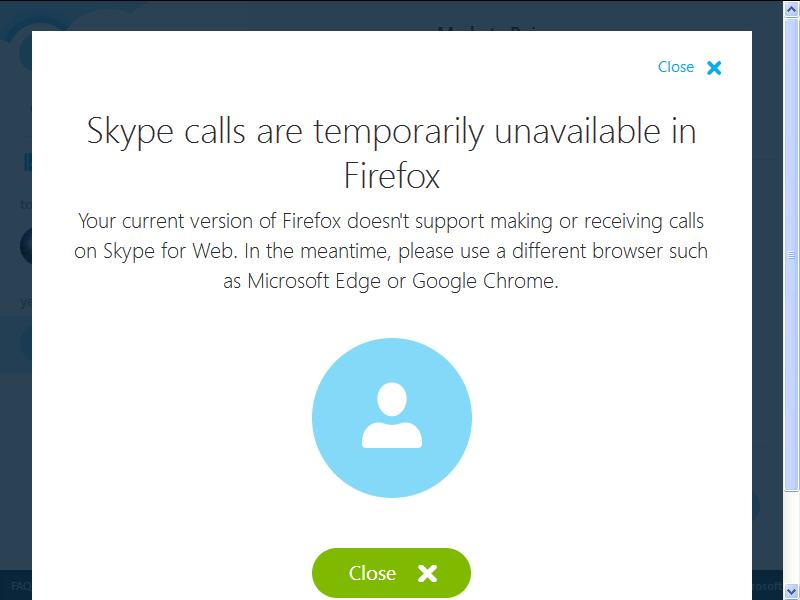
I just started having problems with Skype where I am online but my contacts see me as offline and when I try to message and chat with them, the message is never delivered, the contact does not recieve it. If I try to call them. it says it is connecting and then the call drops and says the person was not available, but the contact is clearly online and never gets the call on their side. My contacts seem to be experiencing the same problem on their side with Skype, when trying to connect to me. I am running windows xp service pack3 and I am using Firefox ESR 52.5.3 (esr-cck-euballot) update channel and Skype 7.36.150 I have included a screenshot of the message that usually comes up. Would appreciate a solution to this as I really need to use skype quite regularly and its giving me a headache.
Alle antwoorden (2)
Skype is a Windows Program and nothing to do with Firefox not working. https://answers.microsoft.com/en-us/skype/forum/skype_windesk-skype_startms-skype_installms/skype-update-for-windows-xp/cbe26f10-007c-4bb1-a207-d28415143d1f?auth=1
It is as the Screenshot States, use a Microsoft product.
https://blog.mozilla.org/futurereleases/2017/10/04/firefox-support-for-windows-xp-and-vista/
You could try : Please Refresh but do this 1st:
- https://support.mozilla.org/en-US/kb/export-firefox-bookmarks-to-backup-or-transfer
- https://support.mozilla.org/en-US/kb/back-and-restore-information-firefox-profiles
then
TEST....... If no issues then Extensions which need to be added back in 1 at a time and tested ..... Or it is your Profile : Make a new one and test ...:
If is your Profile :
- https://support.mozilla.org/en-US/kb/recovering-important-data-from-an-old-profile
- http://kb.mozillazine.org/Transferring_data_to_a_new_profile_-_Firefox
Note: Any customization will revert back to default, you will also need to reinstall Extensions.
Please let us know if this solved your issue or if need further assistance.
Thanks for your advice on a possible solution PKshadow. In the end, I managed to figure out what the problem was. It was an old Skype contact, who had changed their username, unbeknownst to me and I only found out when I installed the skype plugin for firefox and their new username had appeared with a mobile ikon next to it. So far everything is working as it did before.