


I can't access to Mozilla's website to download Firefox

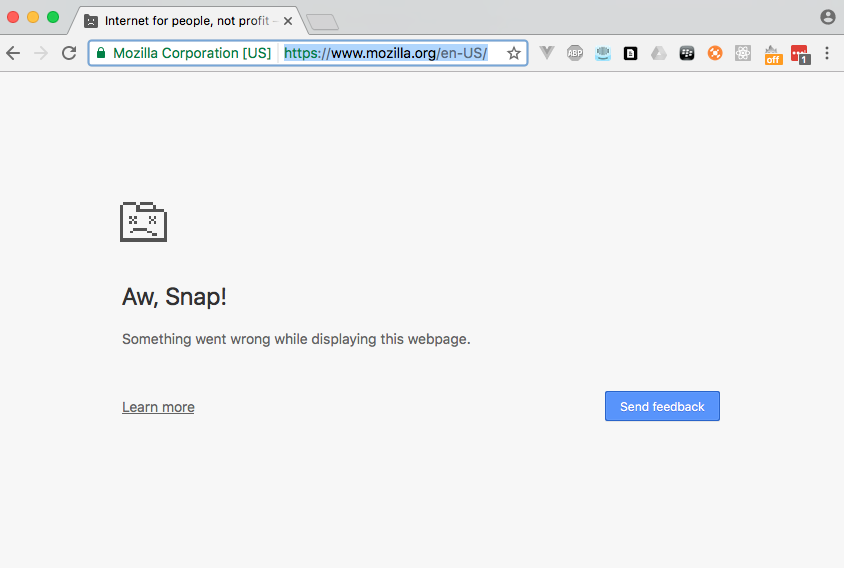
Yesterday, Firefox crashed everytime I started it. I did click "Send Report" everytime it crashed. Now I can no longer access Mozilla's website to download a fresh install of Firefox. I always get an error page when access main page of Mozilla (please refer to the attachment). All my friends can access Mozilla webpages except me. Maybe my machine was blocked my you guys for sending massive error reports to your server. Please help me through this issue.

Gekozen oplossing
If necessary, Using another computer, Download Firefox Full Version For All languages And Systems onto a thumb drive. After, plug the thumb into your system. http://www.mozilla.org/en-US/firefox/all/
Alle antwoorden (3)
Add screenshot of error page

Hi, delete cookies/clear cache and all references to Mozilla, then try again.
For your crashing; hold down Shift when you start Firefox to start in Safe Mode. More - Use Troubleshoot Mode in Firefox
If that doesn't help, and it starts at all, please follow the steps below to provide us crash IDs to help us learn more about your crash.
The crash report is several pages of data. We need the report numbers to see the whole report.
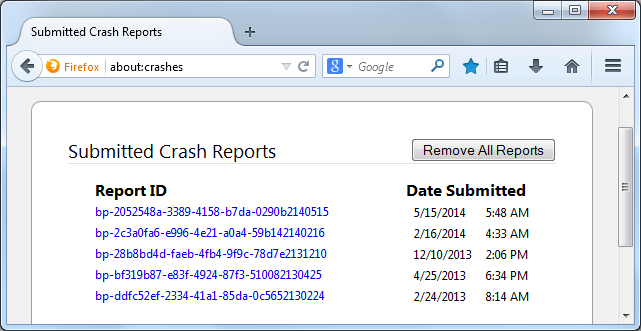
- Enter about:crashes in the Firefox address bar and press Enter. A Submitted Crash Reports list will appear, similar to the one shown below.
- Copy the 5 most recent Report IDs that start with bp- and then go back to your forum question and paste those IDs into the "Post a Reply" box.
Note: If a recent Report ID does not start with bp- click on it to submit the report.
(Please don't take a screenshot of your crashes, just copy and paste the IDs. The below image is just an example of what your Firefox screen should look like.)
Thank you for your help!
More information and further troubleshooting steps can be found in the Troubleshoot Firefox crashes (closing or quitting unexpectedly) article.
Bewerkt door Scribe op
Gekozen oplossing
If necessary, Using another computer, Download Firefox Full Version For All languages And Systems onto a thumb drive. After, plug the thumb into your system. http://www.mozilla.org/en-US/firefox/all/