


Can't close bookmarks editor

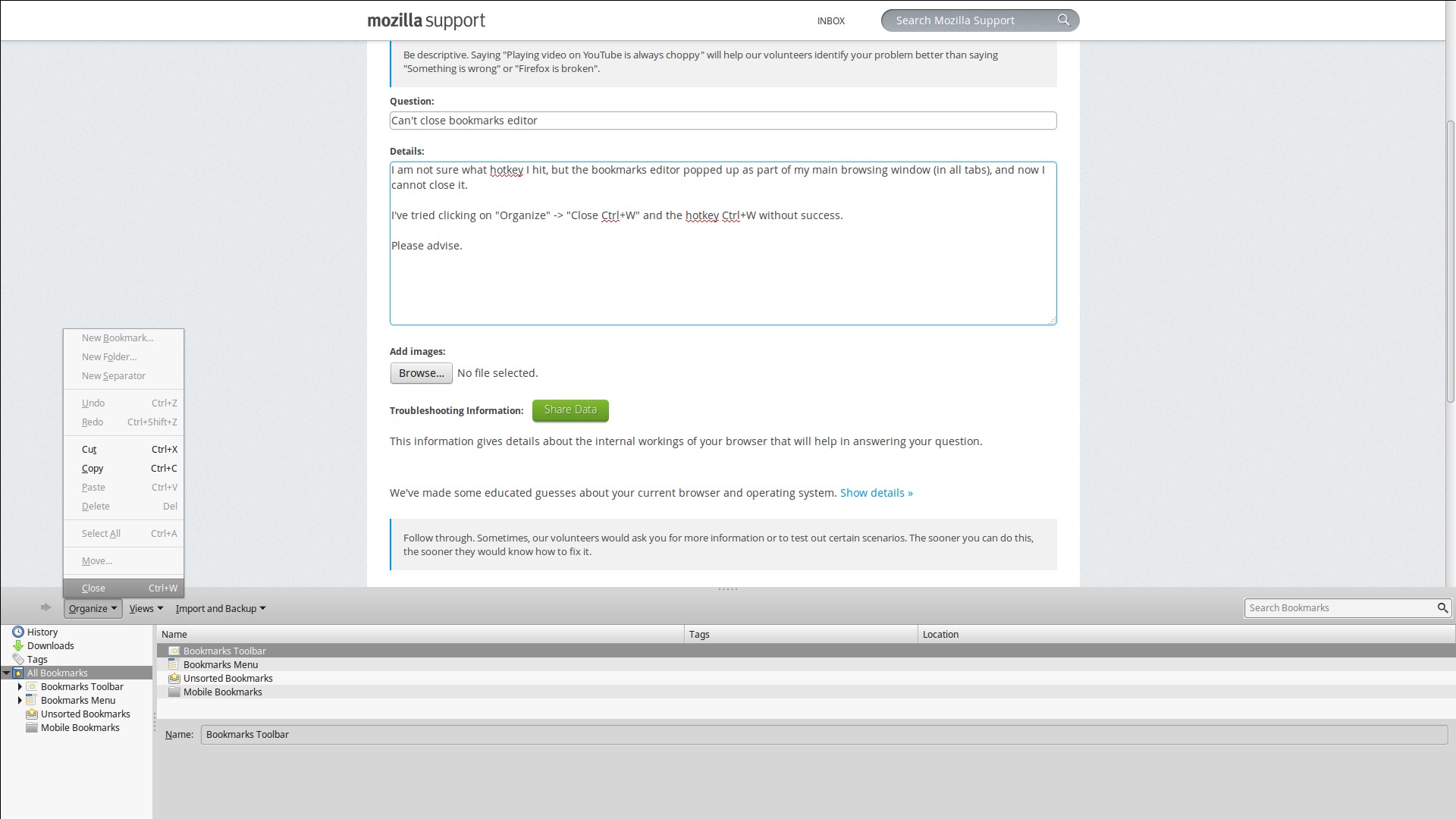
The bookmarks editor became embedded in my main browsing window (in all tabs) -- NOT A SEPERATE WINDOW -- and now I cannot close or disable it.
I've tried clicking on "Organize" -> "Close Ctrl+W" and the hotkey Ctrl+W without success.
Attached is a screenshot to show the issue.
Please advise.
Bewerkt door neocrime op
Gekozen oplossing
Since my last post I started removing older extensions that I no longer use. Not sure which one did it, but solved the issue. :-)
Thanks for your help!
Alle antwoorden (6)
Start Firefox in Safe Mode to check if one of the extensions (Firefox menu button/Tools > Add-ons > Extensions) or if hardware acceleration is causing the problem.
- Switch to the DEFAULT theme: Firefox menu button/Tools > Add-ons > Appearance
- Do NOT click the Reset button on the Safe Mode start window
- https://support.mozilla.org/kb/Safe+Mode
- https://support.mozilla.org/kb/Troubleshooting+extensions+and+themes
Does this also happen in a new window?
Try to rename (or delete) the xulstore.json file in the Firefox profile folder. You can use this button to go to the current Firefox profile folder:
- Help > Troubleshooting Information > Profile Directory: Show Folder (Linux: Open Directory; Mac: Show in Finder)
- http://kb.mozillazine.org/Profile_folder_-_Firefox
Hi cor-el!
- While in safe mode I Went to tools -> add-ons -> appearance. There is only one theme (I never installed other themes). This did not fix the issue.
- I did not click the reset button -- this time. Did that already, but as soon as I re-sync with my firefox account it re-sync's the configuration that opens the embedded window.
- This happens in new windows, new tabs, AND across different computers through sync.
- I deleted the xulstore.json file, but as soon as I re-open firefox in non-safemode it resyncs and the embedded bookmarks windows re-appears.
Thanks for your help.

Turn off sync until the problem is solved.
Are you syncing any extensions?
Ubuntu has the habit of making a lot of changes to the way Firefox behaves.
You can delete the prefs.js file to reset all preferences to their default.
Gekozen oplossing
Since my last post I started removing older extensions that I no longer use. Not sure which one did it, but solved the issue. :-)
Thanks for your help!
That was very good work. Well Done.