


How to print an EMail

I use Outlook but now unless I open File I cant print emails as I used to. Also when I do it prints all my boxes on the left hand side and then only prints part of the email. There no longer seems to be the print option as before
I use Outlook but now unless I open File I cant print emails as I used to. Also when I do it prints all my boxes on the left hand side and then only prints part of the email. There no longer seems to be the print option as before
Gekozen oplossing
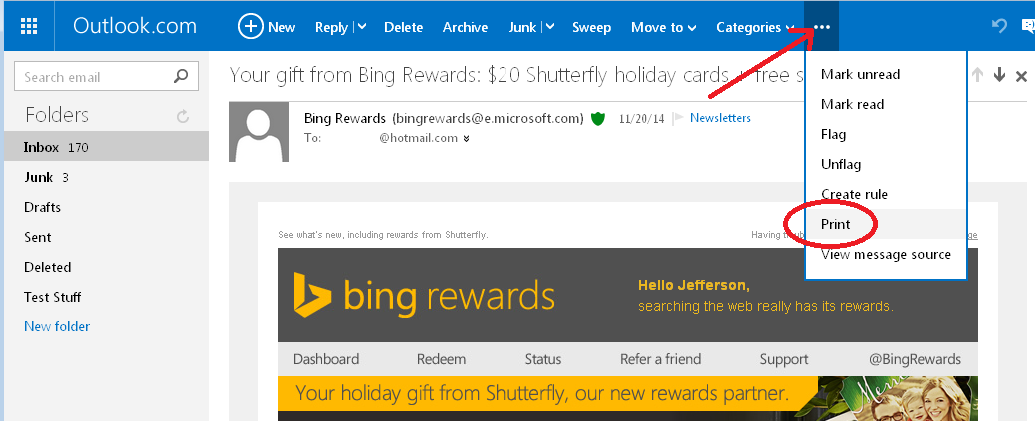
The command for setting up a print-optimized message moved to the ... menu (see attached screenshot as an example). Can you find that on yours?
Dit antwoord in context lezen 👍 2Alle antwoorden (3)

Open the message. Then print.
Gekozen oplossing
The command for setting up a print-optimized message moved to the ... menu (see attached screenshot as an example). Can you find that on yours?
Bewerkt door jscher2000 - Support Volunteer op
Thank you. For some reason the print option was not showing but have downloaded again and now it does. Very many thanks