


Use "help" re mailing list and to create it says to select 'File>New but I cannot find 'File' in 'Address Book'

Trying to set up a mailing list for emails. Not sure how to set up a group that I can use to list names and emails. Went to help. Instructions said to > open address book > select file > new > mailing list. I went to address book ok but cannot find 'File' there.
Am after assistance in getting mailing list set up.
Thanks
All Replies (3)

Chosen Solution
I think there are some outdated instructions floating around out there. Try this:
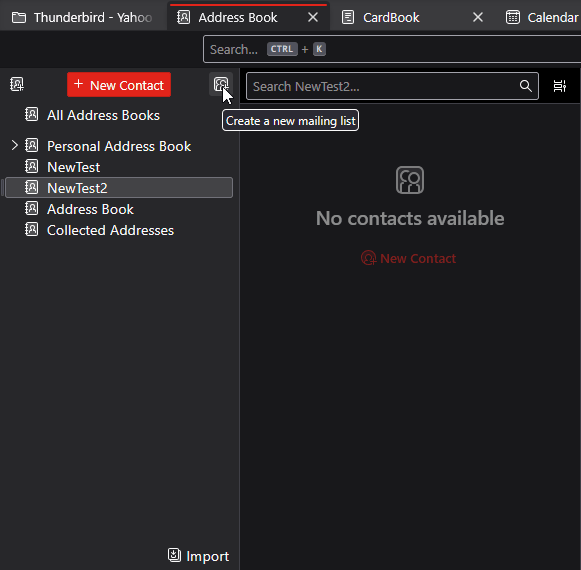
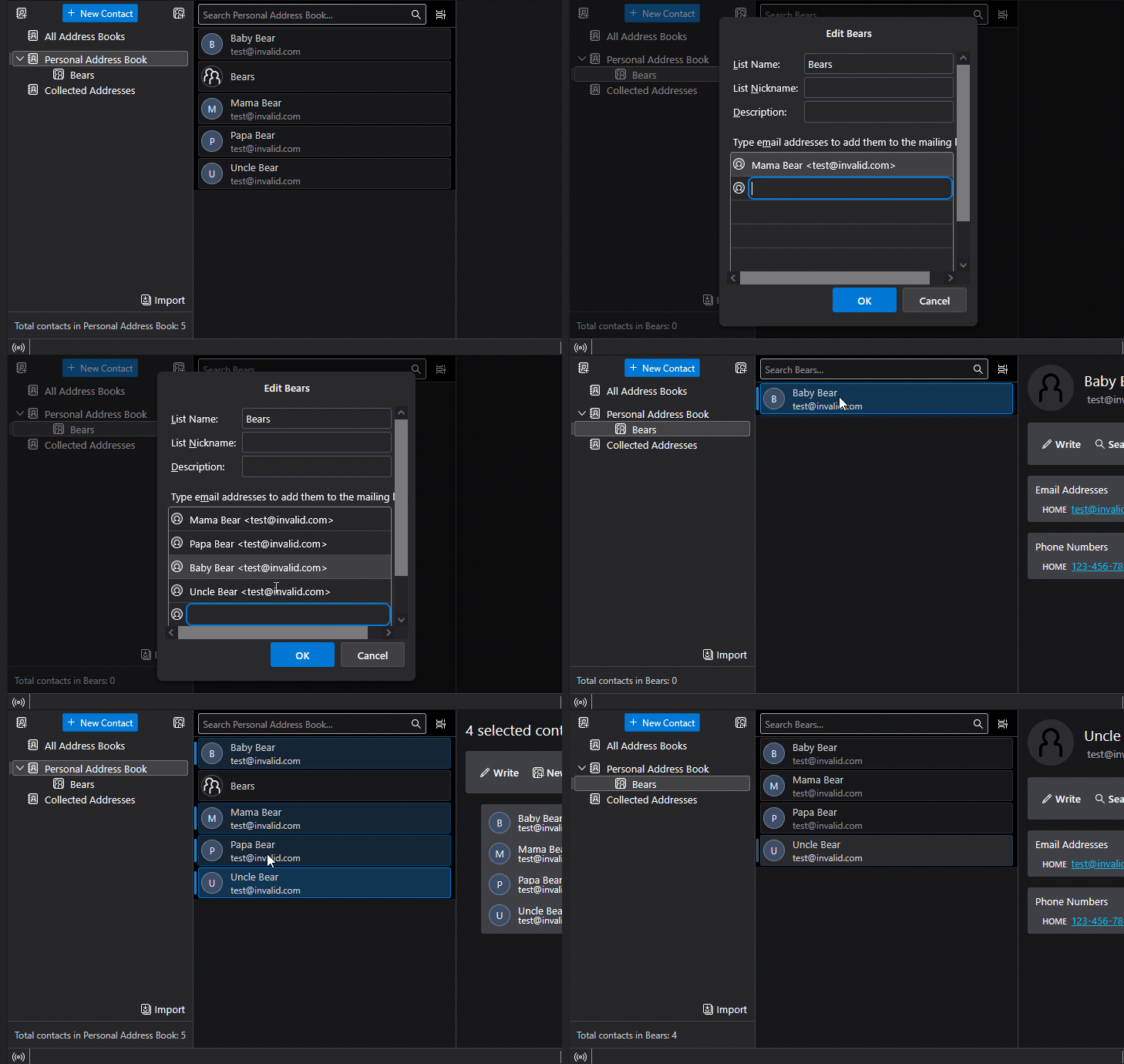
In the Address Book, click the little icon to the right of the New Contact button (see attached image.) Give the new list a name. You are supposed to be able to start typing addresses from your Address book in there, but I find it doesn't always work. What works more reliably is to confirm the Mailing list, then start drag-and-dropping entries from the Address Book onto the new Mailing List. See the attached animation.
Thank you so much for the reply. Appreciate it. Bruce

Lin, this was very helpful, but now that I have created a new empty mailing list, is there a way to import data into it from an existing mailing list? Each school year I need to delete or add addresses based on an existing mailing list, how do I automate this process?