


I want to disable Windows Security "Making sure it's you"

Hello,
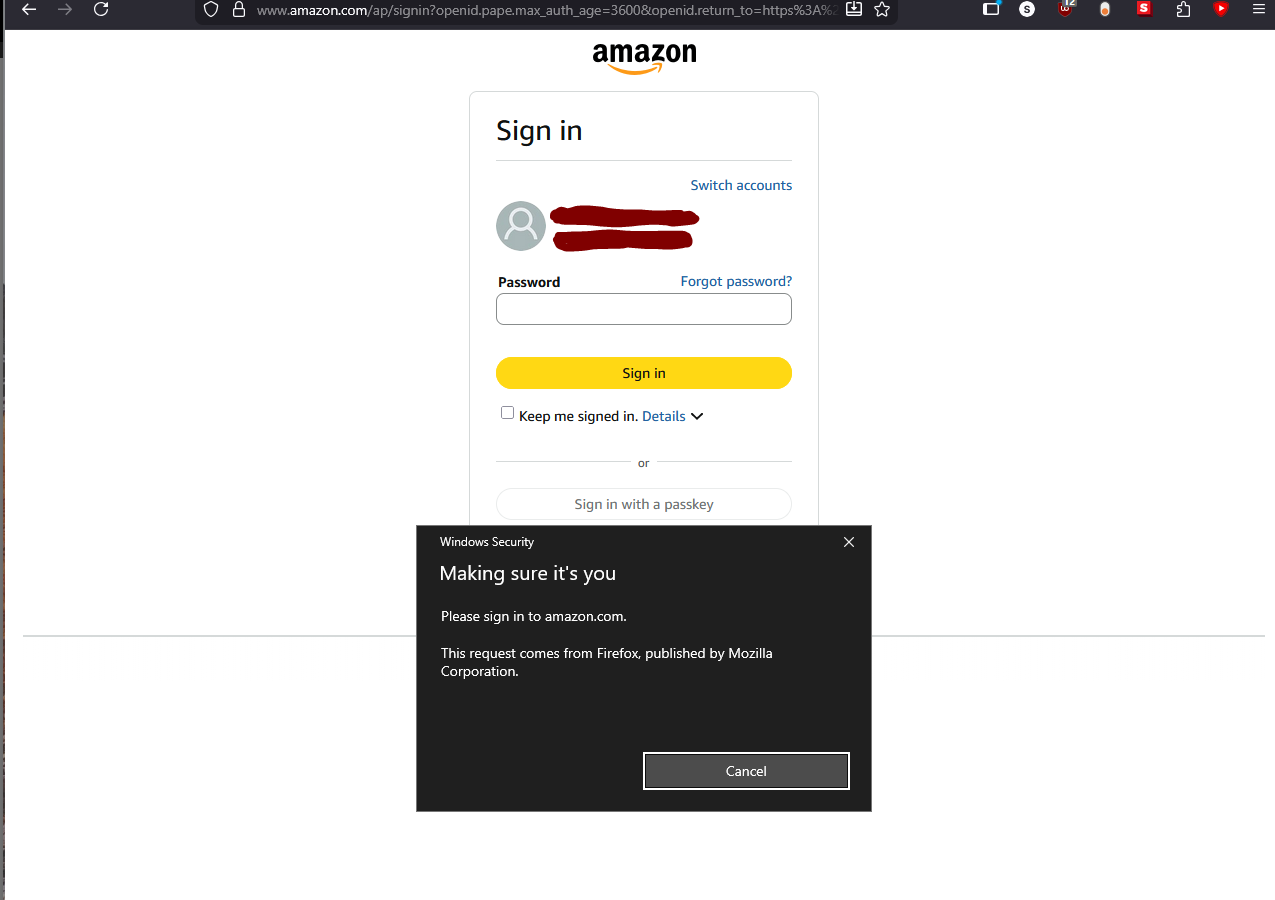
I am running windows 10, firefox 148.0.2 (64-bit) and when signing onto amazon.com I am greeted by this annoying pop up. Screenshot attached,
"Windows Security Making sure it's you
Please sing in to amazon.com This request comes from Firefox, published by Mozilla Corporation"
I do not find a need for this pop up and would like to know how to disable it. If you know how, please let me know!
Hello,
I am running windows 10, firefox 148.0.2 (64-bit) and when signing onto amazon.com I am greeted by this annoying pop up. Screenshot attached,
"Windows Security
Making sure it's you
Please sing in to amazon.com
This request comes from Firefox, published by Mozilla Corporation"
I do not find a need for this pop up and would like to know how to disable it. If you know how, please let me know!
All Replies (1)
Hi,
You should be able to disable this in your Amazon account settings. It's a passkey I guess?