


Firefox on iOS Has Broken Feature in 145.1

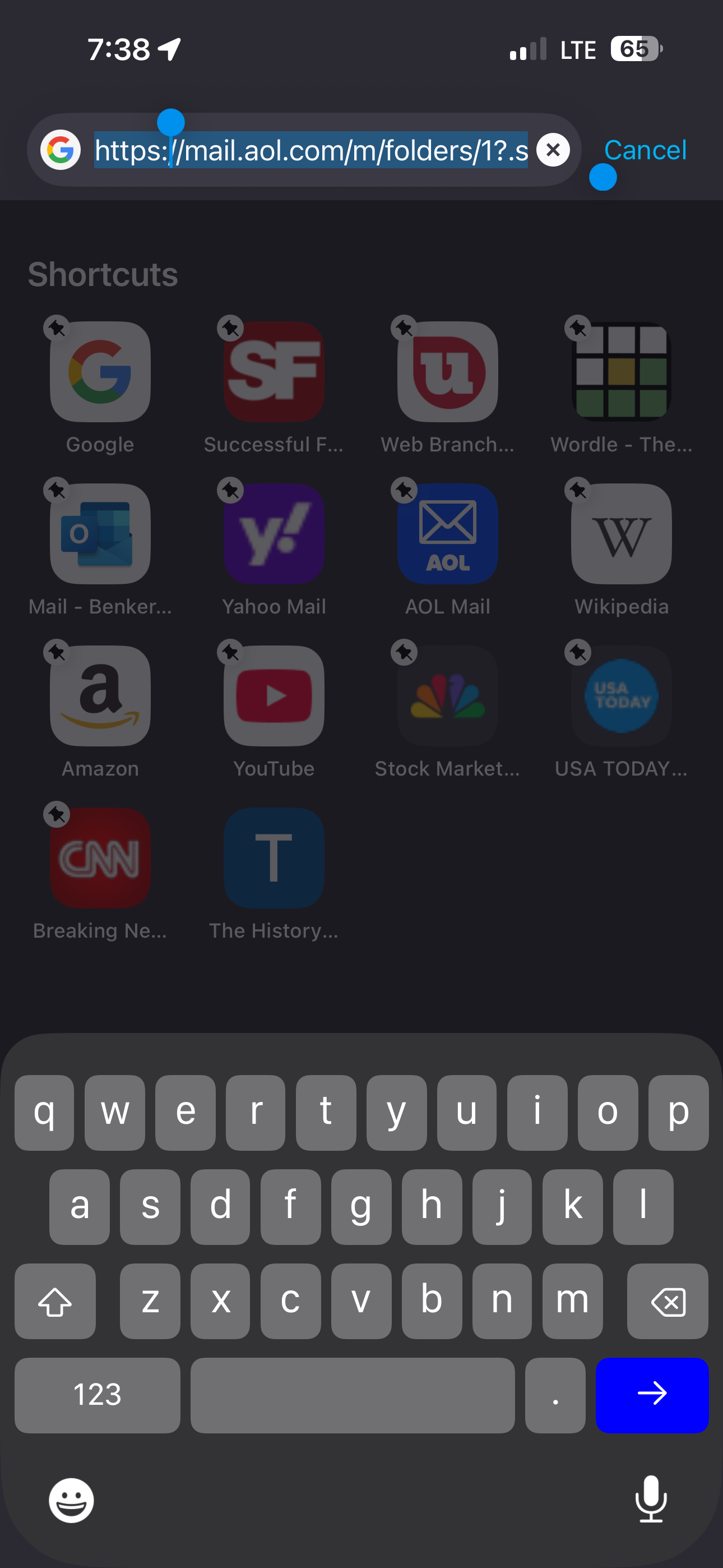
Firefox on iOS has always let users go to their defined shortcuts by clicking on the Address Bar and then selecting the desired Shortcut. With 145.1, this is broken. Now when clicking on the Address Bar, the Shortcuts are shown but the user can't pick any and can only enter a search with their selected search engine. See attached photo.
Please fix.
Firefox on iOS has always let users go to their defined shortcuts by clicking on the Address Bar and then selecting the desired Shortcut. With 145.1, this is broken. Now when clicking on the Address Bar, the Shortcuts are shown but the user can't pick any and can only enter a search with their selected search engine. See attached photo.
Please fix.
All Replies (1)
Oooh, do you by any chance have a "custom URL" set as your new tab? There was a bug for such setting preventing tapping the icons, that should have been fixed in this week's v150.1 if you wanna try updating, to see if it resolves your case?