

This thread was archived.
Please ask a new question if you need help.

Archived
how to turn popups on

I need to complete a questionnaire in a job application and must allow popups.
I need to complete a questionnaire in a job application and must allow popups.
All Replies (2)
Hello,
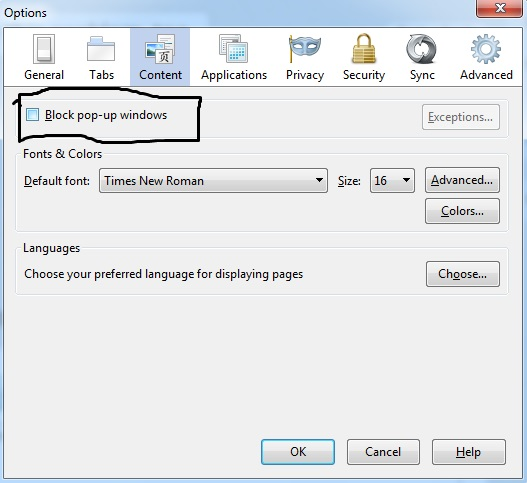
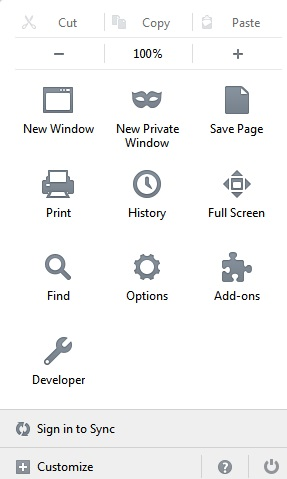
To do this you need to go to settings it is a button on the top right corner it's the last button. From there hit options and go to content, and from there you can allow pop-ups. I attached some images to help you! :D
Modified by Microrobot
You can inspect and manage the permissions for the domain in the currently selected tab via these steps:
- Click the "Site Identity Button" (globe/padlock) on the location bar
- Click "More Information" to open "Tools > Page Info" with the Security tab selected
- Go to the Permissions tab (Tools > Page Info > Permissions) to check the permissions for the domain in the currently selected tab