


Synch works one way only

Hi, I am using Firefox on Mac Os Tahoe and IOS 18.7 and 26.2 (2 iPads). I have set up synching of my open tabs, but this works only from MacOs to the iPads, not the other way round. When closing MacOs Firefox tabs on the iPads this does not synch back to the Mac. I am missing something?
All Replies (7)

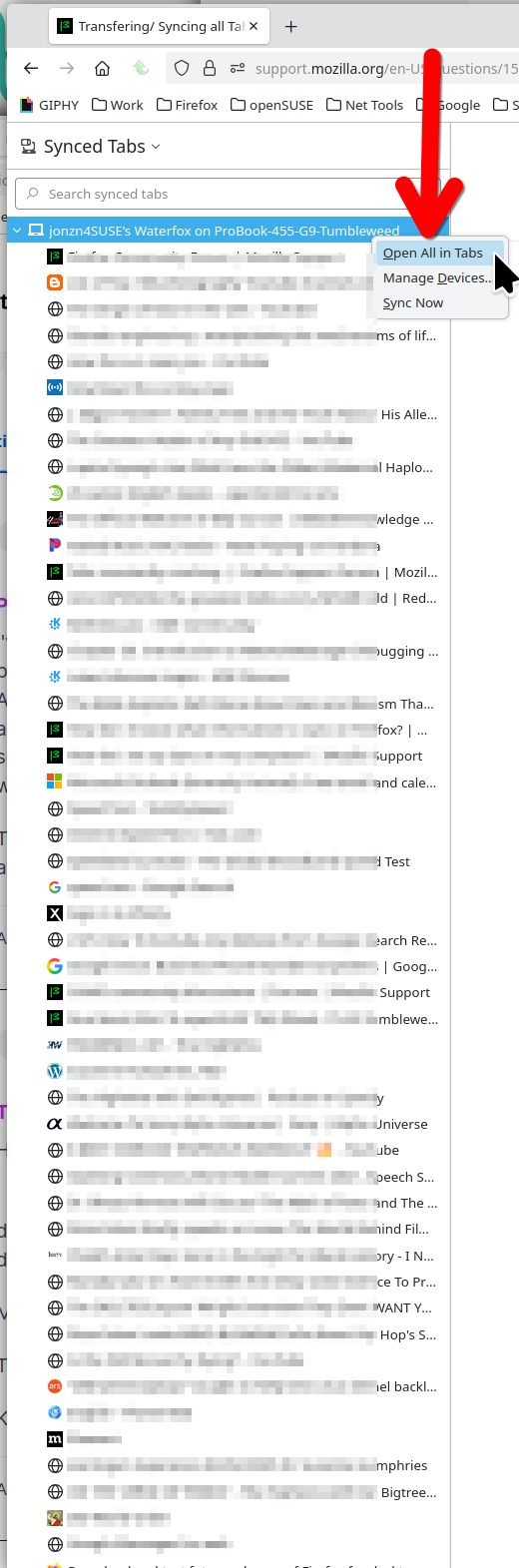
Sync allows you to see and access tabs on other devices. see screenshot
FYI... SYNC IS NOT A DATA BACKUP SERVICE Sync info... https://support.mozilla.org/en-US/kb/how-do-i-set-sync-my-computer https://support.mozilla.org/en-US/kb/how-do-i-choose-what-information-sync-firefox https://www.mozilla.org/en-US/firefox/features/sync/ Sync Firefox data https://support.mozilla.org/en-US/kb/sync https://hacks.mozilla.org/2018/11/firefox-sync-privacy/ Sync is not a backup tool but it is a good sync/transfer/move tool https://support.mozilla.org/en-US/forums/contributors/707681
I have set the synching up successfully, thanks. This is from the https://support.mozilla.org/en-US/kb/sync page: “ View and close tabs on one device from another device.” Unless my mastering of English is defiicient, this tells me closing tabs should work both ways. What am I missing?
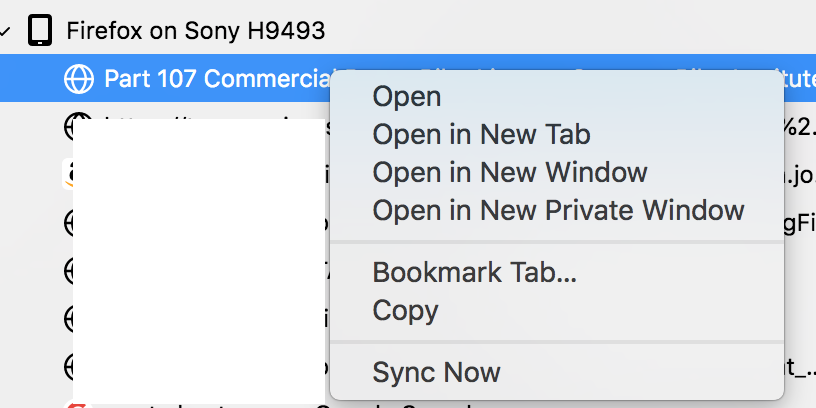
Yeah, it appears that someone provide bad info. All you had to do is right click on a tab from another device to see what options you have. Here's a screenshot of tabs on one of my phones and you can see what options you have. see screenshot
kjahn1 said
I have set the synching up successfully, thanks. This is from the https://support.mozilla.org/en-US/kb/sync page: “ View and close tabs on one device from another device.” Unless my mastering of English is defiicient, this tells me closing tabs should work both ways. What am I missing?
What can I do with Sync in Firefox?
Unlock seamless browsing across multiple Firefox instances with Sync, a feature that ensures your bookmarks, logins and passwords, addresses, credit cards, extensions and important settings are consistent and accessible across all your devices. Moreover, Sync enables each Firefox to show which tabs are open on your other devices, allowing for effortless navigation and access.
Modified by jonzn4SUSE
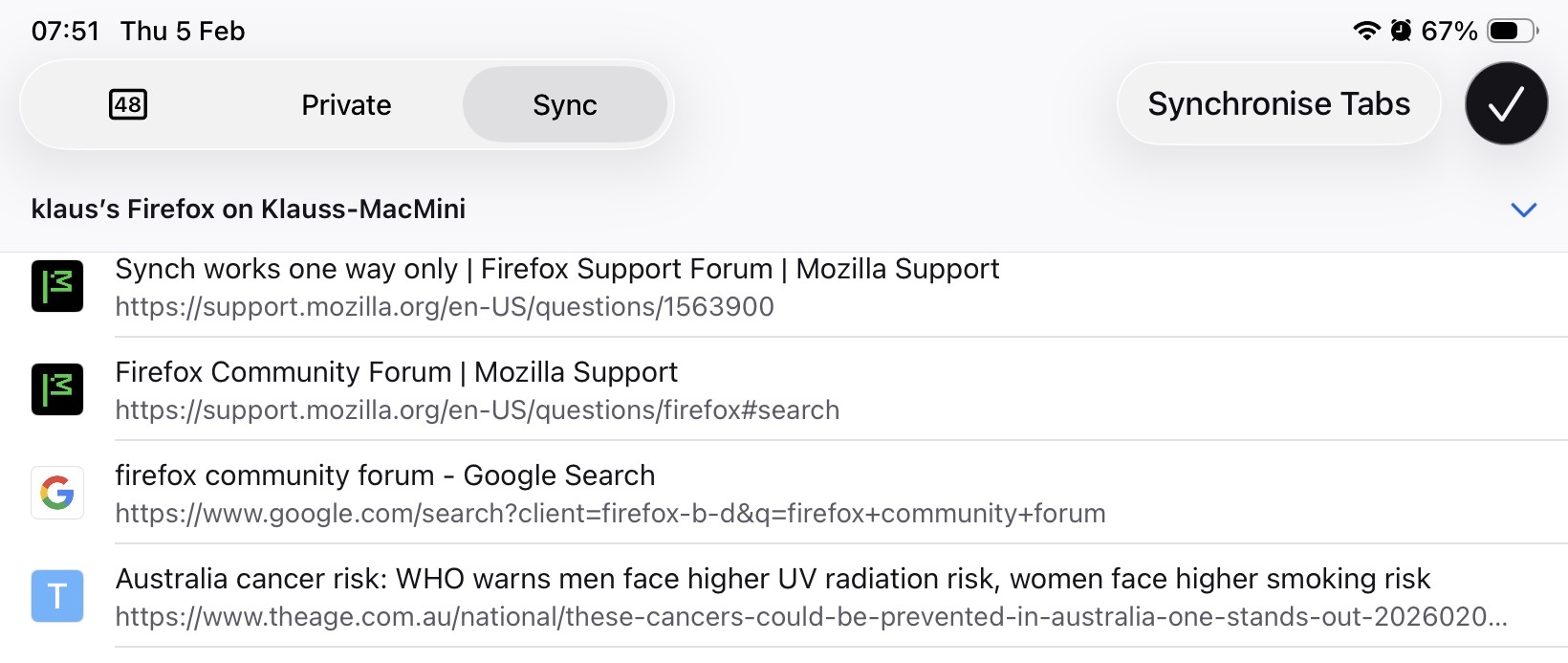
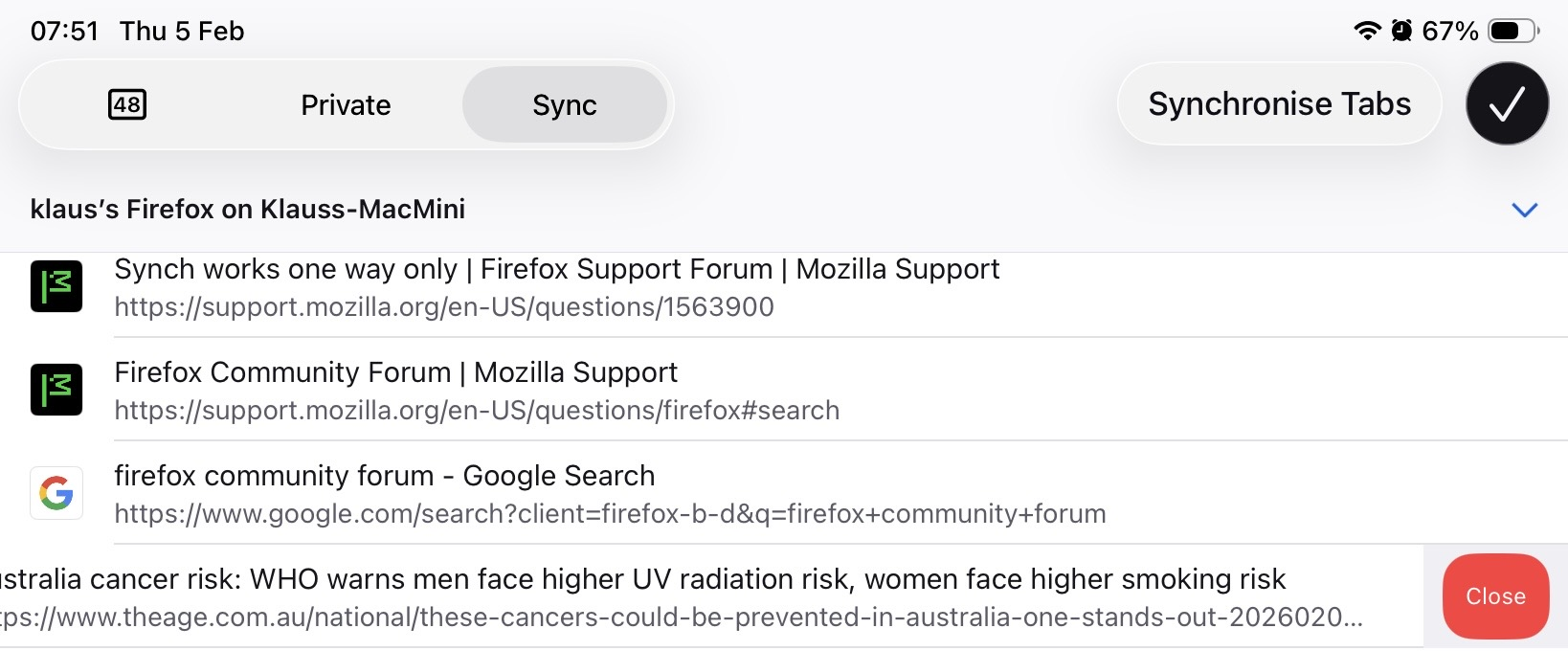
Jonz4SUSE, Thanks for your responses, but I think our lines of communication are still crossed … I am adding some screenshots to explain: The first one shows some Tabs from my Mac as they appear on my iPad after synching. The second one shows the “Close” button. When I close this tab on the iPad it disappears from there, but on the Mac - later - it still shows up as open. Why? “Synching” 2 devices means to me both ways, but that’s not the case, apparently.
WOW!!! Never seen that before! Maybe someone closer to dev can chime in.
P.S. after checking the synching to my 2nd (older) iPad I can confirm that “closing” a tab appears to remain local, i.e. limited to that device and not synched back to the other devices - whether running MacOs or IOS.