restoring outlook after electrical outage

Hello Our town had two unexpected electrical outages during severe thunderstorms a few days ago. When I reopened Firefox and tried to log on to my outlook account, I received the following message: UTC Date: 2026-01-10T07:45:12.961Z Client Id: 6ACCBE246D464180895379C1XXXXXXXXX Session Id: d6e32139-5adc-4e94-b1e6-ff2b299c8f50 Client Version: 20251212003.10 BootResult: 2152857611 Back Filled Errors: None err: NS_ERROR_FILE_CORRUPTED: esrc: Preboot et: ClientError estack: getItem@https://res.public.onecdn.static.microsoft/owamail/hashed-v1/scripts/owa.94868.m.b71f002c.js:1:21149 i@https://res.public.onecdn.static.microsoft/owamail/hashed-v1/scripts/owa.94868.m.b71f002c.js:7:141360 importExistingCache@https://res.public.onecdn.static.microsoft/owamail/hashed-v1/scripts/owa.94868.m.b71f002c.js:1:23004 946909/i/<@https://res.public.onecdn.static.microsoft/owamail/hashed-v1/scripts/owa.94868.m.b71f002c.js:7:151863 initialize@https://res.public.onecdn.static.microsoft/owamail/hashed-v1/scripts/owa.94868.m.b71f002c.js:1:21016
I can open my email logins in Chrome and Safari, but not in Firefox. In Firefox I can open all my previous Bookmarks, but not Outlook. Any advice gratefully received, thank you
Chosen solution
Great. Mark it as resolved and get back to it. ;-))
Read this answer in context 👍 1All Replies (3)
Did you clear your browser cache? https://support.mozilla.org/en-US/kb/clear-cookies-and-site-data-firefox
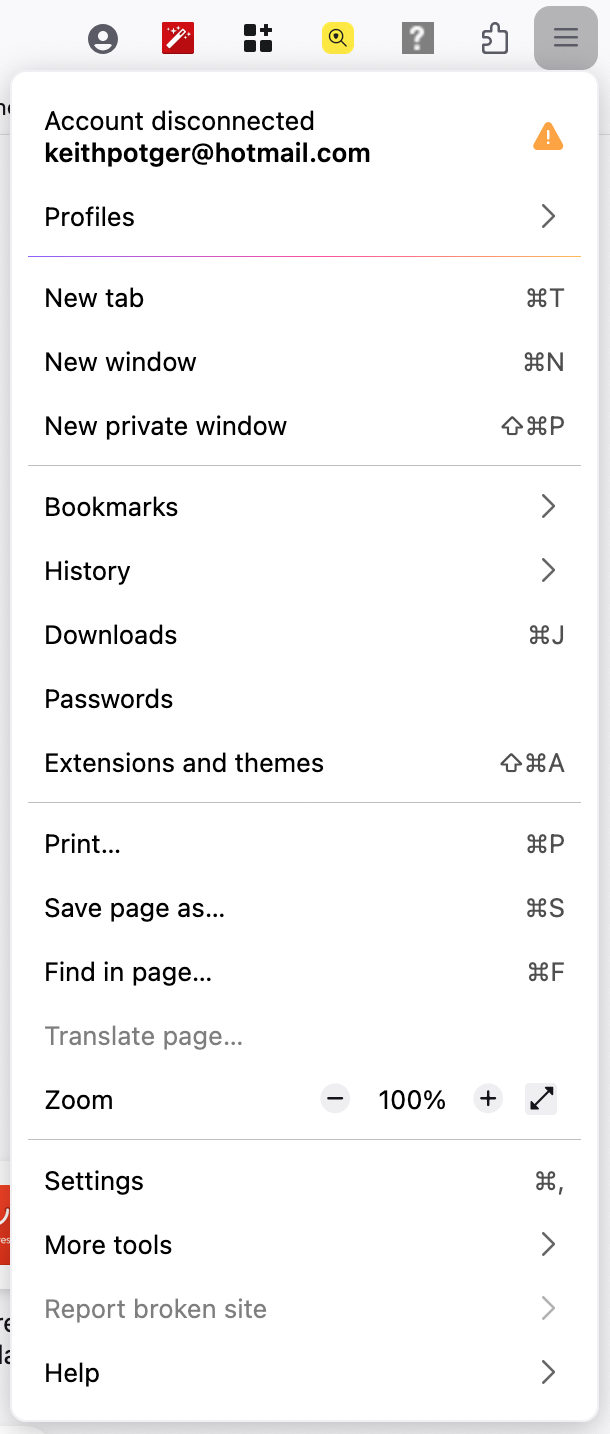
Thank you. I thought I had cleared it before submitting my problem. With your prompting I did it again. However, still the same result! I have only just noticed the item in the Menu option, screenshot attached, that says Account disconnected. I created a new Profile, using my old Profile info and that has allowed me to log in via Firefox, just like the good old days. Yay! Many thanks. I've learned something that makes my 85 year old heart very happy...