


how do I block firefox from showing banners like this?

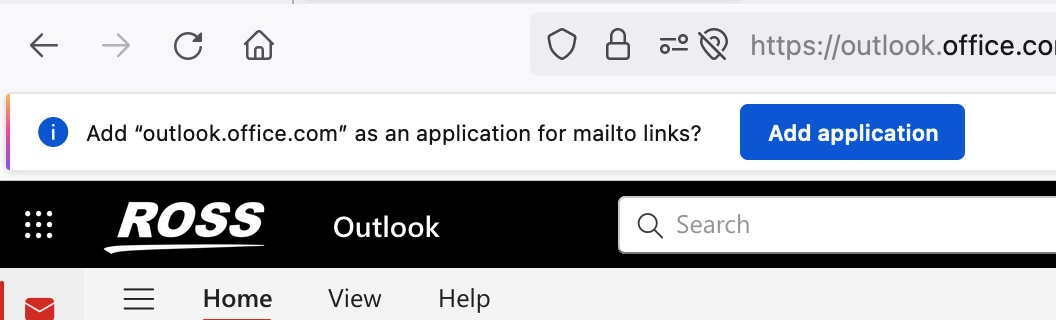
how do I block firefox from showing banners like the one in the image?
I dismiss it everytime and it come back the next time I go to Outlook
how do I block firefox from showing banners like the one in the image?
I dismiss it everytime and it come back the next time I go to Outlook
All Replies (3)
Solution: Add "outlook.office.com" as an application for mailto links.
Ty, that is exactly what I do not want to do. how do I stop this behaviour without doing that
how to tell firefox to stop prompting for stuff like that. curious as to why there is not a never ask again button
Try to switch these preferences in about:config to false:
- "browser.mailto.dualPrompt.os"
- "browser.mailto.prompt.os"
Bug 1864216 - Allow setting the browser as the OS default mailto handler