

This thread was archived.
Please ask a new question if you need help.

Solved
Archived
How to import feeds from OPML file
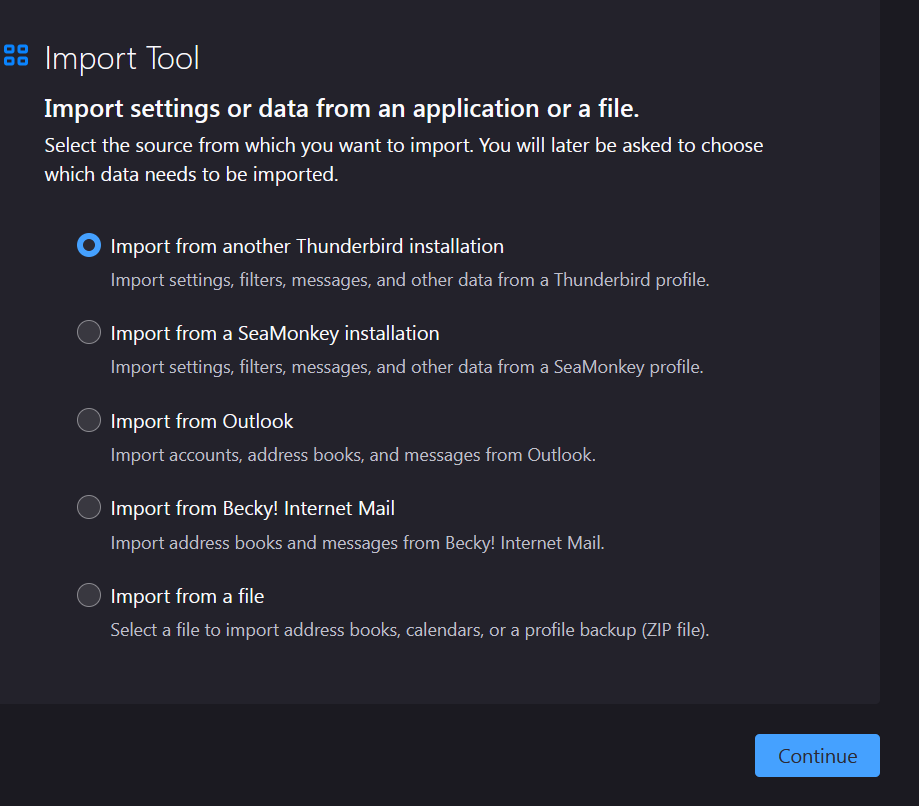
I want to import an OPML file with RSS feeds into Thunderbird. However, the option to import feeds is not shown under Tools -> Import as your site says it should be (see the screenshot). There also is no Import option shown when I select the RSS account. I am using Thunderbird 102 on Windows 11.
I want to import an OPML file with RSS feeds into Thunderbird. However, the option to import feeds is not shown under Tools -> Import as your site says it should be (see the screenshot). There also is no Import option shown when I select the RSS account.
I am using Thunderbird 102 on Windows 11.
All Replies (1)
Chosen Solution
Select Blogs & Feeds in the Folder Pane, click 'Manage feed subscriptions', click Import, select the opml file.