


Undo the autofill logins

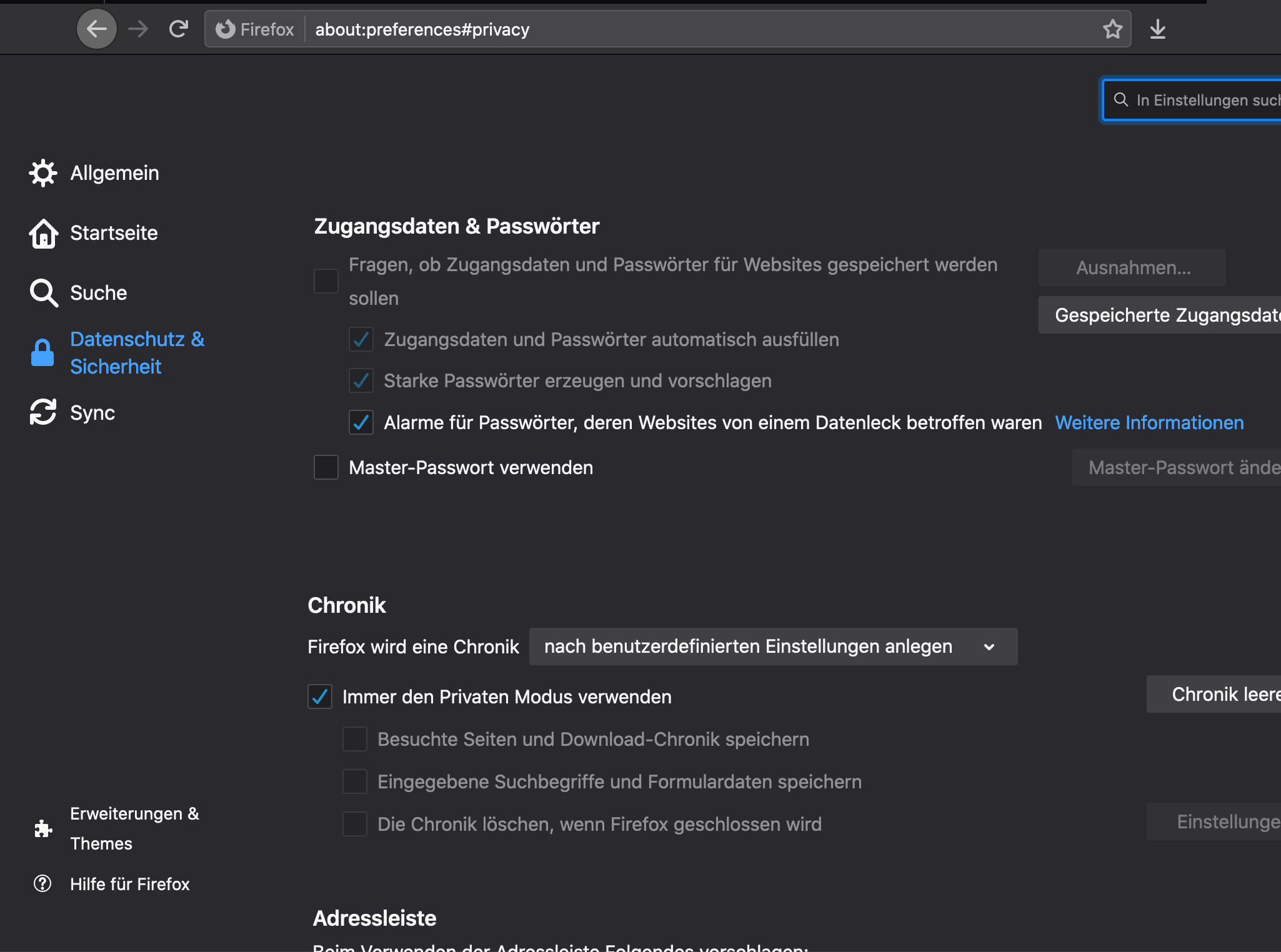
I don't want any of my pw's or logins to be saved, but I somehow can't uncheck "autofill logins and password" and "suggest and generate strong passwords" (see picture; not in English). It's not possible for me to remove the tick. I have a firefox account, so I have firefox lockwise. Thank you.
Chosen solution
Hello cani,
Your screenshot shows that you're in permanent private browsing mode; once you uncheck "Immer den Privaten Modus verwenden", you will be able to uncheck the boxes that are now greyed out.
Then (just to make sure) close and restart Firefox.
Read this answer in context 👍 1All Replies (1)
Chosen Solution
Hello cani,
Your screenshot shows that you're in permanent private browsing mode; once you uncheck "Immer den Privaten Modus verwenden", you will be able to uncheck the boxes that are now greyed out.
Then (just to make sure) close and restart Firefox.
Modified by McCoy