


How do I force "other bookmarks" to show up in the bookmarks MENU (frustration caps, sorry), and not in the bookmarks toolbar?

How do I make "other bookmarks" show up on the bookmarks menu? (Not the toolbar, thanks).
Basically for me, the bookmarks toolbar is just too much valuable real estate in the window. I keep it turned off. Until a year or two ago I could access "other bookmarks" in the bookmarks menu -- in fact I still can at my wife's home computer. (Oddly, she keeps the bookmarks toolbar turned on, so if I needed to get to other bookmarks at home it wouldn't be much trouble anyway.) I've hunted around on the internet and found nothing but advice on how to use "other bookmarks" on the toolbar, which is what I'm trying to avoid. A helpful AI (hahahahaha) suggested that turning the "OB" off on the toolbar would leave me "still" able to access them on the menu, but that didn't change anything on the menu.
Thank you in advance!
Windows 10 Home, version 22H2, Firefox 148.0.2 (64 bit), old i5 cpu, 16GB RAM, mother's shoe size 8A, never been to a Phish concert but talked and talked and talked to Johnny and Jesse Clegg once after a midnight show.
Modified by Craig
All Replies (5)
Chosen Solution
Hi,
To clarify, do you access the Bookmarks Menu by clicking the star icon  ?
?
Yes, you're right folks' memory vendor or how much they paid for the last tuneup at their local Honda dealership is mostly not relevant to their printer issues… and it would have been more useful if they submitted their troubleshooter logs instead… but, well, I treat it as a sort of conversational piece;)) Worked this time for sure!
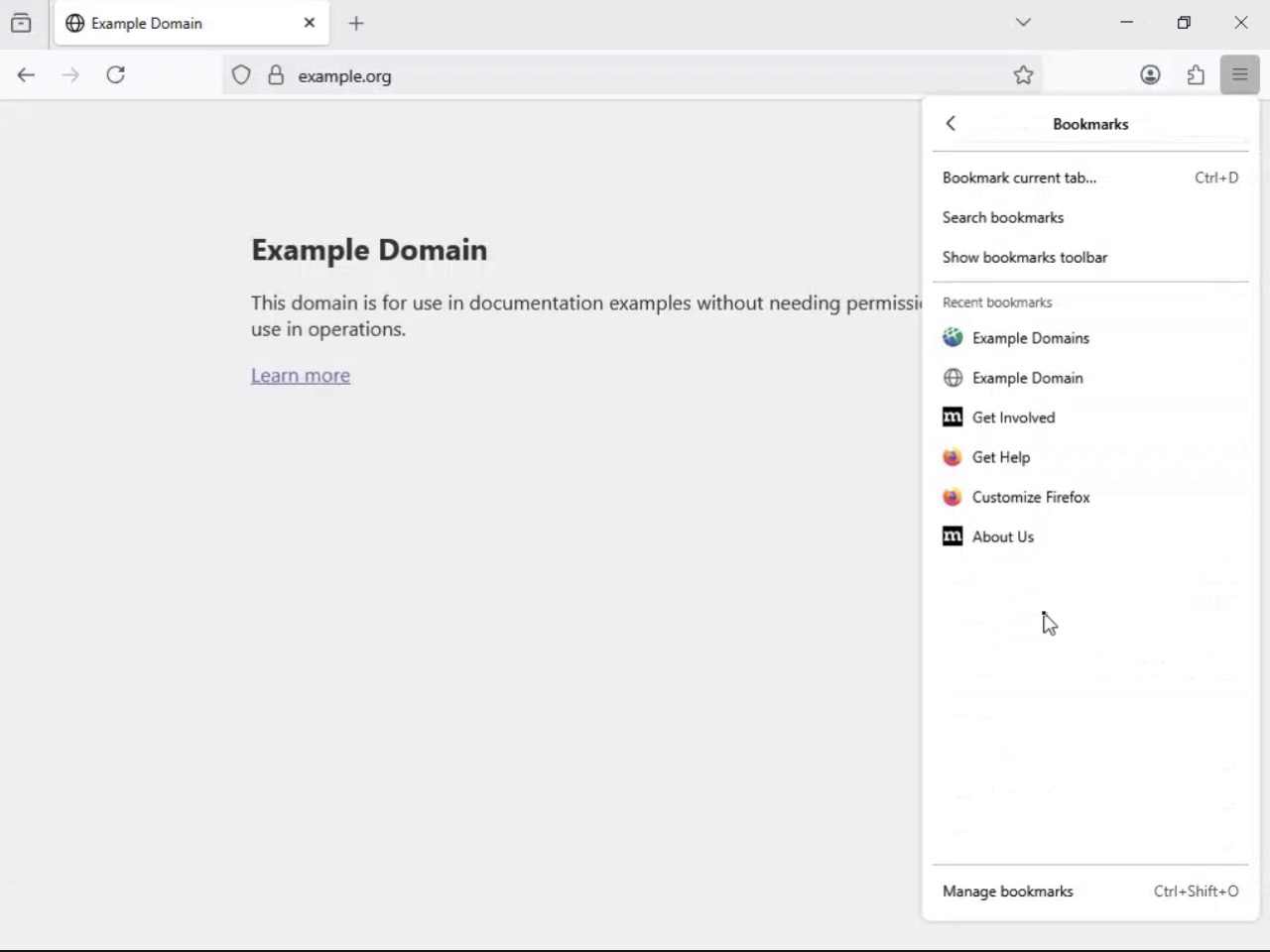
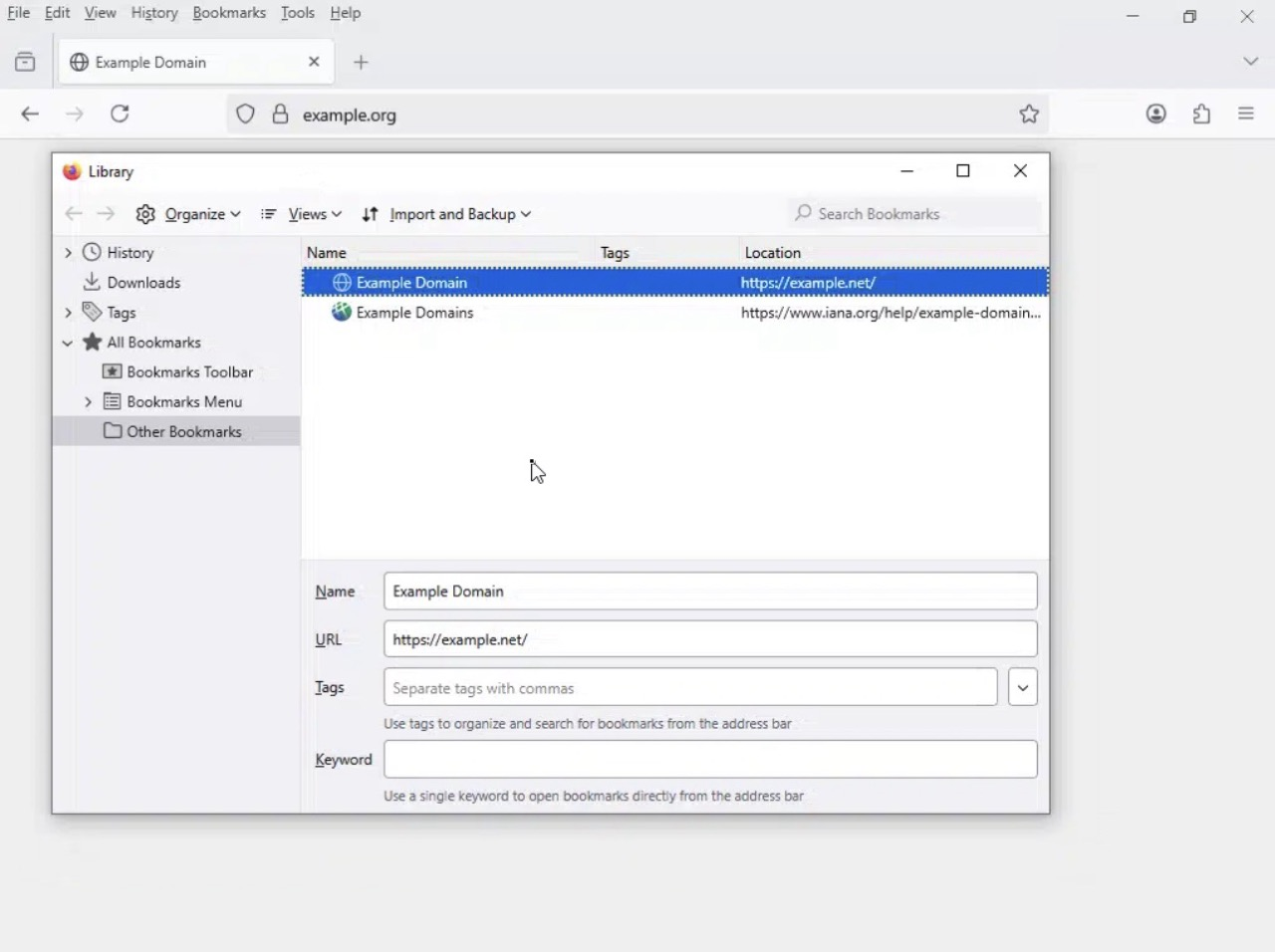
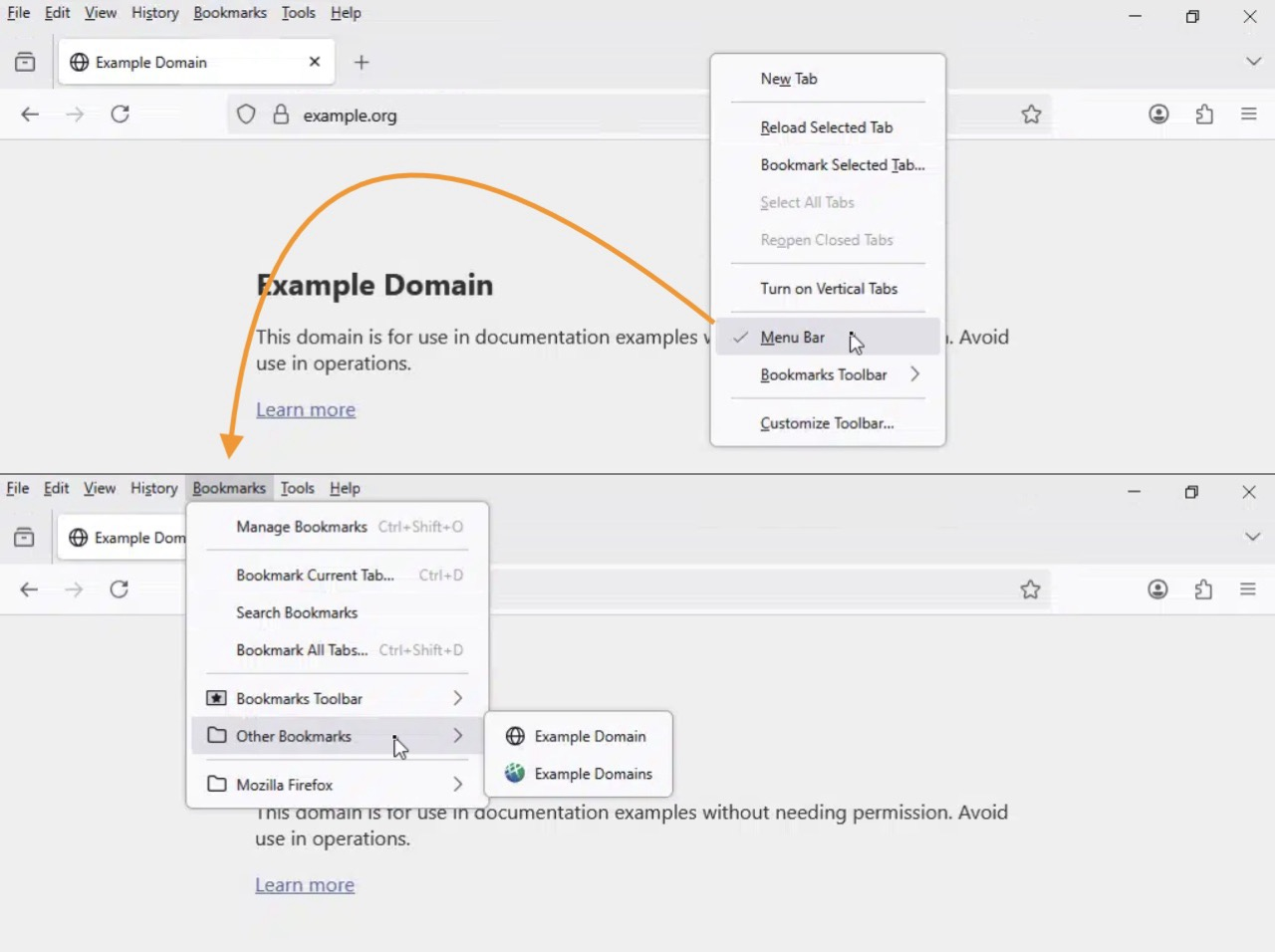
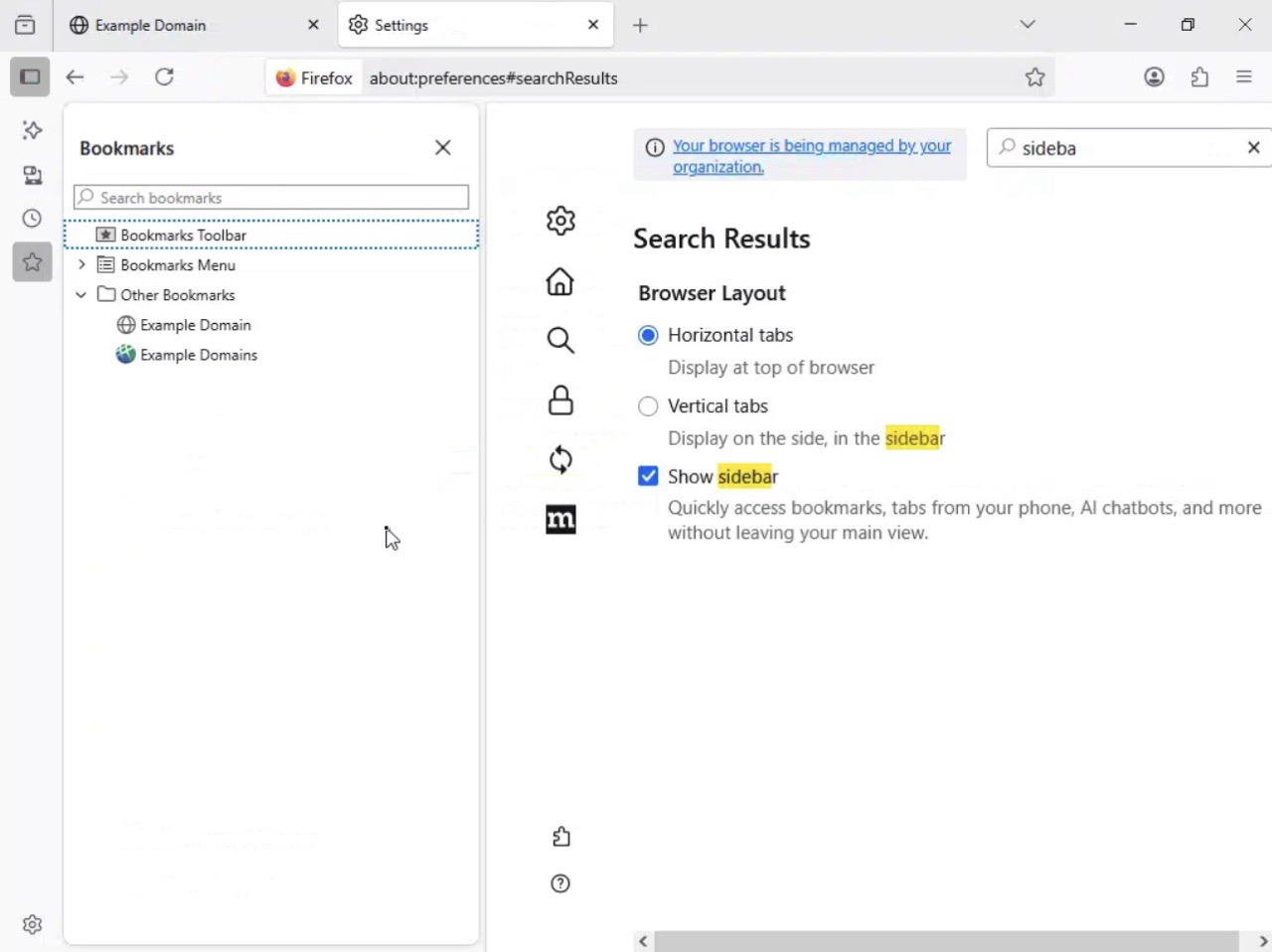
Realistically, Craig, what you're looking for is probably one of the "other" entry points to your bookmarks. For some it's a keyboard shortcut to the full bookmark library panel (triggered also by the "search bookmarks" and "manage bookmark" items), some use a sidebar for that, I personally have the menubar enabled so I get the folders there right in the menu panel… Throwing some pictures in for inspiration/comparison:
Thank you jbr and Denys! Surprisingly, none of the five solutions you offered me worked straight out of the box: I don't have the Bookmarks star icon on my toolbar, don't see "other bookmarks" when I click the hamburger (jbr first image), didn't see how to keyboard directly to the "manage" app (second image), and so on. Some of which just shows my ignorance I guess! I customized the toolbar to show the icon suggested by Denys and that in turn shows the "other" option when I click on it. I'm sure that by finding and memorizing the keyboard shortcut jbr mentioned that would work too. It does still leave me with one puzzlement, no longer of relevance: why did "other" vanish from the hamburger menu? Anyway, THANK YOU to both!! PS: providing logs always makes me cringe, but you're right about that too.
Oh, that wasn't necessary/relevant in your case at all — I just appreciated the amusing touch;)
The bookmarks are not missing in the pancake menu, they're just… flat. It shows your recent ones, no matter the folder structure. (I think this changed about a decade ago around v57 presumably? Generally most people are actually bothered by that folder, so are looking for ways to really not see it anywhere;D)
That menu, however, has the action items to show the full library, both top "search…" and bottom "manage…" (Ctrl+Shift+O) that open the full dialog.
Given the browser customization options, every user has their own unique workflow, so you'll see what fits your muscle memory the best.
(e.g. I personally use "bookmarks toolbar" set to "only show on new tab" to not get in a way of content, but come back in blank slate again…)
YEES! Okay, I've seen that option "only show on new tab" a million times over the years and it never sparked any neural activity. Dur. Now that you mention it I've activated that too and given myself a harsh mental kick in the rear end. I'll start adding bookmarks back into the bookmarks toolbar now that it can be controlled.