


Missing Share menu

After the recent "upgrade," the share menu is gone.
A developer response in the App Store comments said it should be in the hamburger menu.
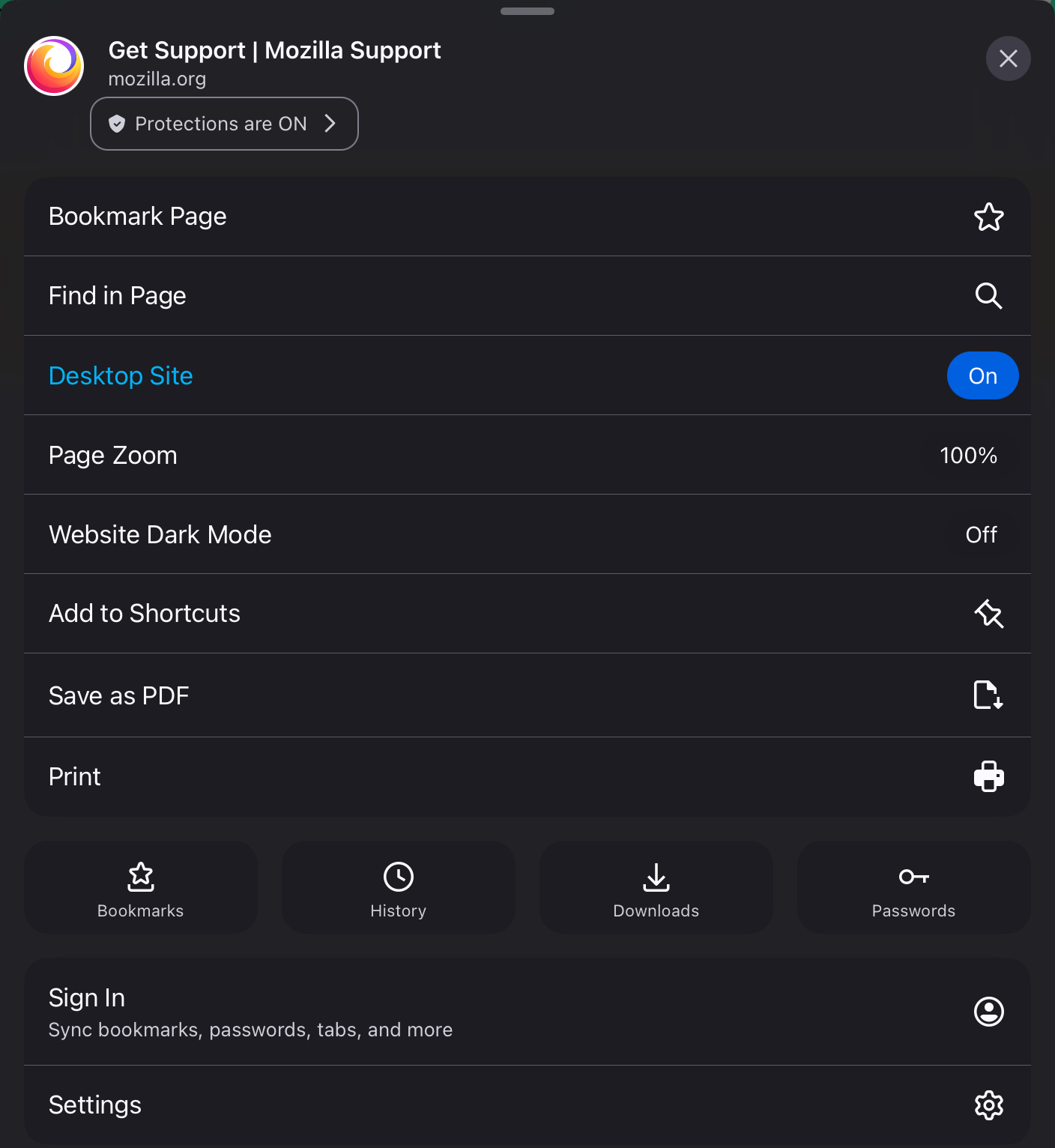
I've attached a screenshot of the entire hamburger menu.
I also cannot find any setting to add to the menu.
After the recent "upgrade," the share menu is gone.
A developer response in the App Store comments said it should be in the hamburger menu.
I've attached a screenshot of the entire hamburger menu.
I also cannot find any setting to add to the menu.
Chosen solution
Try to click that icon on the left side of the address bar. It looks like a Share icon, it should be there.
Skaityti atsakymą kartu su kontekstu 👍 0All Replies (2)
Chosen Solution
Try to click that icon on the left side of the address bar. It looks like a Share icon, it should be there.
Holy crap! Who put it there, where the secure site icon should be. Didn't look on that side after the dev response was it should be in the hamburger menu. Thanks!