

This thread was archived.
Jei jums reikia pagalbos, užduokite naują klausimą.

Solved
Archyvinta
Quick Filter for Inbox stuck on Unread

I'm running the 102.0b8 (64-bit) release.
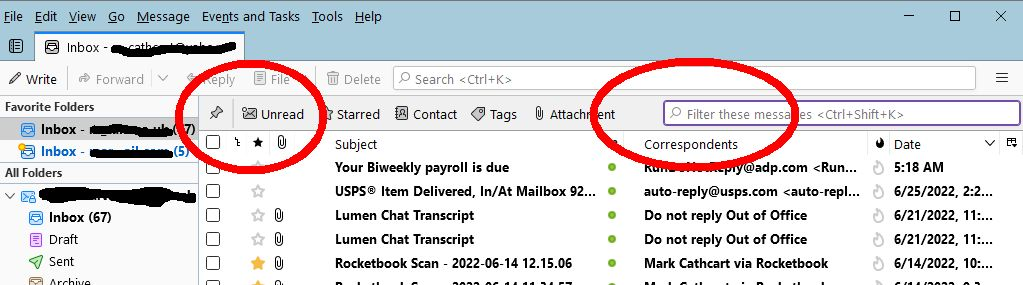
When I view the inbox for my Yahoo account, by default it shows only Unread. The Quick filter is NOT on(see attached). If I select the Unread Quick filter the display does NOT change, except in green it shows "67 messages".
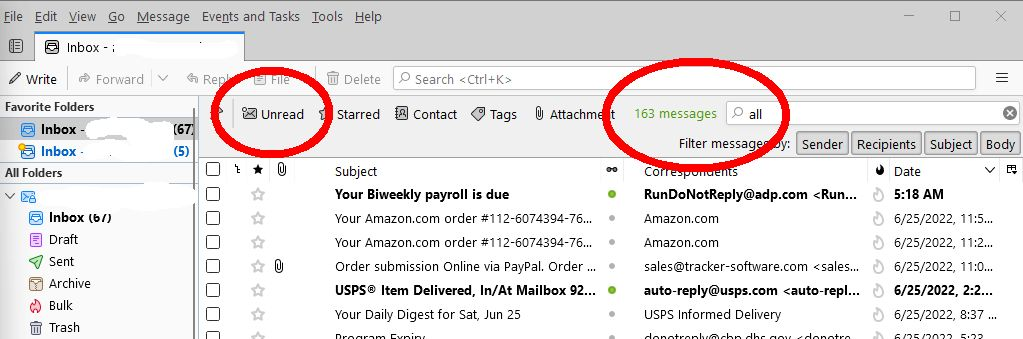
If I type All in the quick filter box it shows unread messages and a count of 163 messages.
Does anyone know how I can reset this behavior?
++Mark. https://ctproduced.com
I'm running the 102.0b8 (64-bit) release.
When I view the inbox for my Yahoo account, by default it shows only Unread. The Quick filter is NOT on(see attached). If I select the Unread Quick filter the display does NOT change, except in green it shows "67 messages".
If I type All in the quick filter box it shows unread messages and a count of 163 messages.
Does anyone know how I can reset this behavior?
++Mark.
https://ctproduced.com
All Replies (2)
Chosen Solution
Sounds like you have the 'View' > 'Threads' > 'Unread' option selected. So I tested it and managed to reproduce the same.
Do this:
- 'View' > 'Threads' > select 'All'
Cheers! Thats another mistake(by me) I won't forget.