


Cannot finish login to Instagram

I was advised to clear the cache in Firefox for another issue I was having.
Now I cannot log into my Instagram account, which has been fine for years.
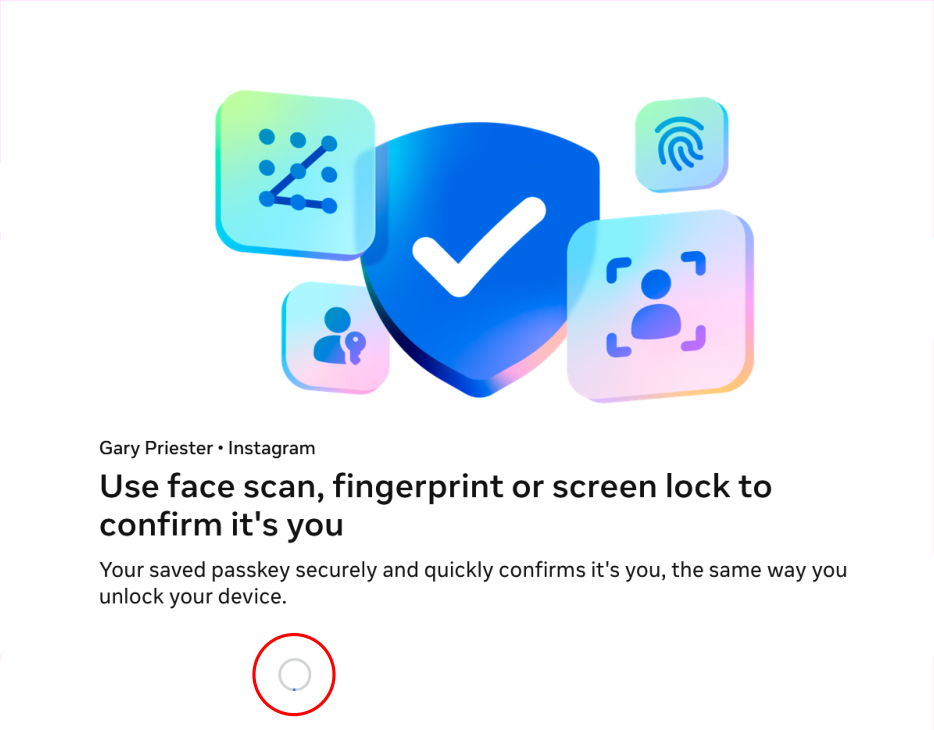
After I enter my user ID and my password I am taken to a screen that offers options for verifying my identity. But the cursor just spins and there is no way to continue.
The same process goes smoothly in Edge.
What is holding up the log in process?
I have emptied the cache. And I have disabled all my extensions and I have tried a Private Window. I also checked with Malwarebytes to see if this was a problem with them. It was not.
All Replies (7)
Hello, to fix your problem, I think it's caused by Firefox's enhanced protection. Go to your Privacy & Security settings, and set it to “Standard” or temporarily disable it. If that works, that's where the problem is coming from. Let me know if the problem is still there after that.
Thanks for getting back so quickly.
I was set to Standard and tried disabling but no joy. I have reset it to Standard.
This type of thing has happened several times in the last year or so. I will get to part of a form or something that probably is requiring some personal information, and whatever options that would submit the information or make a selection are disabled. Needless to say this is very frustrating. I was having problems moving forward in ID.me while trying to verify my identity (their chatbot suggested clearing the cache). I tried the process again in Edge and everything was fine. So something in Firefox is blocking or shutting down or shutting off certain functions.
I can log in with Edge and my iPhone. So I guess my option is to use Edge or Safari.
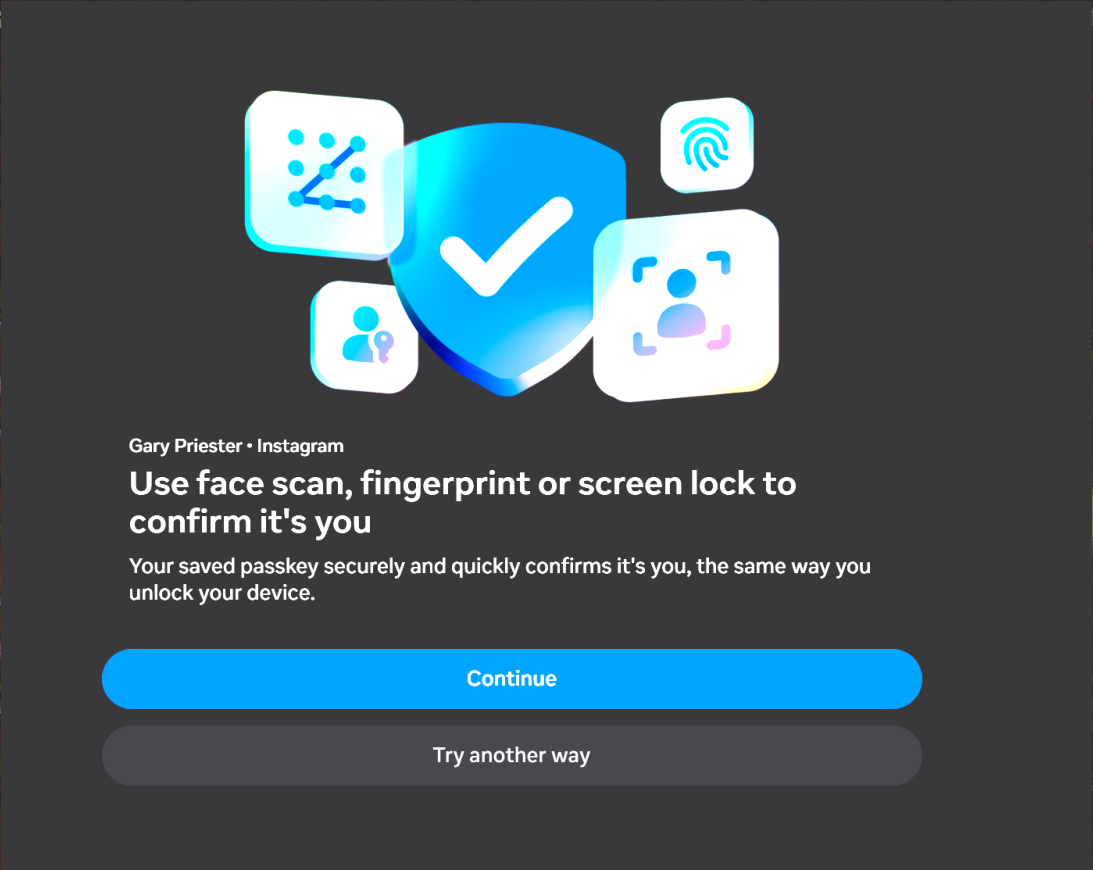
The screenshot is the correct options in Edge after submitting user ID and password.
So I figured out where the problem might be coming from. When you're on the login page, look at the top next to the address bar (URL)—there's a small shield icon. Click on it, then click the button to disable enhanced tracking protection. That should work.
Hi Gary, your screenshots mentions a passkey. Did this work in Firefox before and break recently (perhaps after an update), or has it never worked in Firefox?
In other threads, passkey users have mentioned that they get a prompt from Windows to allow Firefox to access something. Are you seeing anything like that in either browser?
@jscher2000 Passkeys using my iPhone and face recognition works and has worked perfectly.
@Hector Nope that did not work either.
@jscher2000 The screen shot with the dark background is Edge and the options are available. In Firefox those options are being prevented from opening for some reason.
I confess I only have a vague understanding of passkeys on Windows. I think Firefox links them to the OS or a hardware key.
I'm not sure why Firefox is stalling at that point. Perhaps the site is trying to access something previously stored by Edge, Firefox can't, but doesn't stop trying in a reasonable amount of time. Or perhaps it is looking for security hardware and being blocked from doing so but not reporting back back to the page??
I didn't see a relevant-looking report here: https://webcompat.com/
I wonder whether Meta tech support is familiar with this problem and could help?