re instal previous version of Firefox

I installed the MOST RECENT version of Firefox and I want to delete it and re instal the version I had prior. I don't know alot about computers so any help would be greatly appreciated. Ray
All Replies (1)
Hi Ray, what isn't working for you in Firefox 159?
Some users do not like the "Nova" design update with its more rounded shapes. If that is your main issue, there is a temporary method to roll back the "Nova" design update to the previous appearance. I don't know how long this will be available. I will also provide a link to the "downgrade" article, but I think you'll find the toggling method much simpler:
(1) Downgrade option
See: Install an older version of Firefox
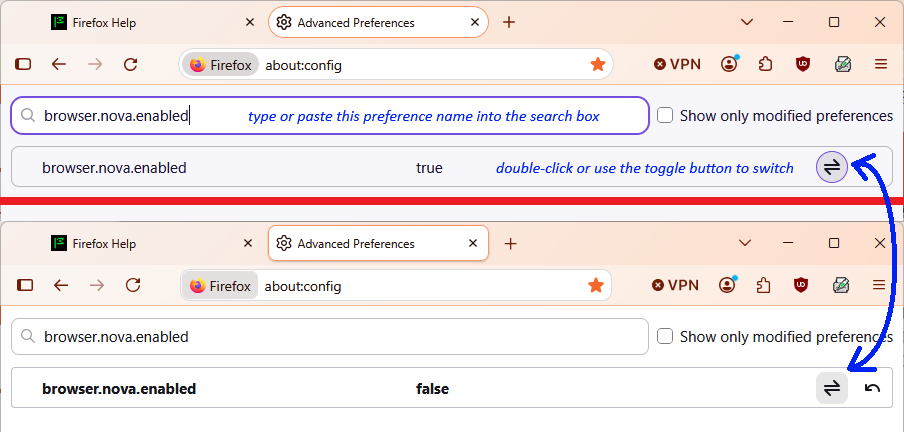
(2) Toggling a hidden setting
(a) In a new tab, type or paste about:config in the address bar and press Enter/Return. Click the button accepting the risk.
More info on about:config: Configuration Editor for Firefox. The moderators would like us to remind you that changes made through this back door aren't fully supported and aren't guaranteed to continue working in the future.
(b) In the search box in the page, type or paste browser.nova.enabled and pause while the list is filtered
(c) Double-click the preference to switch the value from true to false - several seconds may pass before this takes effect (see attached image for the difference)