


Funny text with colours on Thunderbird

Hello Thunderbird. I have used the product for years across Win95, Win7. I have graphics trouble with Win10 after an update last year. Some times the email text has strange colours and the odd missing character. Opening an attachment always has funny yellow or green chunky background. Zoom +/- cures this. See attachments. The display driver is AMD Radeon graphics. 504MB used. Single screen. The processor is AMD A10-9700 Radeon R7, 10 Compute cores. 8GB RAM The machine is a standard out of the box HP Pavilion PC 570. ON thunderbird no extensions or themes. Hope you can help! Thanks Mike
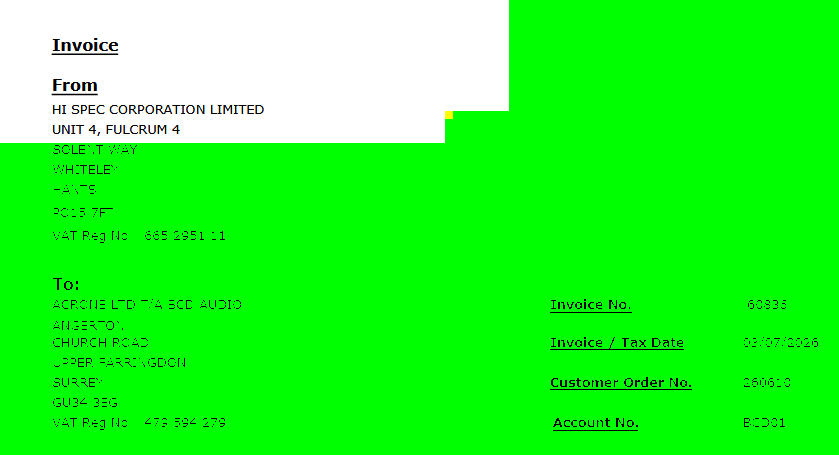
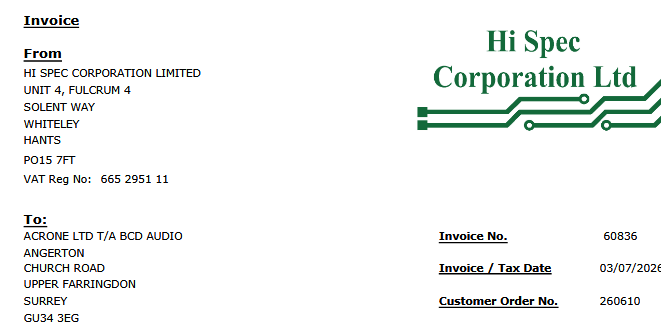
All Replies (2)

I think this is probably more a problem with your graphics system than with Thunderbird specifically. One Thunderbird setting that might help would be to disable its use of hardware acceleration. That setting can be found at <Settings | General>, scroll all the way to the bottom and disable the "Use hardware acceleration when available" option.
You might try playing around with the system graphics driver settings, in particular, any hardware acceleration settings, even if only for a temporary test. And check for updated drivers.
Hello Lin, and thanks for your swift reply. I have unticked the 'hardware acceleration' and think the main workspace text is better controlled. However when you open a pdf in place, the funny background colours are still present on load. It becomes normal when zoom +/- is applied. Agree that it is a graphics issue. But I went round the AMD Radeon settings page, without any success. I would appreciate more comments about this. I am alone with this? I can live with this issue if I have to.. Thanks, M