


Thunderbird misspells email with Auto-complete

I start to make a new email message. I start typing in the recipient's email. Auto-complete finishes the address but misspells it. The recipient's email in all the address lists have it correctly. I recently saw the light and came over from Outlook. I imported my Outlook address list. It was correct in Outlook. Newest version of Thunderbird. thunderbird-MSIX - 1.0
All Replies (5)
Please step through this and see if you can recreate it. To my knowledge, thunderbird shows emails that might be the right one while typing, and the user selects the correct one. That is, thunderbird does not create or edit the email address during this process.
Well, I click on “+ New Message”. I start typing my daughter’s email address, “daugh”. Thunderbird auto completes at this point with daughter@hot.mail.com. The period between the t and m is incorrect. “Daughter@hotmail.com” is in the “Contacts” address book and “Address Book” address book. There is nothing in my “Personal Address Book” or “Collected Addresses” address books. “Daughter@hot.mail.com” does not appear in any address book. I would like auto complete to not suggest daughter@hot.mail.com every time I compose an email for her. I can re-create this problem every time.
Can you do a screenshot of that? I cannot duplicate that. It always shows available email accounts as I type. And that generally means that it found the email address somewhere. As you get to daugh, look carefully at the options shown. Thank you
Believe me now? As soon as I type ru on the left, this is what happens. The hot.mail.
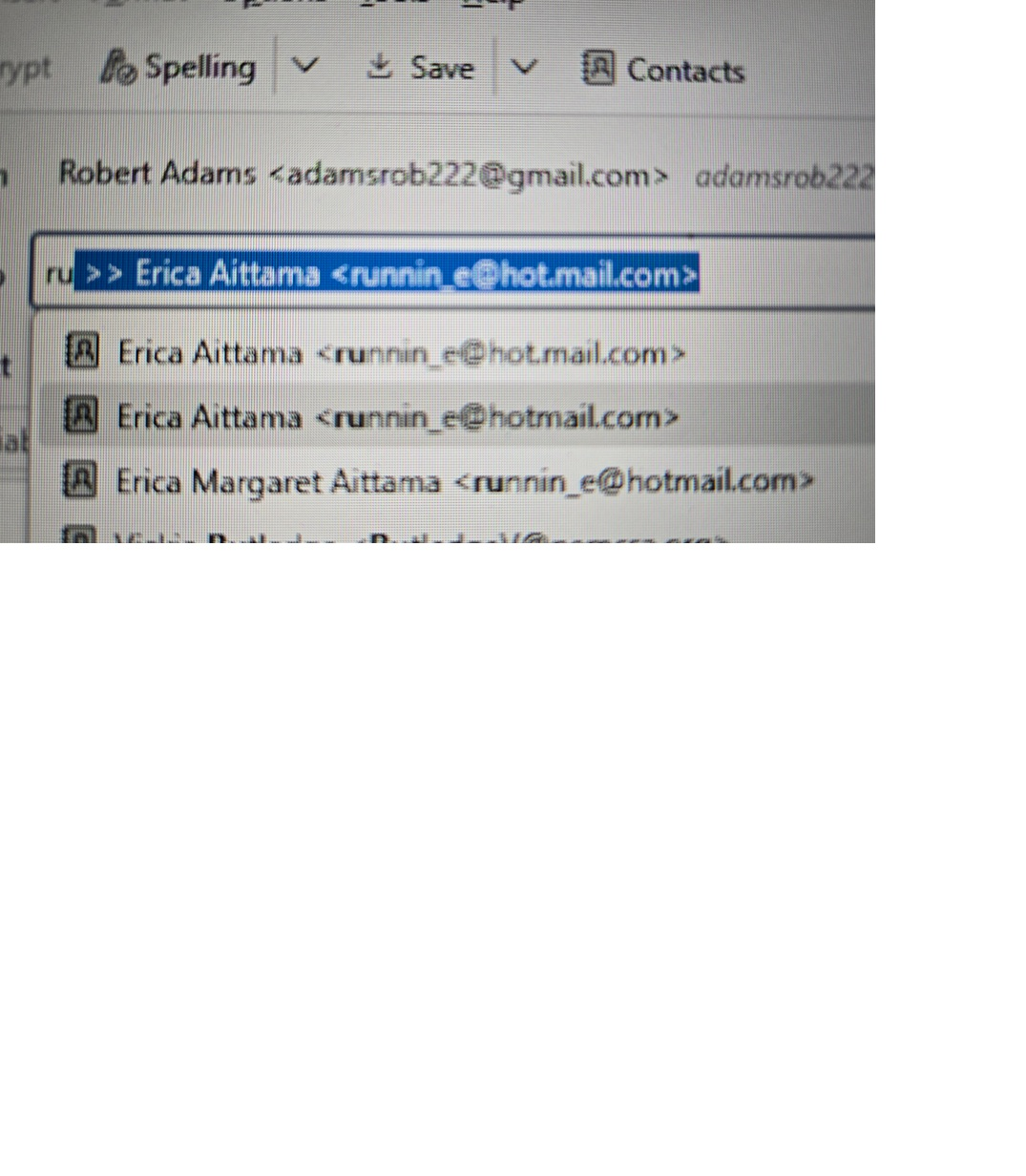
Sorry. This confirms that the email address is in the system somewhere. Thunderbird is not creating it. If you cannot find in any of your addressbooks, then you might want to delete the global index within the profile.. This email address is obviously a mistake, but someone, at some time, attempted to use it, and thunderbird saved it. This is a housekeeping task. Thanks for sharing the screenshot.