


Change font color of folder pane and thread pane

I have read everything and tried everything but I am not able to change the font color of the folder pane and thread pane in TB 102.10.1.
I put in the userChome.css for example the following (and tried many more) . The font and everything else changes. But not the font color.
- {
   color: rgb(203, 49, 49) !important;
   }
/* Global UI font */
- { font-size: 11pt !important;
   font-family: Verdana !important;
   color: rgb(203, 49, 49) !important;
 }
/* Menu font */
menu, menulist, menuitem {
   font-family: Times New Roman !important;
   color: rgb(203, 49, 49) !important;
 }
toolkit.legacyUserProfileCustomizations.stylesheets is set to true.
How can I change the font color of the folder pane and thread pane?
Solution eye eponami
#threadTree > treechildren {
  font-size: 12pt !important;
  font-family: Times !important;
  background-color: lightgrey !important;
  color: navy !important;
}

#folderTree > treechildren {
  font-size: 12pt !important;
  font-family: Times !important;
  background-color: lightgrey !important;
  color: navy !important;
}
Delete the lines for font-size, font-family or background-color if they are not needed. For the font-family to take effect, 'Allow messages to use other fonts' must be selected in Settings/General/Language & Appearance, Advanced. See attached picture.
https://www.userchrome.org/download-userchrome-css.html
Tanga eyano oyo ndenge esengeli 👍 1All Replies (2)
Solution eye oponami
#threadTree > treechildren {
  font-size: 12pt !important;
  font-family: Times !important;
  background-color: lightgrey !important;
  color: navy !important;
}

#folderTree > treechildren {
  font-size: 12pt !important;
  font-family: Times !important;
  background-color: lightgrey !important;
  color: navy !important;
}
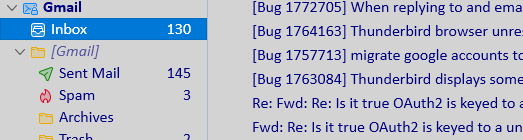
Delete the lines for font-size, font-family or background-color if they are not needed. For the font-family to take effect, 'Allow messages to use other fonts' must be selected in Settings/General/Language & Appearance, Advanced. See attached picture.
This question has been locked because the original author has deleted their account. While you can no longer post new replies, the existing content remains available for reference.