


Windows 10 reached EOS (end of support) on October 14, 2025. For more information, see this article.

Search Support

Avoid support scams. We will never ask you to call or text a phone number or share personal information. Please report suspicious activity using the “Report Abuse” option.

Learn More

Mulongo oyo etiyamaki na archive. Tuna motuna mosusu soki osengeli na lisalisi

Can't add buttons for addons to the menu-bar

  • 1 eyano
  • 0 eza na bankokoso oyo
  • 3 views
  • Eyano yasuka ya cor-el

more options

I feel stupid but I can't find a way to add buttons for single addons to the menu-bar on top. I know in the past this was possible but now I have to click the button for "extentions" and there all addons can be found (see first screenshot). I would rather have buttons for single addons available in the menu-bar, for example for my ad-blocker. I tried "customize" but there the addons don't show up for some reason (see second screenshot - sorry that it's in german). I am not browsing in private mode in case you're wondering.

Edit: Okay nvm, I figured it out already. I didn't know I had to right-click the addons while in the extension-menu. I still find it kind of weird that the addons don't show up in the customize-view anymore.
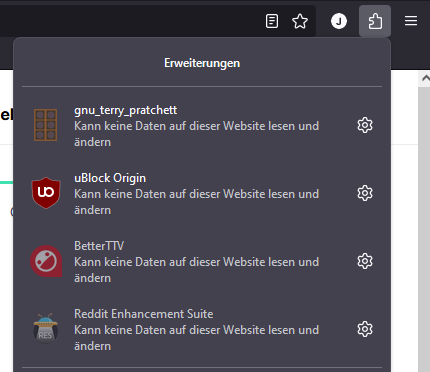
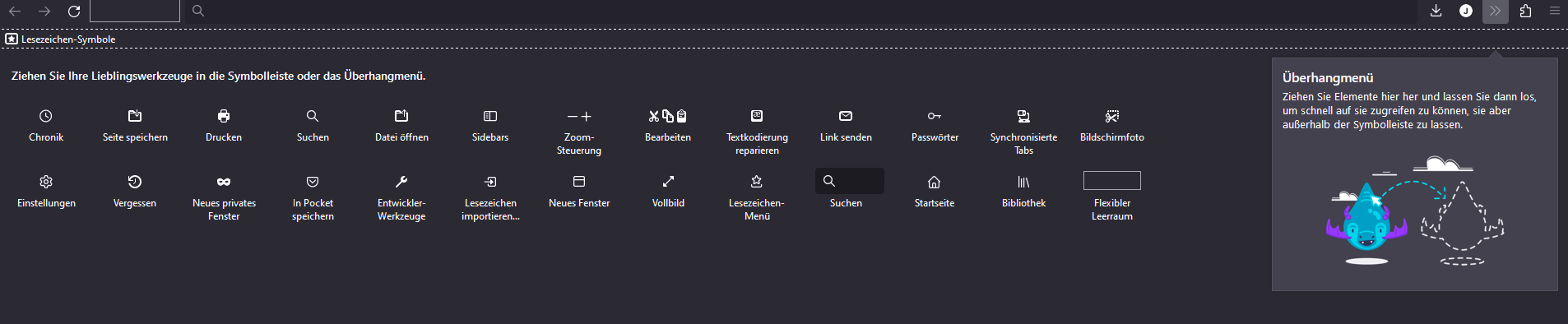
I feel stupid but I can't find a way to add buttons for single addons to the menu-bar on top. I know in the past this was possible but now I have to click the button for "extentions" and there all addons can be found (see first screenshot). I would rather have buttons for single addons available in the menu-bar, for example for my ad-blocker. I tried "customize" but there the addons don't show up for some reason (see second screenshot - sorry that it's in german). I am not browsing in private mode in case you're wondering. Edit: Okay nvm, I figured it out already. I didn't know I had to right-click the addons while in the extension-menu. I still find it kind of weird that the addons don't show up in the customize-view anymore.
Bafoto sur écran jointes

Ezalaki modifié na jons.mueller

All Replies (1)

more options

You can also left-click the gear icon next to an extension to find "Pin to Toolbar"