


Can't download my files from Google Drive

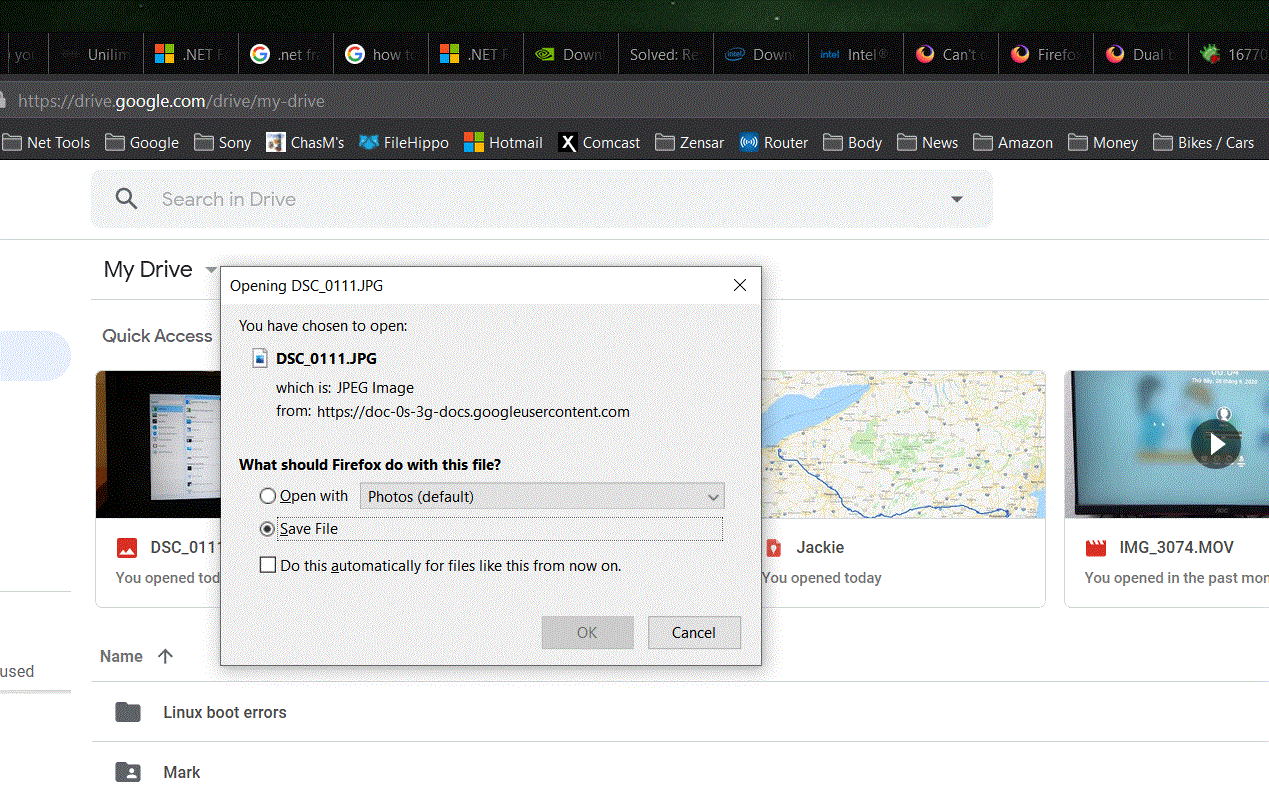
I can't download my files from https://drive.google.com/drive/my-drive. It started after upgrading Firefox.
Ezalaki modifié na NoahSUMO

Solution eye oponami
That was very good work. Well Done.
All Replies (9)
Please explain the problem in detail. What happens? What is/are the exact error message(s) ?
HI. When I try to download couple files from https://drive.google.com/drive/my-drive, Google prepares these files to download (compression). After this, I see at the bottom of the screen Firefox do something. It is very fast, it looks like trying to connect somewhere. I saw only "doc-1k..". It's so fast and after this nothing happen. Before, when all was correct, I saw information name of compressed file and where it is, at the bottom of screen. In Firefox's "Pop-up Blocker" options, I saved the google page address as an exception. It did not help. But Microsoft Edge work correctly.
I have a video of trying to send files but I don't know how to upload to you.
Ezalaki modifié na NoahSUMO

Same issue here.
Same issue for me in Windows 7 and 10 plus Linux. You see a little action in the bottom left corner of the browser, but nothing indicating that something was downloaded. MS OneDrive works as expected.
I just updated to 84.0 (64-bit) a the same issue. Let me try another browser. I see the same behavior in Chrome. Just right click on a file, select download, see info in the bottom left corner of all browsers, but nothing else happens and no file is downloaded.
Ezalaki modifié na jonzn4SUSE
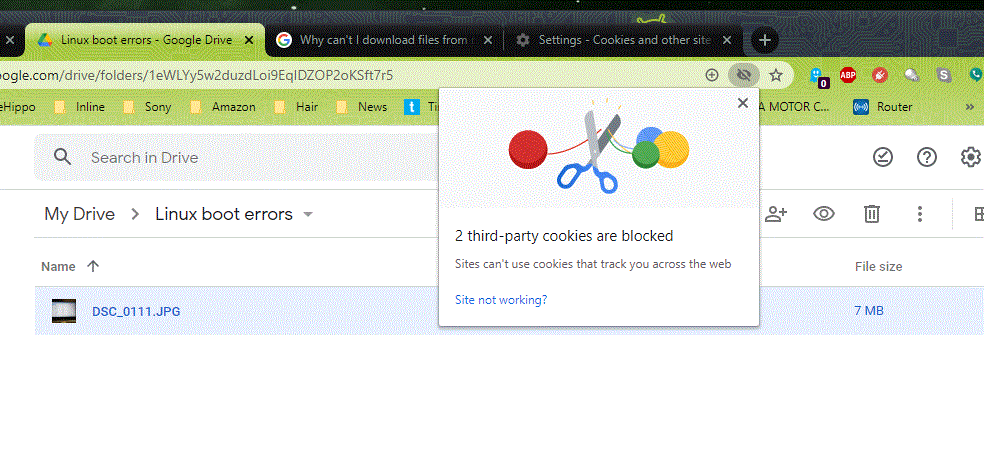
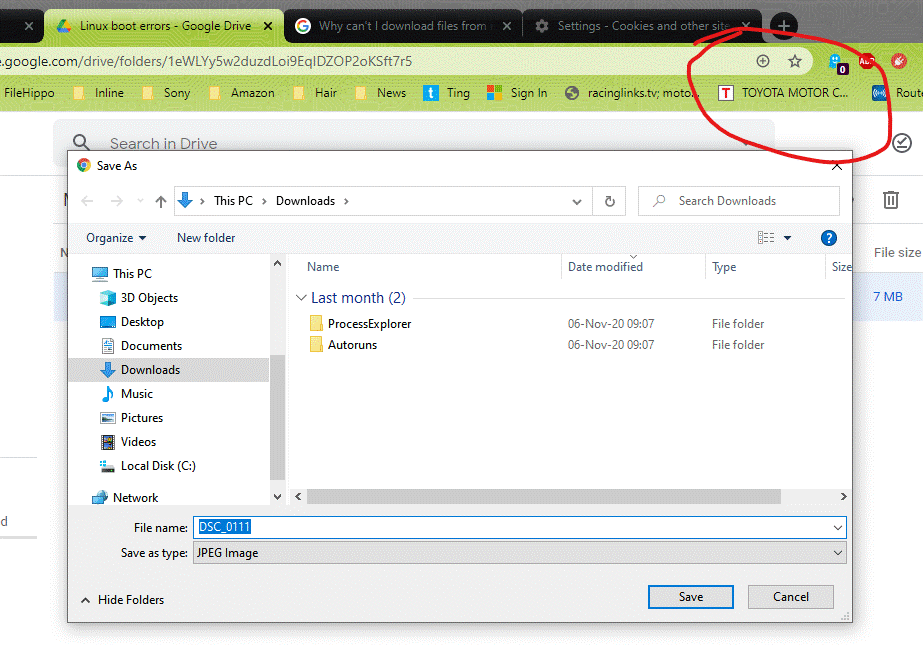
I just found the issue in Chrome. I had to allow all cookies and then I saw a prompt asking where to save the file. You just have to fine tune your cookies or allow all.

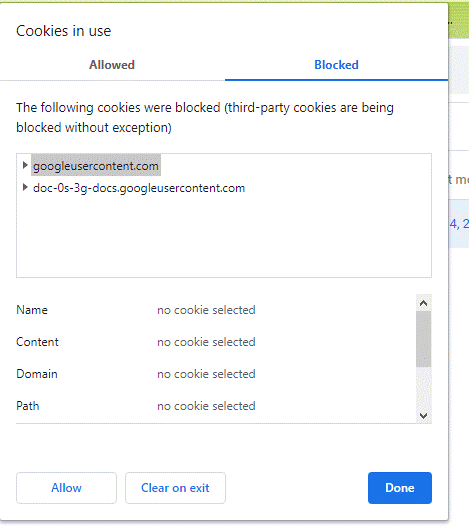
I just put my settings back to blocking all 3rd party cookies and the site is not working. Just need to research which cookies are causing the issue. I see the 2 cookies that are blocked and will make a change and see what happens.
After allowing those 2 cookies, the site works while I still block all other 3rd party cookies. This is fine tuning of cookies is not as easy in Firefox. ;-/
Ezalaki modifié na jonzn4SUSE
Allowing the cookie googleusercontent.com, the site works. ;-))
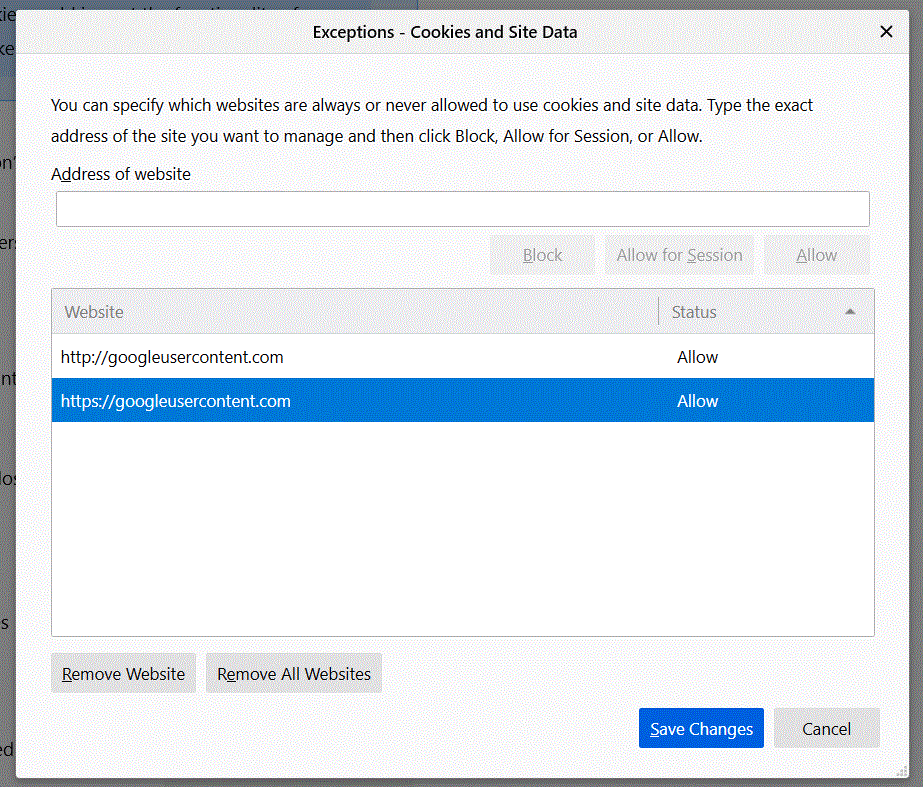
Solution eye oponami
That was very good work. Well Done.
jonzn4SUSE said
Allowing the cookie googleusercontent.com, the site works. ;-))
THIS!
I had the same issue as OP. It was driving me up the wall. Thanks!