


How do I update POP address in password manager?

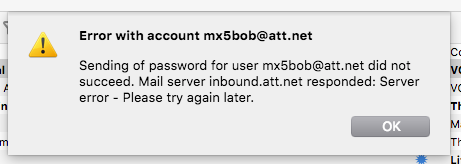
AT&T changed its POP and SMTP addresses. I updated them in the account settings. But Thunderbird shows the old POP address in the password manager. When I try to get my email, I get a server error message.
All Replies (5)
I've verified the password is correct.
Just delete the obsolete, or all, entries in Preferences/Security/Passwords/Saved passwords, and restart TB. You'll be prompted for the password next time you connect to the account, and have the option to save the password in Preferences.
Note that AT&T may require the use of a 'secure mail key' in place of the normal account password.
Tried that. Still got the server error. Tried adding a "secure mail key," which also didn't work.
Are you using inbound.att.net on port 995, SSL/TLS, and outbound.att.net on port 465, SSL/TLS?
Yes, those are the current servers. (They were different a few years ago).
Of course, this morning everything worked normally. This issue often happens late at night.
I hate intermittent software issues.