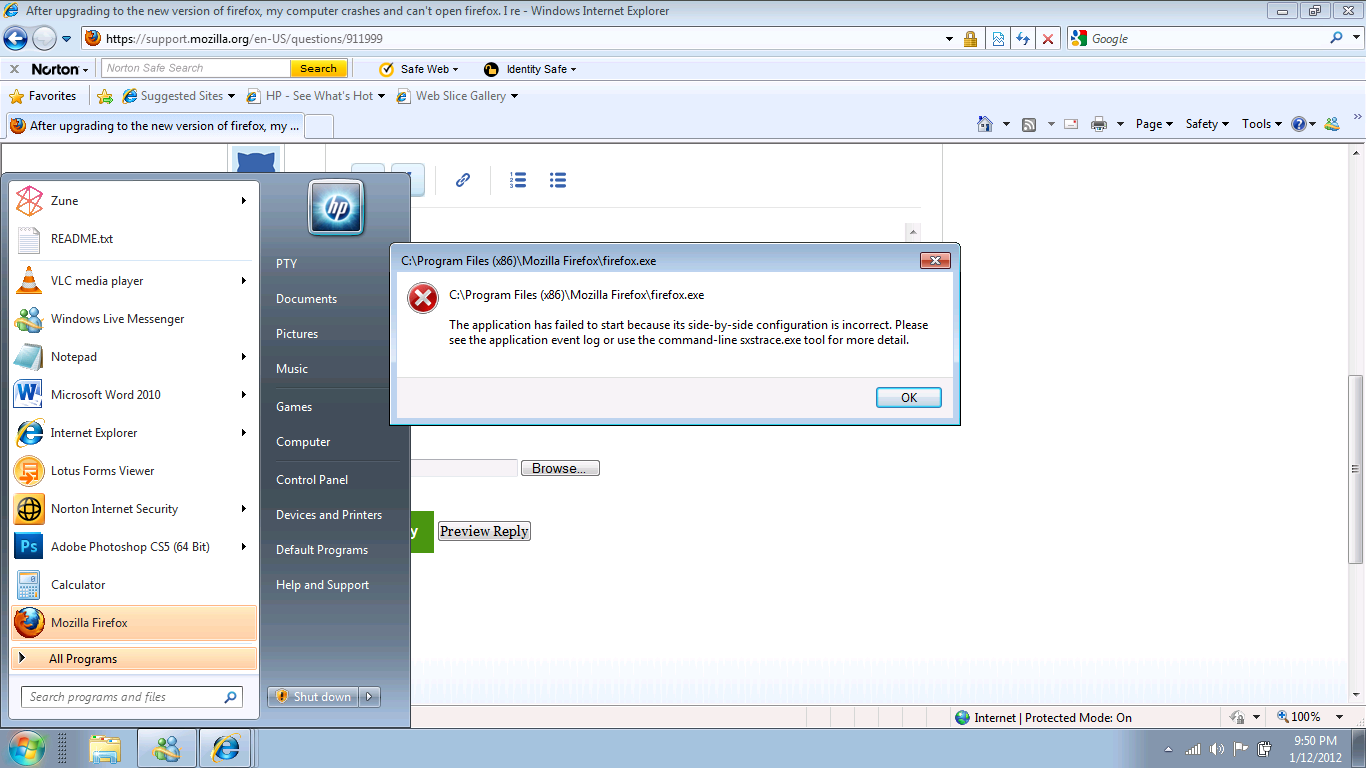
After upgrading to the new version of firefox, my computer crashes and can't open firefox. I received below message

Error message :"C:\Program files (x86)\Mozilla firefox\firefox.exe......The application failed to start because its side-by-side configuration is incorrect. Please see the application event log or use the command-line sxstrace.exe tool for more detail" How can I fix this error and go back to firefox instead of connecting through IE? I try to reinstall firefox, however I received the same message
Error message :"C:\Program files (x86)\Mozilla firefox\firefox.exe......The application failed to start because its side-by-side configuration is incorrect. Please see the application event log or use the command-line sxstrace.exe tool for more detail" How can I fix this error and go back to firefox instead of connecting through IE? I try to reinstall firefox, however I received the same message
모든 댓글 (4)
Error message...attached
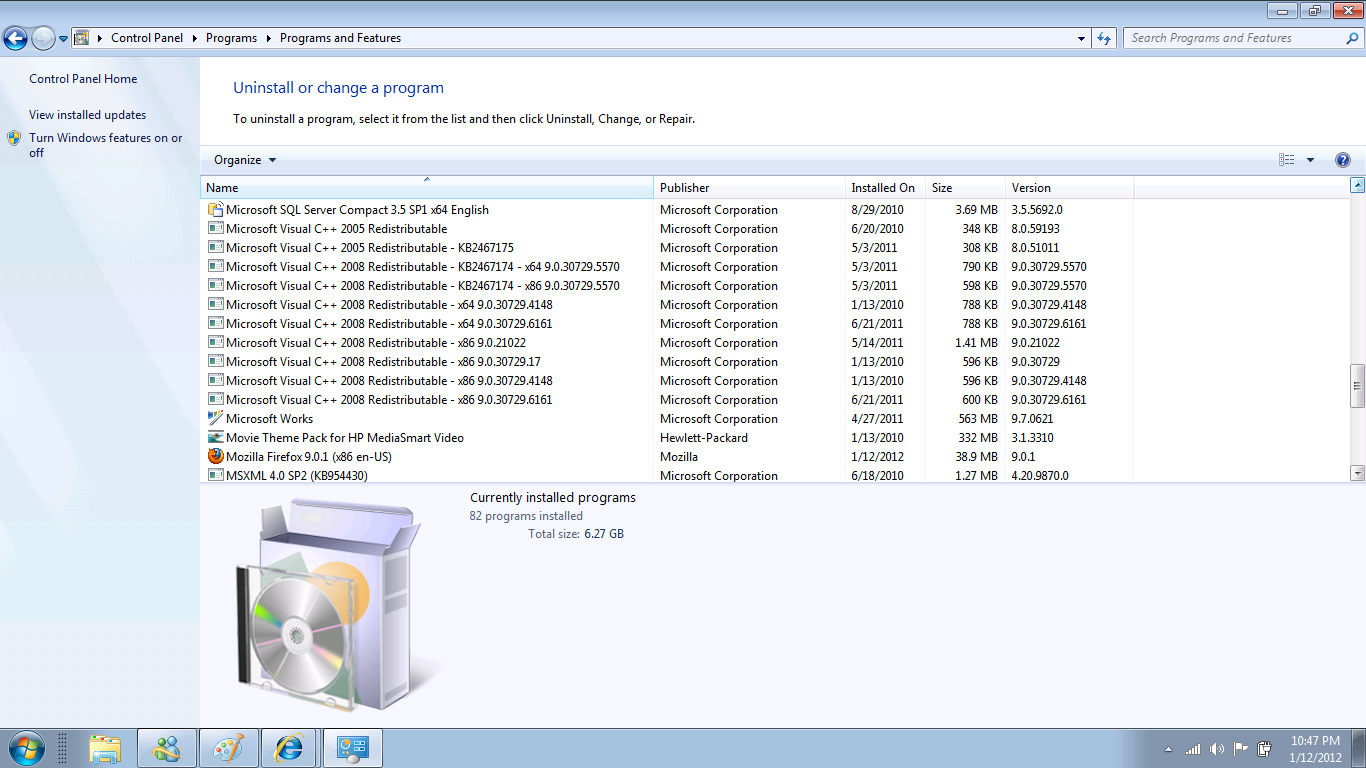
How many versions of Microsoft Visual C++ Redistributable do you have installed?
Edmeister, Attached are the Microsoft Visual C++ Redistributable versions