


Can't save new address

When I try to add a new person's email address to my Thunderbird address book, the left 2/3 of the page is grayed out and the right side doesn't fit the space. I can find no way to save, and the usual ways to reduce page size don't seem to work.

선택된 해결법
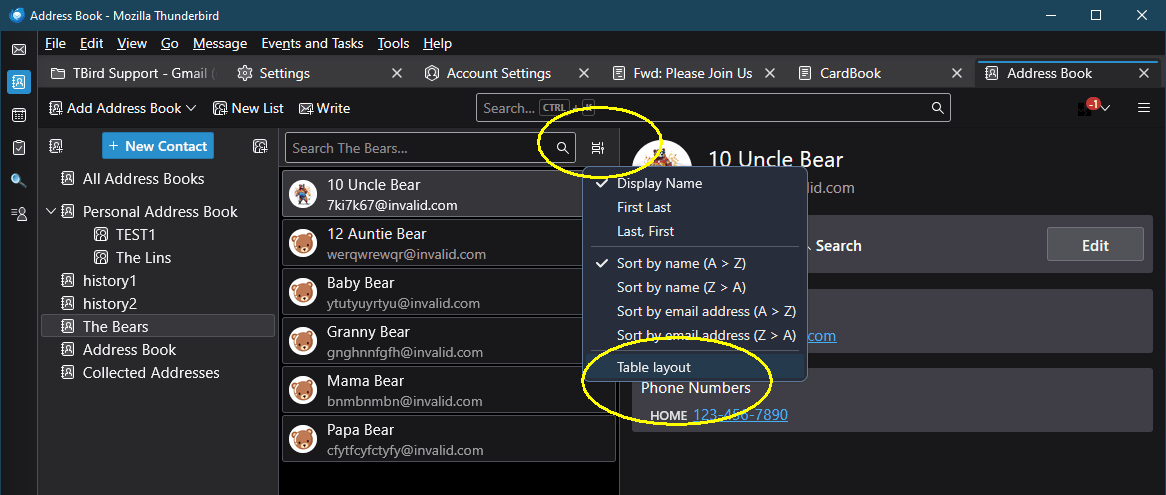
You can't be in "add contact" mode. Click on the little icon to the right of the Search Box I have circled and you'll see the layout options. See the attached image.
모든 댓글 (4)
It is true that the Address Book window doesn't always scale well to small screens, like on some laptops.
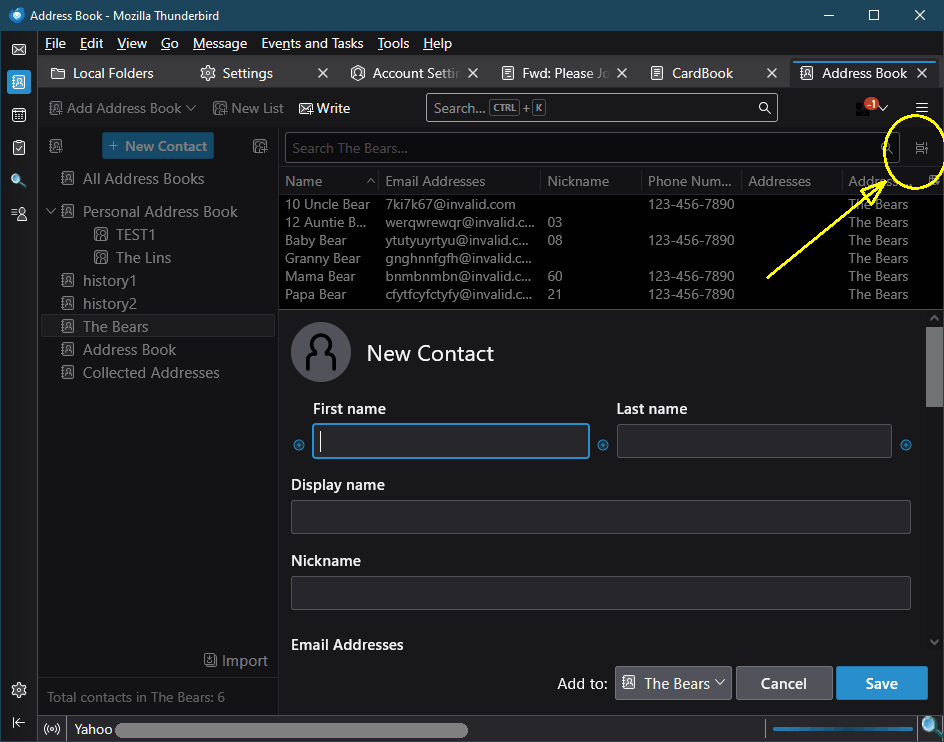
Try changing the view from Cards layout to Table layout, which gives the buttons more room. See the attached image.
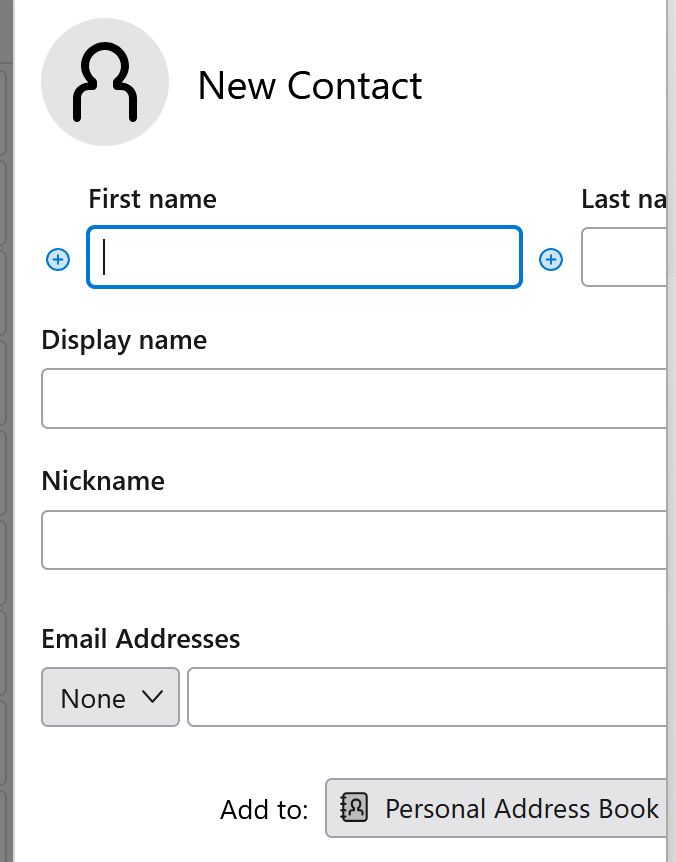
Mine looks very different than that. On the left, grayed out, is a column listing the groups in my address book, and a column that lists the first people in my address book. On the right is part of the place to enter a new person. See image. And in View, Layout, I don't see a choice of Card or Table. This may just be my ignorance.
선택된 해결법
You can't be in "add contact" mode. Click on the little icon to the right of the Search Box I have circled and you'll see the layout options. See the attached image.
Thanks, Lin. You're my hero. Jim