


Cannot set an existend account

Hello, I'm currently having a problem with Thunderbird version 15.9. I can no longer sign in to my Google-Account after I set new passwords and entered them in Thunderbird. Several attempts were unsuccessful. I then deleted all entries related to my Google account. Adding the existing account again failed. I received two error messages. Error message 1: “Waiting for authorization during sign-in". Error message 2: “The inbox server is already in use.” An other E-Mail Account runs perfect. I urgently need help.
모든 댓글 (19)
i still need help !!!

I'm currently having a problem with Thunderbird version 15.9.
159.0?
I can no longer sign in to my Google-Account after I set new passwords and entered them in Thunderbird.
New passwords for multiple accounts, or for a single account? In the letter case, why multiple passwords?
For changing your Google account password, you'll have to login to your Google account via browser and change the password there. Just changing the password Thunderbird has remembered, does not change your account password.
Having said that, Gmail uses OAuth2 authentication. That means Thunderbird does not save your actual account password, but an authentication token.
I then deleted all entries related to my Google account.
What entries? Did you delete the entire account?
Adding the existing account again failed. I received two error messages. Error message 1: “Waiting for authorization during sign-in".
OAuth2 authentication is done using your default browser. After successful authentication you'll be re-directed to Thunderbird. If this is not what you're seeing please provide screenshots of what you're doing, and what happens. https://support.mozilla.org/kb/how-do-i-create-screenshot-my-problem
Error message 2: “The inbox server is already in use.”
Might happen if you didn't delete the account prior to re-creating it.
Hi Christ1,
I only wanted to change the password for my Google account—a single account—in Thunderbird.
'To change your Google account password, you need to sign in to your Google account via a browser and change the password there.'
That’s what I did as a first step.
After this I delete all entries, (the entire account) for the Google account in TB. I then wanted to set up the Google account again in TB. Thunderbird found the corresponding account settings, with authentication set OAuth2. After clicking the “Next” button, Thunderbird showed me the spinning circle (more then 1 hour) or "The incoming mail server is already in use.”
Wha, you removed your account to change a password? Really. Why not use the password manager to remove the saved tokens? https://support.mozilla.org/en-US/kb/password-manager-remember-delete-change-tb
So you question is about setting up your account again from scratch and has nothing to do with passwords at all. you obviated that by removing the account from Thunderbird.
SO when you add the account over again what is the setup error you get?
I then wanted to set up the Google account again in TB. Thunderbird found the corresponding account settings, with authentication set OAuth2.
Did this happen in your default browser, or in a Thunderbird window?
Hi Christ1,
the error messages 1 and 2 did happen in a Thunderbird window, not in my default browser.
Sorry, I'm not a Thunderbird expert. I deleted the login credentials (in Thunderbird) for my Gmail account after doing some research on reputable websites I was familiar with, because I was unable to change the password (in Thunderbird). Of course, I had already changed the password for my Gmail account in my Google account.
the error messages 1 and 2 did happen in a Thunderbird window, not in my default browser.
Well, the question was really about the OAuth2 authentication process. Did that happen in your default browser? Did the process complete successfully, or were there any errors during the authentication? If so, please post screenshot(s).
At which point exactly did you get error message 1?
If there were no errors during authentication, were you redirected to Thunderbird, and only then you got the error messages 1 and 2?
Also, please post your Troubleshooting Information. At the top right of the Thunderbird window, click the menu button ≡, then select Help > Troubleshooting Information. Press the "Copy text to clipboard button" and paste the information into your reply. Just the 'Application Basics', and 'Mail and News Accounts' sections will do.
Hi Christ1,
sorry for the delay. Now i tryed again to add my googlemail to TB. The first attempt, result: Screenshoot_6_2. The second attempt, result: Screenshot 5. anything is ok. After cklicking on "weiter" , the turning circle appears, never ending turning (Screenshot 9)
All this happend with my default browser Firefox Vers. 160.0 Whatever I did, I were not redirected to Thunderbird.
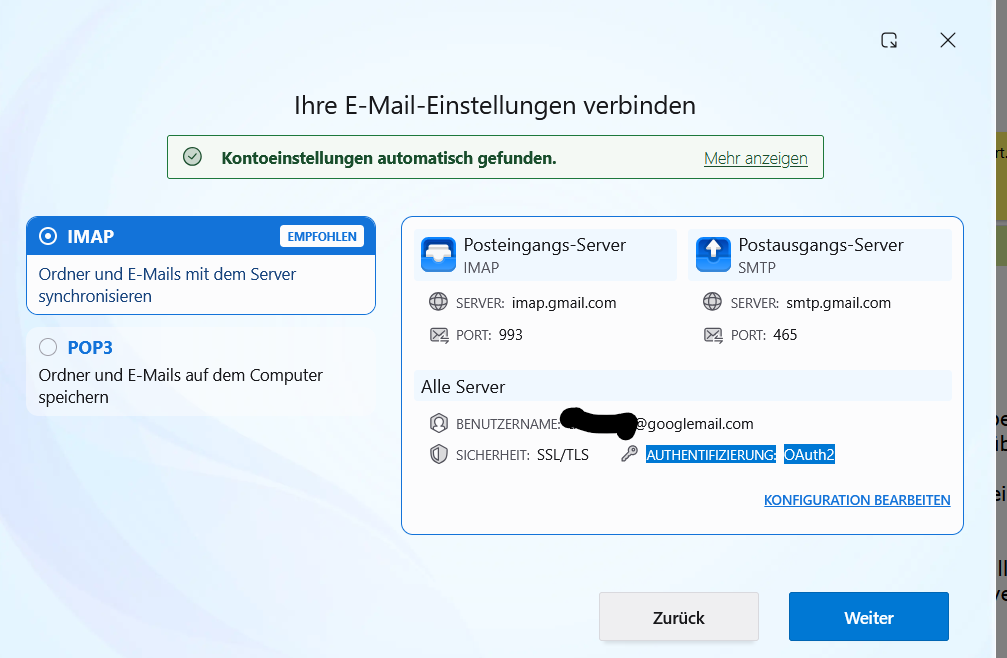
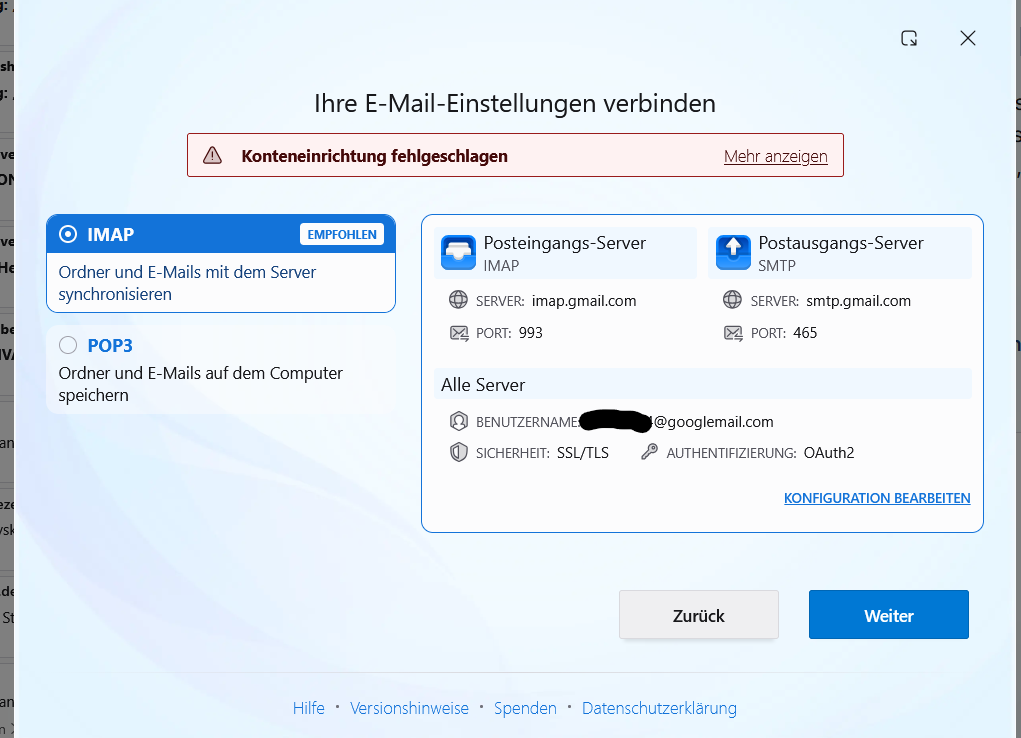
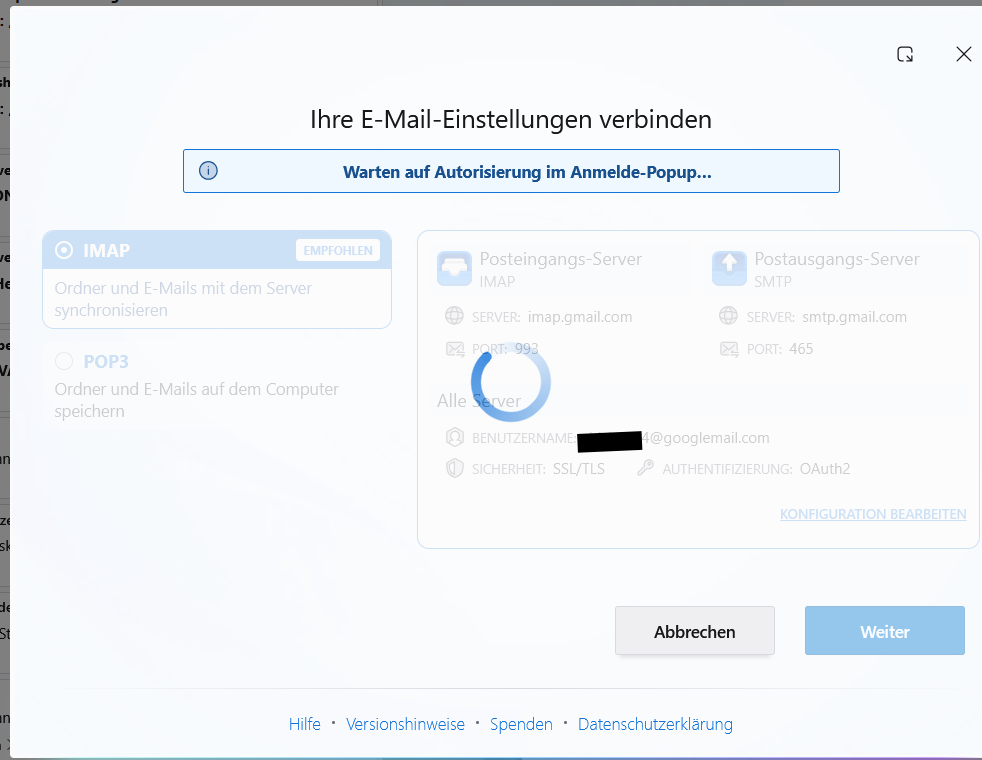
sorry, a made a mistake, i meant to write: All this happend not !!!! with my default browser Firefox Vers. 160.0 All actions were performed in Thunderbird !!!
All this happend not !!!! with my default browser Firefox Vers. 160.0
That's all right. What's supposed to happen in the default browser is the OAuth2 authentication, but you don't get there (yet).
Please open the Config Editor and filter for the pref mailnews.oauth.useExternalBrowser - is it set to true? https://support.mozilla.org/kb/config-editor
In the advanced settings, I find: pref mailnews.oauth.useExternalBrowser. “Boolean” is enabled. Other settings—‘Number’ and “String”—are not enabled.
is this setting ok ?
Hello there
(https://support.mozilla.org/kb/config-editor)
To actually activate this setting, please follow these steps:
1. Click the plus (+) button on the far right of that same line (next to Boolean, Number, and String). This will create the preference and automatically set its value to true.
2. Restart Thunderbird completely and try logging in again to see if your default browser now opens for the OAuth2 authentication.
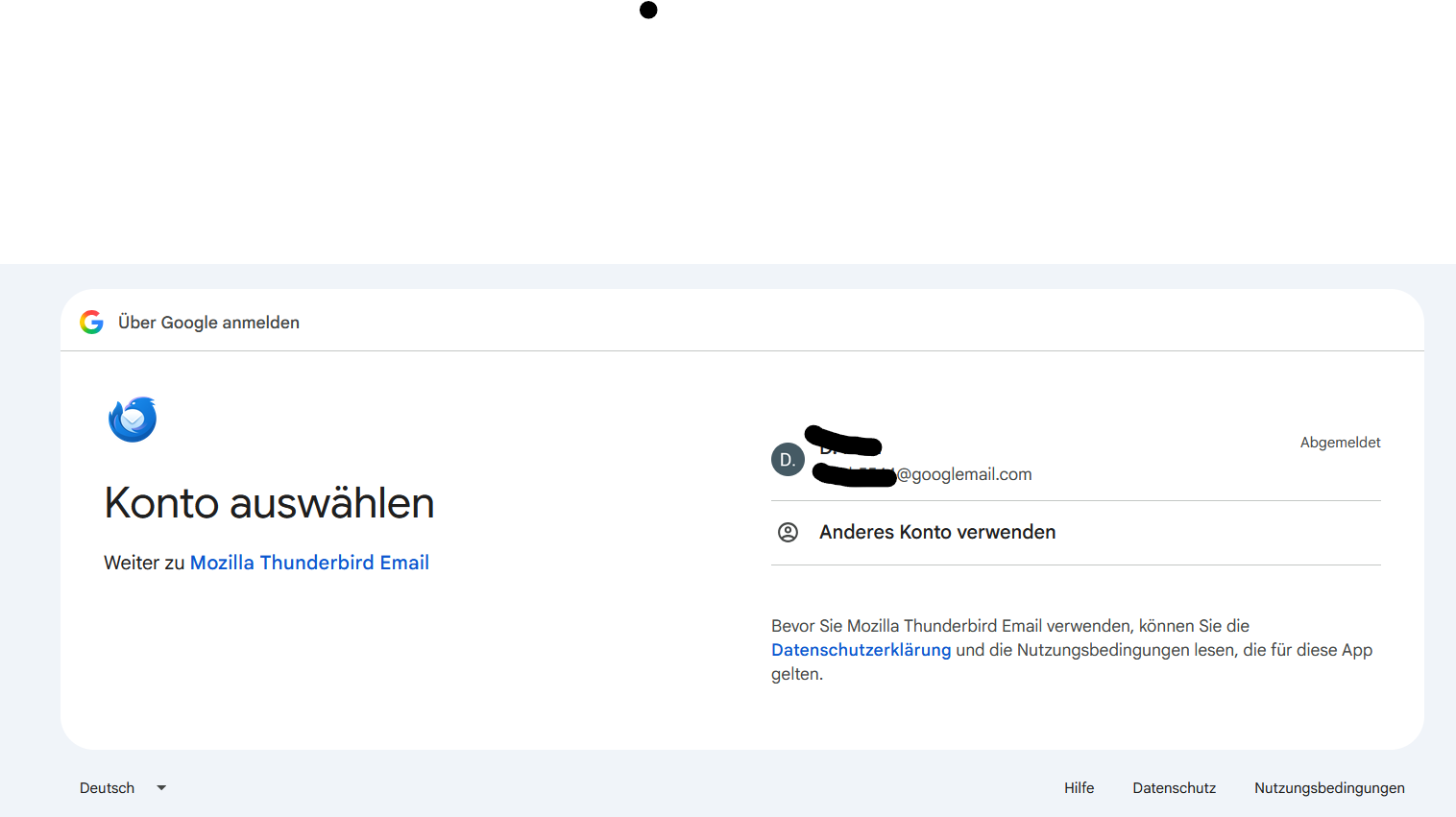
I've configured all the settings; the value is set to “true.” Then I closed and restarted Thunderbird. A window appears in my default browser asking me to sign in to my Gmail account in Thunderbird (am I seeing this correctly?)
Next steps: - Select my Gmail account - Enter my Google password (is this secure? Is this a fake website? Is my Google password sent to Thunderbird, or is it encrypted and sent to Google?)
see added pictures
Sorry for my security concerns
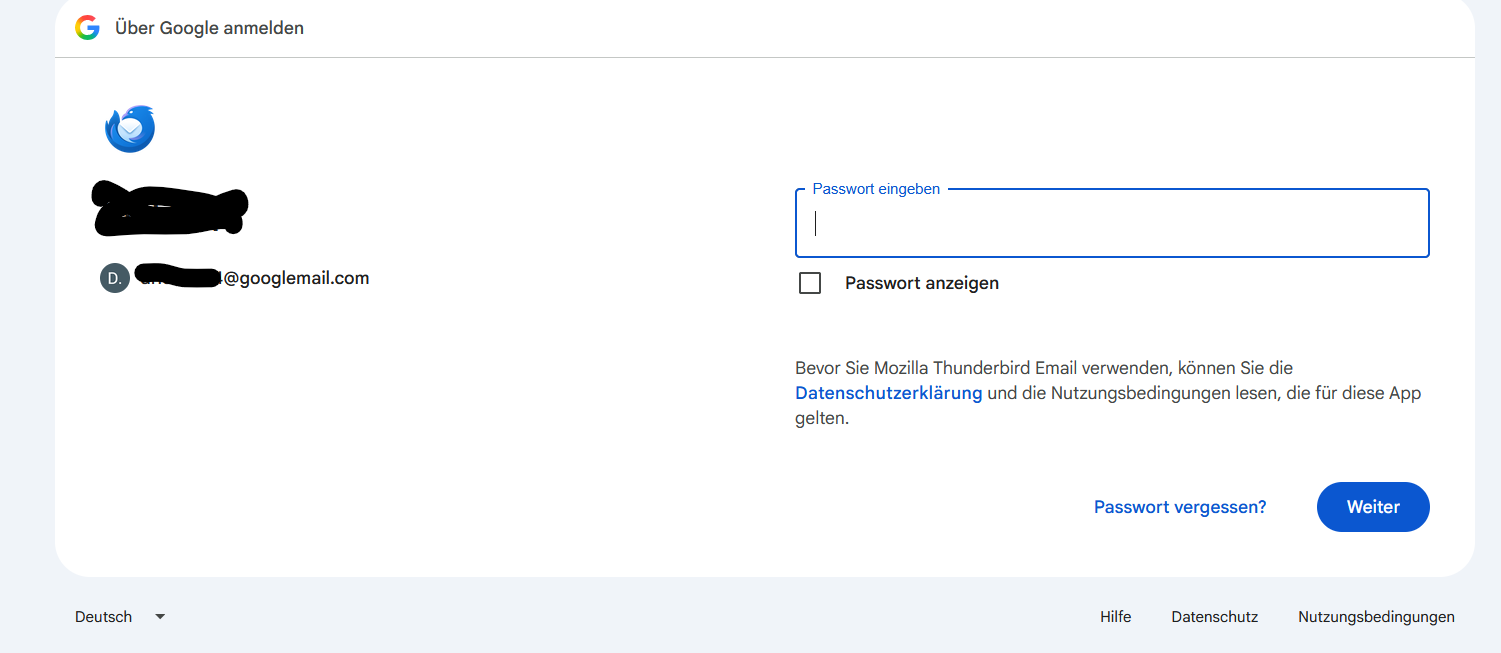
Hello there
It is completely safe to proceed with the login now.
Because we set mailnews.oauth.useExternalBrowser to true, Thunderbird is now using your default web browser to open Google's official authentication page. You can verify this by checking the address bar in your browser.
The password field is safe, so you can go ahead and enter your password there.
Once you sign in and click OK, Google will send a digital token back to Thunderbird. Thunderbird will use this token to access your data going forward.
You can safely select your account, enter your password, and finish the setup.
It s all
Hello there
Hi there, just checking in to see if you were able to sign in and get your Gmail working again.
thanks for the security information.
Login is blocked
When I try to log in to my Gmail account via Thunderbird, the destination website is blocked. As a result, I can't grant TB the necessary permissions and can't complete the login process. I'm using Bitdefender as my antivirus software. Is Bitdefender blocking the login? However, to the best of my knowledge, Bitdefender does not use SSLKEYLOGFILE to verify HTTPS connections.
see attached pictures
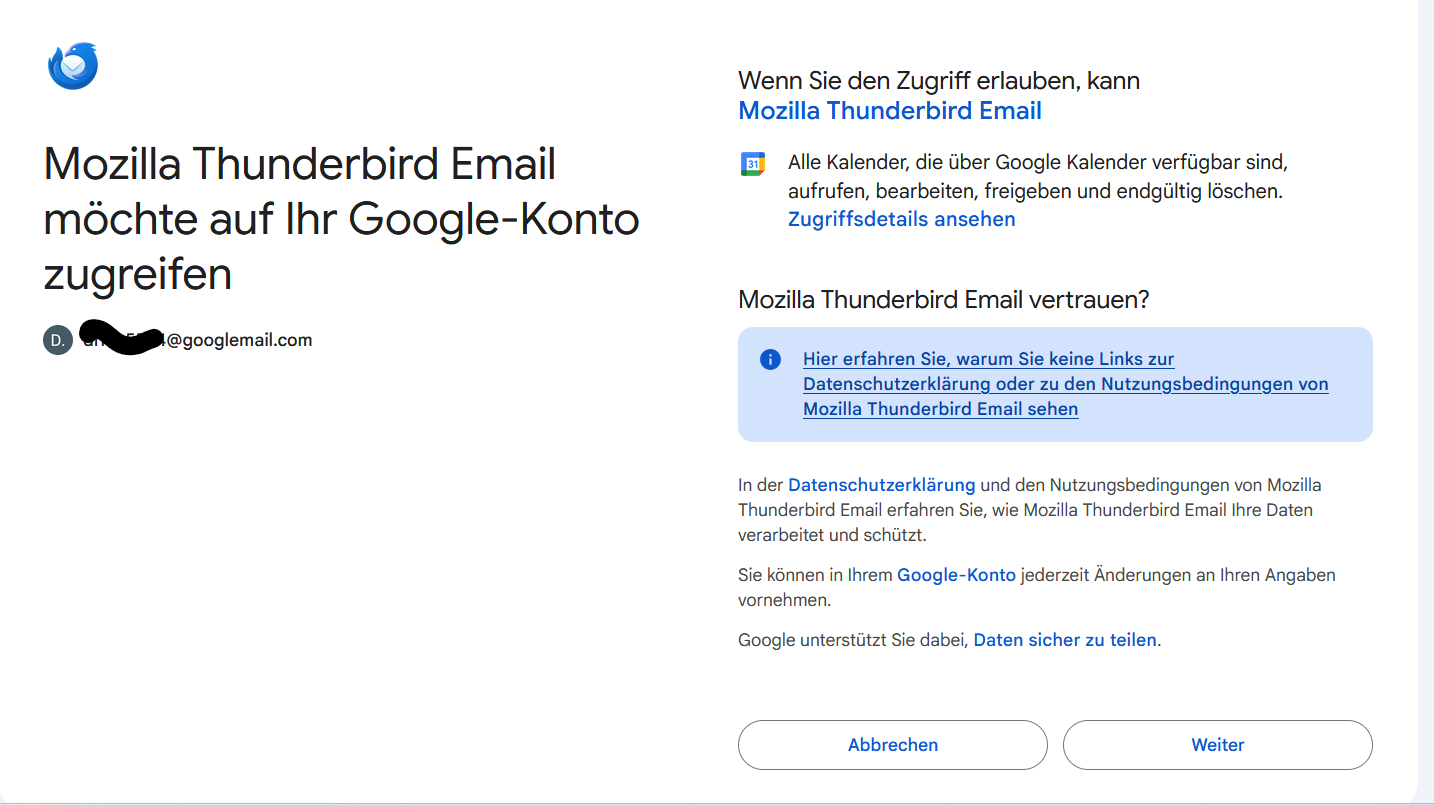
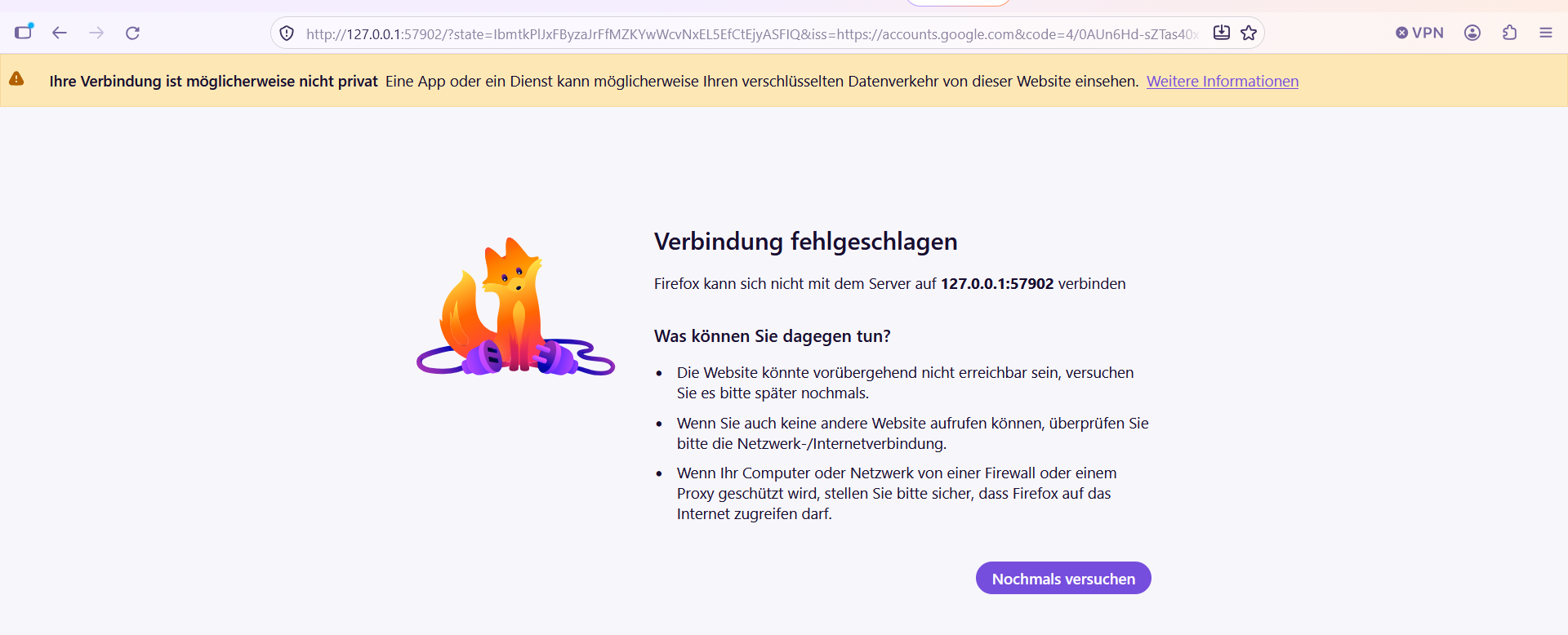
Try to create an exception in Firefox Settings - Privacy and security - HTTPS-Only Mode for 127.0.0.1. This is in case your current setting for HTTPS-Only Mode in Firefox is 'Enable HTTPS-Only mode in all windows'.
hschneider.1 said
I'm using Bitdefender as my antivirus software. Is Bitdefender blocking the login?
"Bitdefender's "Encrypted Web Scan" (SSL/HTTPS inspection) is almost always the cause when Thunderbird fails to authorize or connect to Gmail." says AI. I have never used such rubbish. In the German Thunderbird forum they would tell you to uninstall it since the Windows Defender is sufficient.
Hello there
Bitdefender won't magically drop down my chimney. I think it's time to find another antivirus before Christmas. 🎄
글쓴이 Googlethunderbird. 수정일시