


Oops, something went wrong. Check your browser's developer console for more details.
firefox is getting worse, nothing working right, looking to go to chrome
모든 댓글 (4)
Hi Steve, if you plan to continue using Firefox for a bit longer, do you want to describe what you were trying to do when you got this message, or learn more about checking the console?
I was on a West Yorkshire police page requesting audio and video information on a freedom of information request. They wanted jpeg proof of identity, x 2, which I was trying to attach.
it sat doing nothing for ages and would not let me click next. I left it for an hour, nothing happened. When I scrolled up it said some thing about doing something in Check your browser's developer console for more details.
No idea what this means.
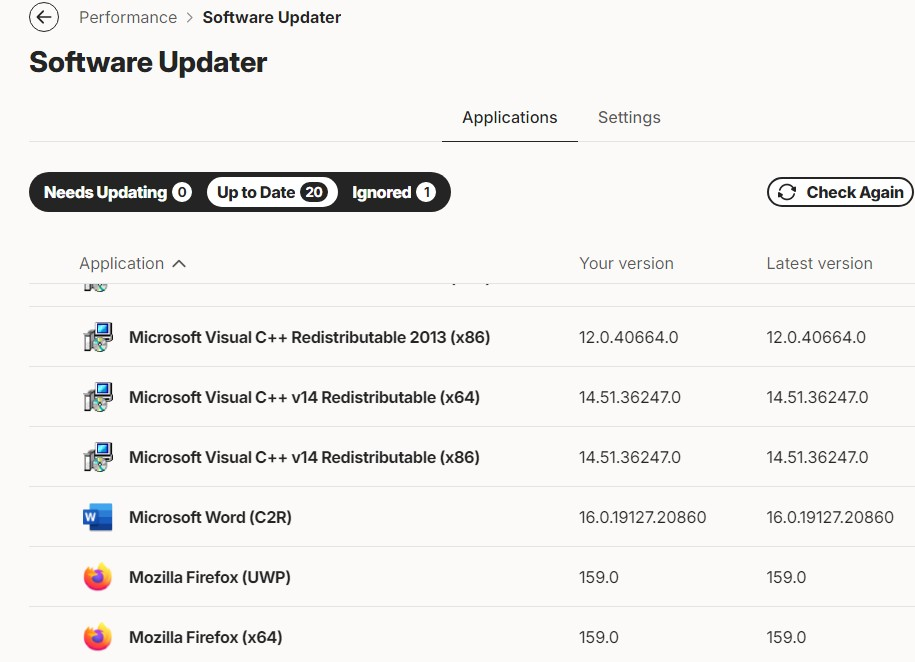
Also, bullguard says I got two firefoxes, and one or they both need updating. When I try this, it wants to reload Firefox?
Sick of it, runs slow, lots of pages not working right.
See jpeg
stevejj said
I was on a West Yorkshire police page requesting audio and video information on a freedom of information request. They wanted jpeg proof of identity, x 2, which I was trying to attach. it sat doing nothing for ages and would not let me click next. I left it for an hour, nothing happened. When I scrolled up it said some thing about doing something in Check your browser's developer console for more details. No idea what this means.
If a script in the page generated an error, you typically could view it by opening the Web Console with Ctrl+Shift+K. But unless it is in fairly plain English, I'm not sure what it would tell you. If you see the problem again, you could take a look.
Sometimes uploading is broken by incorrect file associations. For example, the site wants an image/jpeg file, but somehow Firefox is identifying the .jpg file as image/picture or some other non-standard phrase. The traditional fix for this is to delete a file named "handlers.json" which stores those associations because there isn't a dialog box or other UI to make individual edits in the file. But I'd defer that until we have a stronger suspicion about the problem.
Also, bullguard says I got two firefoxes, and one or they both need updating. When I try this, it wants to reload Firefox?
Your screenshot refers to a UWP version, which may be the version distributed by the Microsoft store. If you check the Troubleshooting Information page while running your normal Firefox, is there a Distribution ID mentioning MSIX? That is the Microsoft store version. Depending on which one you use (standard vs. MS store), you could remove the other one instead of having them auto-update in parallel.
Note: if given the choice to delete data or profiles when uninstalling, you might want to just hang onto them in case there turns out to be some important data in there.
Sick of it, runs slow, lots of pages not working right.
If you are a tinkerer, see the following articles:
If you prefer a fresh start and are wiling to abandon your settings and add-ons, see: