


I don't like you last updates with interface change with curvy bottons and color thems. let me get back

I don't like you last updates with interface changing with curvy bottons and color thems. let me get back .
how may I know which version i had before the update on november 1 ?
모든 댓글 (3)
Hi Sargis, there is a temporary method to roll back the "Nova" design update to the previous appearance. I don't know how long this will be available. I will also provide a link to the "downgrade" article, but I think you'll find the toggling method much simpler:
(1) Downgrade option
See: Install an older version of Firefox
(2) Toggling a hidden setting
(a) In a new tab, type or paste about:config in the address bar and press Enter/Return. Click the button accepting the risk.
More info on about:config: Configuration Editor for Firefox. The moderators would like us to remind you that changes made through this back door aren't fully supported and aren't guaranteed to continue working in the future.
(b) In the search box in the page, type or paste browser.nova.enabled and pause while the list is filtered
(c) Double-click the preference to switch the value from true to false - several seconds may pass before this takes effect (see attached image for the difference)
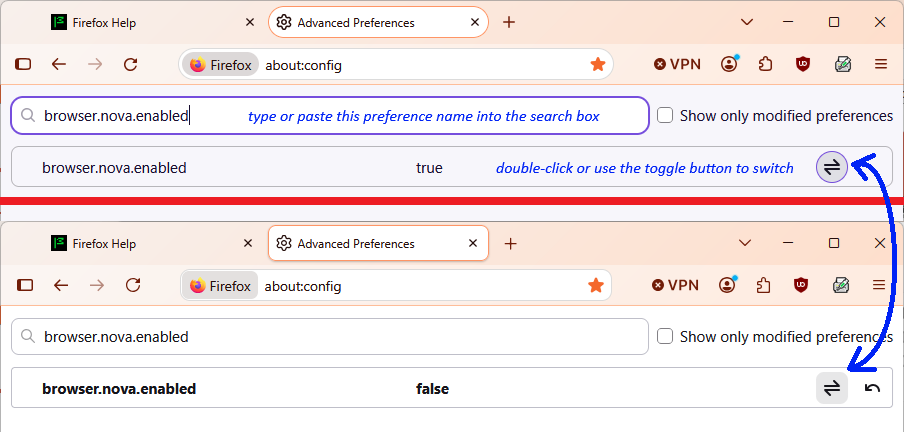
Bonjour
To complement,
A space for users to give product feedback https://support.mozilla.org/en-US/kb/what-mozilla-connect
Among others discussions,
The new Firefox design lands in today. This is what you can expect https://connect.mozilla.org/t5/discussions/the-new-firefox-design-lands-in-today-this-is-what-you-can/td-p/139524
A discussion thread https://support.mozilla.org/en-US/questions/1610048
To complement, if the choose (1) Downgrade option
What happens to my profile if I downgrade to a previous version of Firefox? https://support.mozilla.org/en-US/kb/dedicated-profiles-firefox-installation#w_what-happens-to-my-profile-if-i-downgrade-to-a-previous-version-of-firefox
For illustration, what happens to my profile if I downgrade to a previous version of Firefox https://www.youtube.com/watch?v=LCwy5fouQ6A
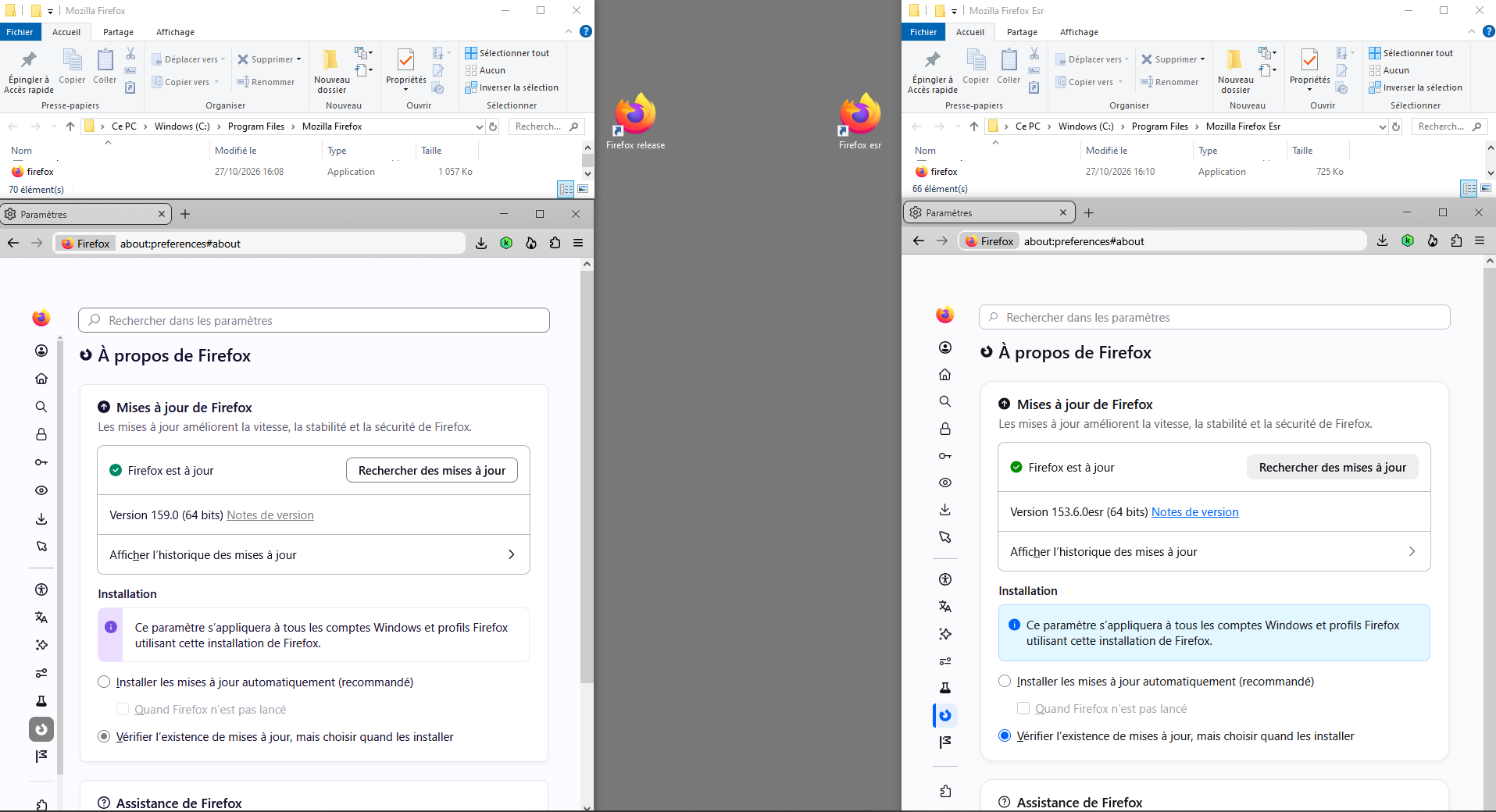
My choose, some users have multiple installations of Firefox, each in separate program folders. (e.g.) Prerequisite to installation location, for example and Windows. Create Mozilla Firefox Esr installation folder in C:\Program Files Install Firefox Esr in C:\Program Files\Mozilla Firefox Esr
Below, on the left Firefox release 159.0, clarification : i'm not a fan the Nova Style. I use, css. Among others css.
글쓴이 Agent virtuel 수정일시