


MORE RAM USAGE THEN GTA 5 for every tab its taking 1 gb ram.

ive just downloaded firefox and its giving me performance issues I play gta 5 all day with my chrome tabs open maybe more then 5 sometimes more then 8 and When I had more then 4 or 5 tabs my gta 5 started to lag when i opened my task manager i see that Firefox is using more then my Game.
모든 댓글 (4)
Any fun addons? Check Fix Firefox using too much memory or CPU resources that will eventually show you Task Manager - see whether tabs or extensions are slowing down Firefox about:processes where you can tell what's behind the resource consumption.
With just 3 extensions my thing reaches to almost 1 gb how to fix i had more then 10 extension in chrome never had a problem.

And what is their breakdown in about:processes? (i.e. what's content, per page, and what's extensions?)
If e.g. your 5 tabs is all youtube, twitch, facebook, discord, hulu and you have ublock set to something that's tampering with it and leaking objects from them it doesn't really matter how many tabs and addons, but mostly what the addon is doing to the site and how often.
This is 5 wiki tabs in a fresh browser: (basically the same as with all tabs closed; <1G total)
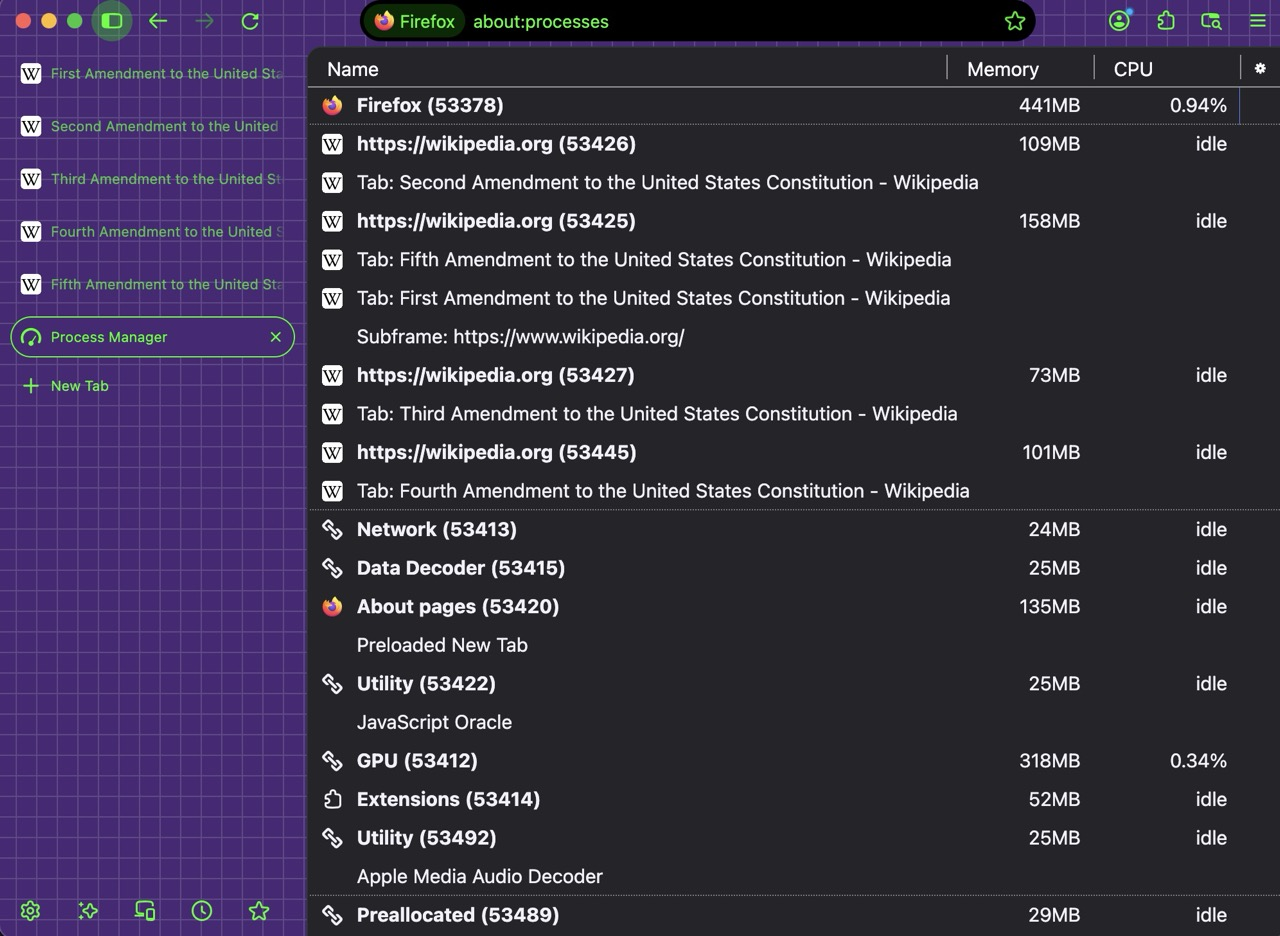
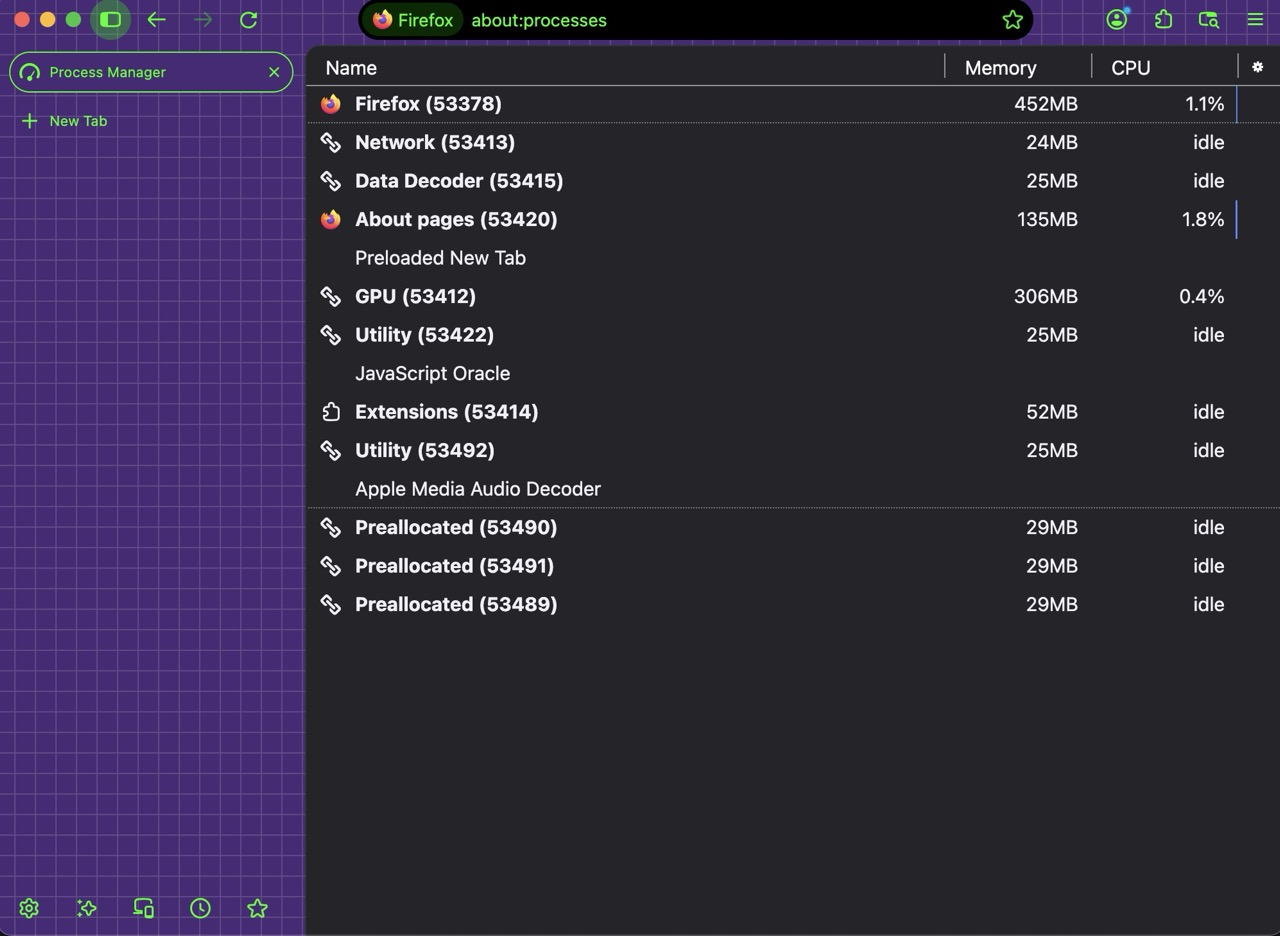
(FWIW I run hundreds of tabs and they take up a few gigs in total with all the rendering processes on top, usually averaging to 250M per origin, with 6–8 tabs per origin, so less than 50MB/tab — just no addons allowed to touch content and no funny cat videos running all day long 🤷)
So if you restart into Troubleshoot Mode Use Troubleshoot Mode in Firefox and run without addons, how does the performance look like?