


Authentication and connection drops with Outlook accounts (User is authenticated but not connected)

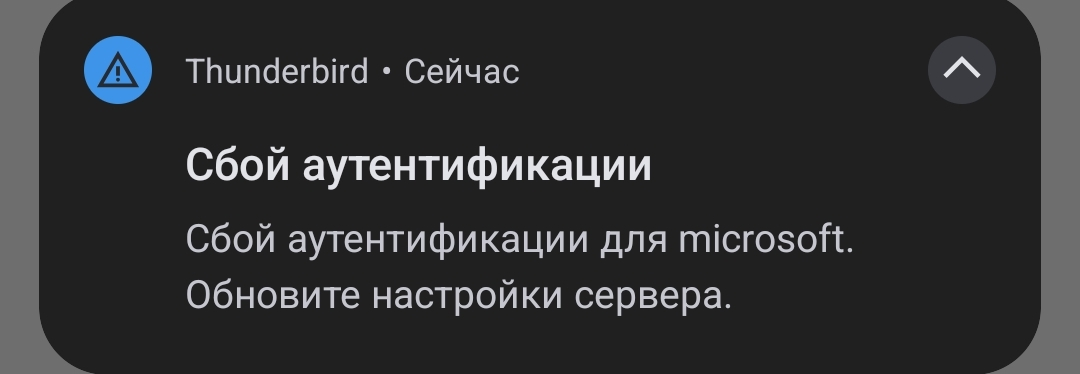
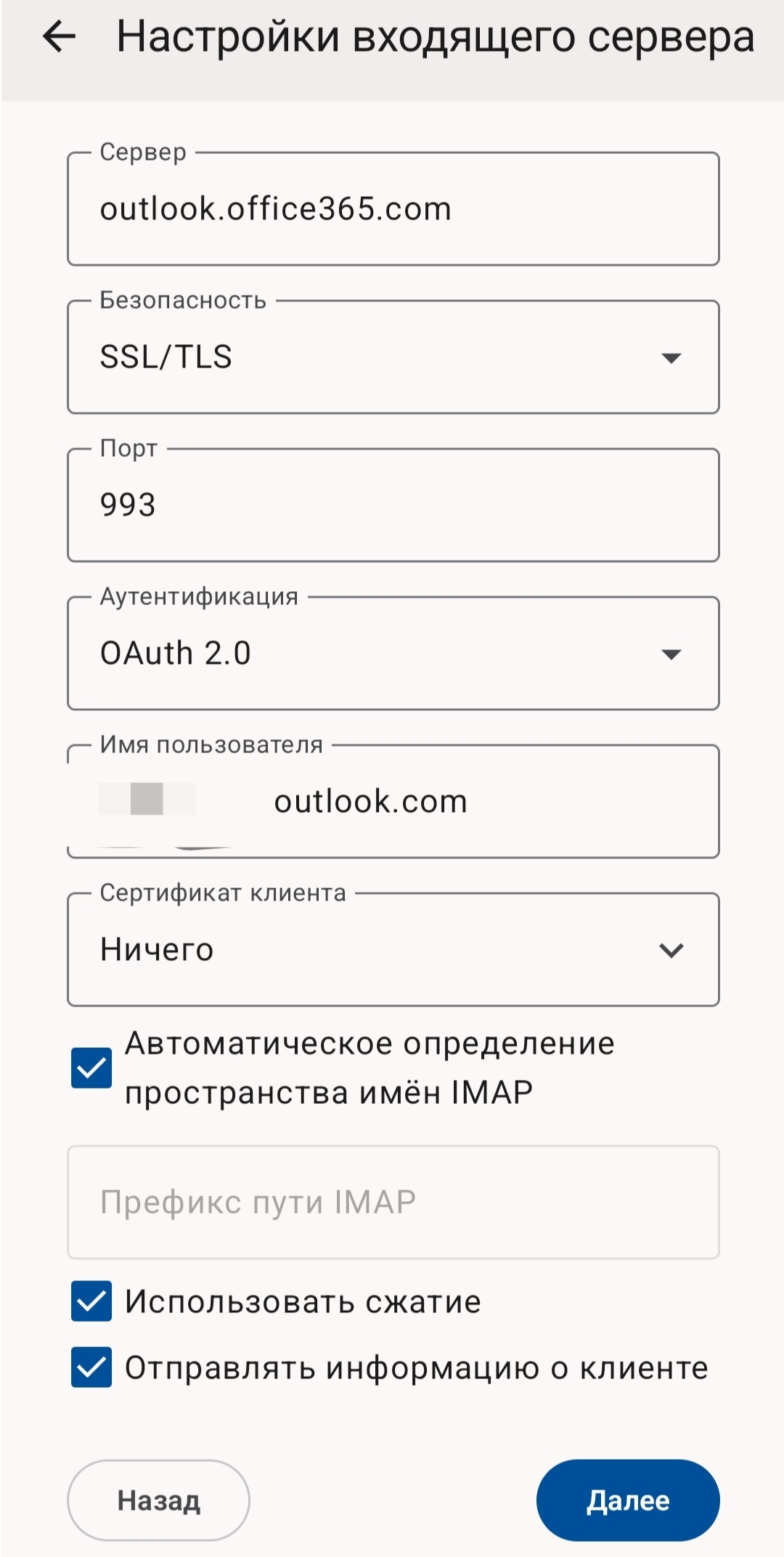
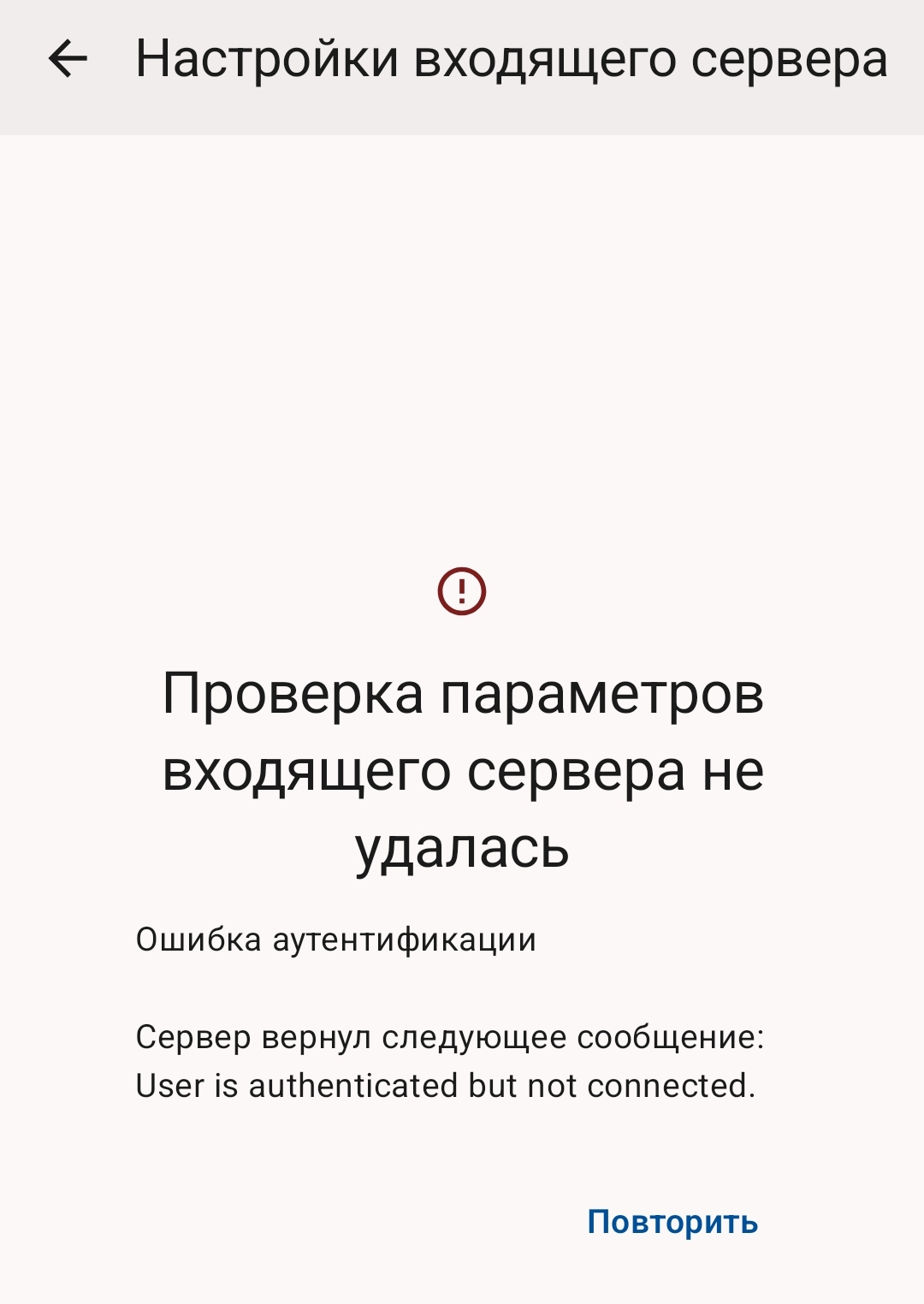
When using an Outlook account in Thunderbird for Android, I frequently encounter authentication and connection issues. Sometimes the app shows an authentication failure notification, and checking incoming server settings results in the error: "User is authenticated but not connected".
모든 댓글 (4)

The "user is authenticated but not connected" issue is usually due to temporary Microsoft server issues. The server is not allowing the imap connection. The app usually successfully reconnects again a few hours once MS resolve their issue.
Do you use a VPN to connect?
Thanks for the reply!
I do use a VPN on my smartphone, but it is set up with split tunneling (per-app proxy), and Thunderbird is excluded from it — meaning it connects directly without the VPN.
Also, I doubt this is purely a temporary Microsoft server issue, because the authentication failure and the "User is authenticated but not connected" notification happen multiple times every single day.
Yes, I agree, multiple times a day is not normal. I see it occasionally, maybe once in 6 months with my Hotmail account.
I'd try and rule out external factors first.
Have you tested with your VPN software temporarily disabled or removed? Do you have any firewall or security apps installed that could be affecting the connection?
Maybe try installing another email client on your phone. When the issue occurs in TB, does the other client experience the same problem.
Thanks for the suggestions. I decided to test it with another client on my phone to isolate the issue. (Note: In both clients, the server settings were fetched automatically, so there were no manual configuration errors)
Here is what happened: First, I added my Outlook account to the Gmail app. It worked fine at first, but later that day, Gmail asked me to re-authenticate.
When I entered my password and the temporary code from my authenticator app, it kept saying "incorrect username or password," even though I double-checked and entered everything correctly multiple times. Finally, I installed the official Outlook app on my phone and signed in there — and it works completely fine without any issues.
Based on this, it seems the problem is likely on Microsoft's end, rather than with Thunderbird.
글쓴이 antifazer 수정일시