


since 23.1 the shared inbox sorts wrong not for date

I have K9-mail on Android. Since 1 or 2 weeks my shared inbox is sorted wrong. I have two accounts configured and in each a couple of e-mails each days. When I step into K9-mail the shared inbox shows some actual mails and then their is a gap in time and the next e-mails are from April. If I am looking into the inboxes of each account, it seems to be correct.
Is their a sorting bug in the shared inbox?
모든 댓글 (3)
In the Playstore there is no newer version of thunderbird for Android.

선택된 해결법
Are you seeing all the expected emails in the shared mailbox, just in the wrong sort order, or are emails missing? If missing, are they all from the same account?
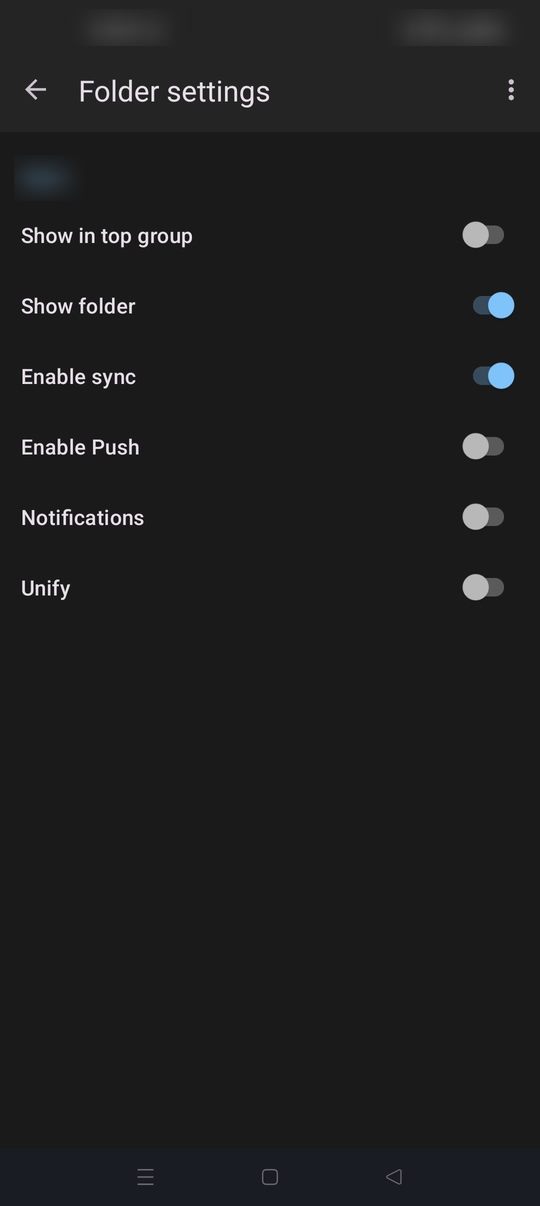
1. Check you have date selected as the sort criteria. It's the icon next to the magnifying glass. 2. Perform a full account sync. 3. Check required folders from each account are configured to display within the unified Inbox. To do this ...
a. Select an account from the side bar with your folders listed. b. Tap manage folders from the bottom of the list. c. Tap a folder name (e.g Inbox). d. Check "Unify" is enabled.
Ok, I never used the sort criteria in K9-mail. Because with 2.000 mails there was no reason to use that... But now their was chosen another sort criteria for the shared inbox. A big sorry for opening a question and the problem was my fault.