Windows 10 reached EOS (end of support) on October 14, 2025. If you are on Windows 10, see this article.

Mozilla 도움말 검색

고객 지원 사기를 피하세요. 저희는 여러분께 절대로 전화를 걸거나 문자를 보내거나 개인 정보를 공유하도록 요청하지 않습니다. "악용 사례 신고"옵션을 사용하여 의심스러운 활동을 신고해 주세요.

자세히 살펴보기

Right click on LinkedIn

  • 답글 없음
  • 1 이 문제를 만남
  • Open

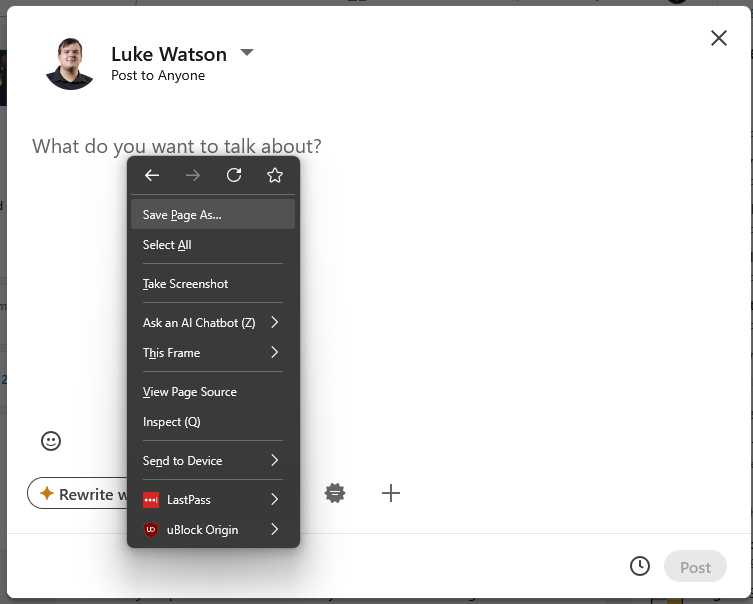
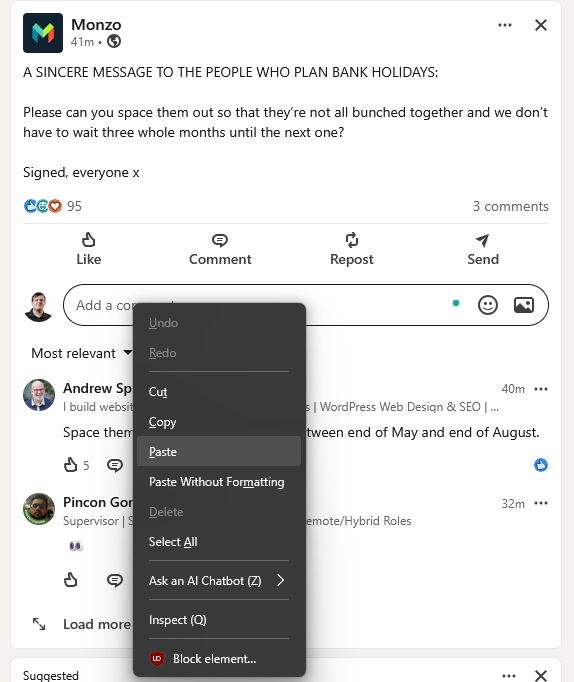
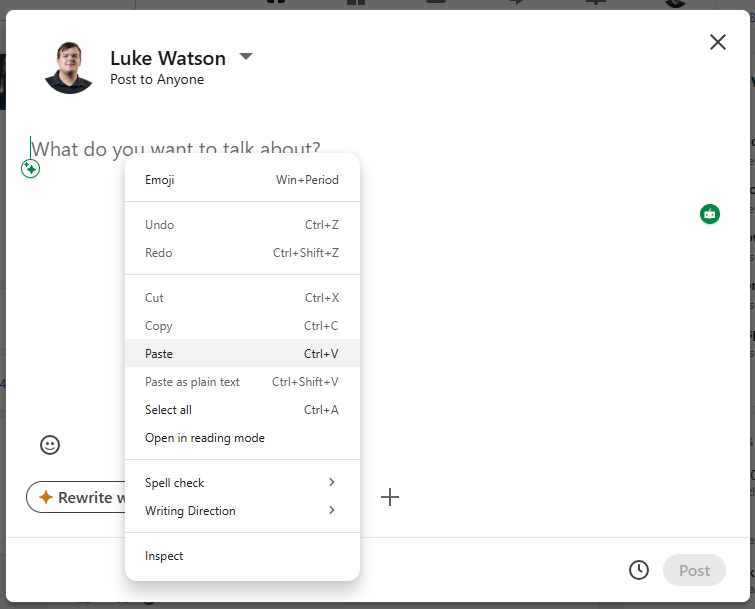
A client of ours has recently raised an issue with with us stating where right-click, Paste does not work when adding text to a new LinkedIn post

After investigating, we have been able to reproduce the same behavior on our devices.

However, from our testing, we can right click to past on comments, messages and searches just fine

Troubleshooting already attempted:

Cleared Firefox cache Performed Firefox refresh Tested across multiple devices

We have confirmed this occurs on:

Clients device My work desktop My work laptop My personal desktop My Personal Macbook

This issue appears to have started after updating to Firefox version 151.0.0. I know this as i have tested this on my work laptop, appeared to work fine then stopped working after manually updating from 150.0.3 to 151.0.0.

Please let us know if there are any known issues, additional troubleshooting steps, or if further diagnostic information would help I have attached screenshots of the issue.

I have also tested this in the Google Chrome web browser and appears to be working correctly as also seen in the screenshots.
A client of ours has recently raised an issue with with us stating where right-click, Paste does not work when adding text to a new LinkedIn post After investigating, we have been able to reproduce the same behavior on our devices. However, from our testing, we can right click to past on comments, messages and searches just fine Troubleshooting already attempted: Cleared Firefox cache Performed Firefox refresh Tested across multiple devices We have confirmed this occurs on: Clients device My work desktop My work laptop My personal desktop My Personal Macbook This issue appears to have started after updating to Firefox version 151.0.0. I know this as i have tested this on my work laptop, appeared to work fine then stopped working after manually updating from 150.0.3 to 151.0.0. Please let us know if there are any known issues, additional troubleshooting steps, or if further diagnostic information would help I have attached screenshots of the issue. I have also tested this in the Google Chrome web browser and appears to be working correctly as also seen in the screenshots.
첨부된 스크린샷

글에 답글을 달기 위해서는 계정으로 로그인해야만 합니다. 계정이 아직 없다면 새로운 질문을 올려주세요.