


controlling writing text size and sent textsize

the default font for writing texts is too small for me to easily read. Yet when I send the message the text size too large, How do I control these font sizes independently
선택된 해결법
Post the same screenshots that are in the link I provided. I think that may allow some suggestions. thank you
모든 댓글 (9)
This link has the information, although you may need to experiment a bit for what you prefer: https://support.mozilla.org/en-US/questions/1462509
Thanks for your prompt reply, but I still cannot get the font sizes to change. When creating a text, the font is so small I can hardly read it. The only way I can increase the font size is using the "bigger" tools in the text control at the top of the message. When I do that the size is acceptable. But when looking at a many years sent message to my horror the text the recipient sees has also increases its size. Only discovered this when I opened a previous sent email. I'm sure my email messages are he laughing stock of the company.
I have tried specifying a 14 pt and 17 pt size your settings but they do not seem have any affect. I have been using computers for many, many years (1976) and used MS Outlook until they tried to force me to upgrade. Don't ever intend to return. I was really happy with Tbird until this Bucropped up. Hopefully it is something I have done that caused the problem But it is consuming too much of my time to ignore, Got to do Something
선택된 해결법
Post the same screenshots that are in the link I provided. I think that may allow some suggestions. thank you
Here are the screenshots for anything listing fonts in the settings menu
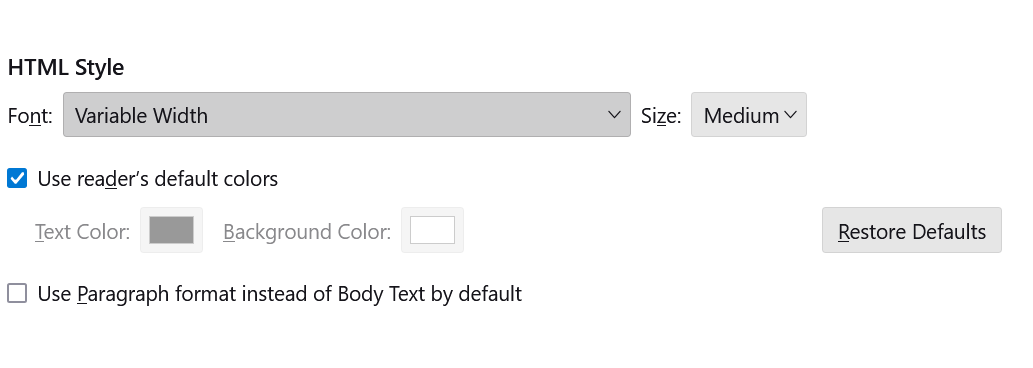
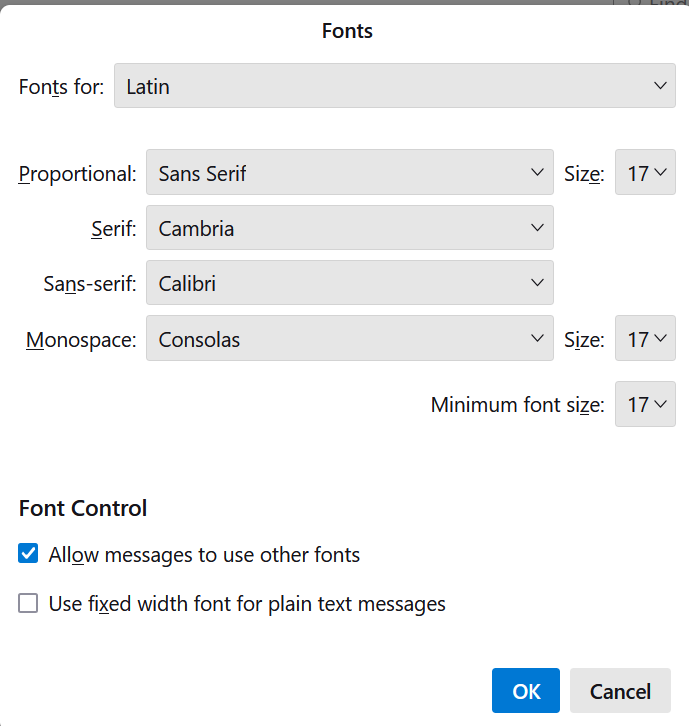
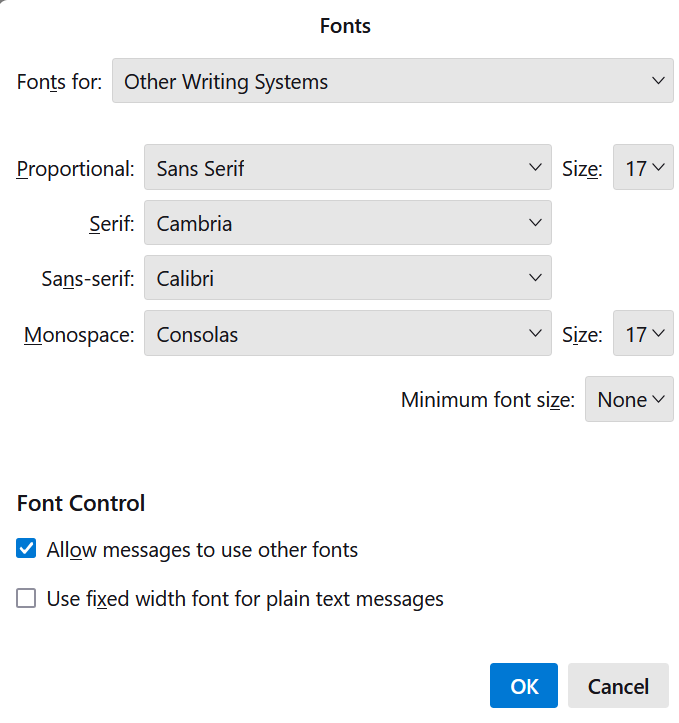
i suggest putting a number on minimum font size for other writing systems and setting font size to 20 for all to see if that has an effect.
David -
Sorry to be so late in my reply but quite frankly I have given up trying to resolve this problem. Nothing I change in the text sizing menus you suggested appear to have any effect on the size of the fonts. So I have just decided to try and live with the problem for the time being and visit it later when I have a better mental attitude. Thanks for your efforts.
Before giving up, increase the numbers to 22 and set a minimum font size. I suggest this to see if you are seeing a change. Sometimes, it takes using a much larger number to confirm that the settings 'work', and then adjust downward. Please do that and see if you see results. Thank you
Thank you for sharing this solution. The explanation is clear and easy to follow, and it helped me better understand the issue. I appreciate the time and effort you put into helping other Firefox users. Your advice will be useful for many people facing the same problem.
Photoshop, thank you for your kind words. I'm pleased that you were able to use the information. :)