


Windows 10 reached EOS (end of support) on October 14, 2025. If you are on Windows 10, see this article.

Mozilla 도움말 검색

고객 지원 사기를 피하세요. 저희는 여러분께 절대로 전화를 걸거나 문자를 보내거나 개인 정보를 공유하도록 요청하지 않습니다. "악용 사례 신고"옵션을 사용하여 의심스러운 활동을 신고해 주세요.

자세히 살펴보기

i CLICKED ON YOUR UPDATE and NOW ALL my BOOKMARKS are gone

  • 1 답장
  • 0 이 문제를 만남
  • 최종 답변자: Denys
  • Open

I installed your update today and yesterday - 2 update per week??????????? I had a desktop that had my ICONS bookmarks such as Homedopt, Mendards, Amazon, TractorSupply, CubFoods, Samsclub and 16 others and now it's all gone ---- I am PISSED. How do I go back to what I had ????????? I can't figured out to install bookmarks ICONS on a blank screen. When I pulled my a HOMEPAGE I did have my bookmark ICONS on that screen. NOW I get is websites I looked at 3 or 5 minutes ago. WHAT Gives? Do you guys (Developers) have contestant every week as to who can add a . or a , someplace??????? to add a update??????? I how do I get back from where I started 5 hours ago or yesterday. I want my bookmarks on a BLANK Screen Again. How do I get there???????

Thanks, I had this all dialed in and now it's gone. Windows 11
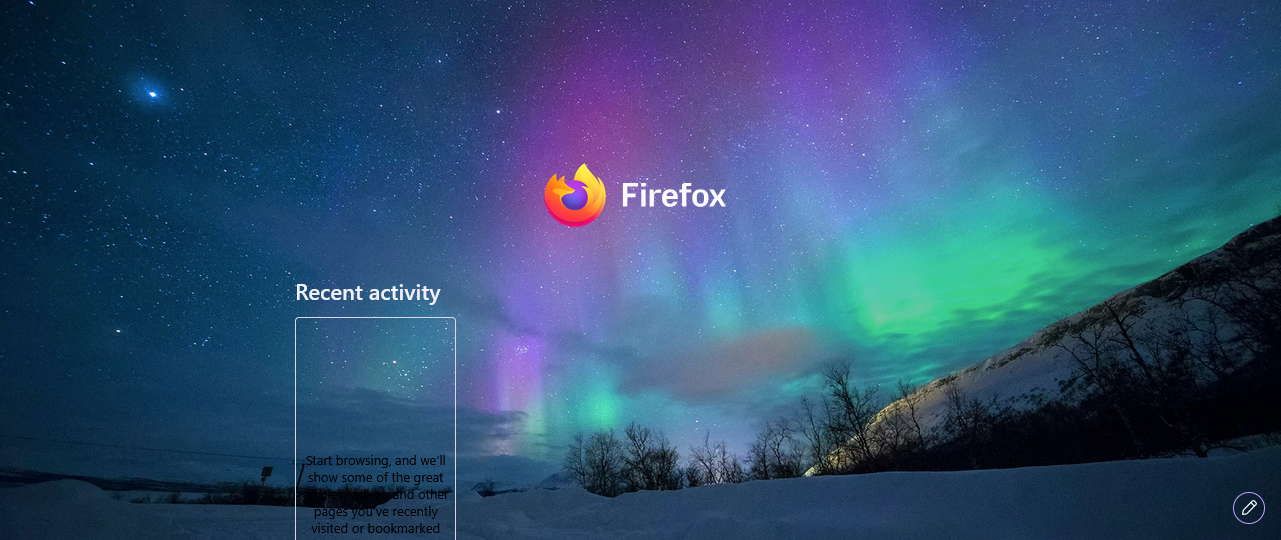
I installed your update today and yesterday - 2 update per week??????????? I had a desktop that had my ICONS bookmarks such as Homedopt, Mendards, Amazon, TractorSupply, CubFoods, Samsclub and 16 others and now it's all gone ---- I am PISSED. How do I go back to what I had ????????? I can't figured out to install bookmarks ICONS on a blank screen. When I pulled my a HOMEPAGE I did have my bookmark ICONS on that screen. NOW I get is websites I looked at 3 or 5 minutes ago. WHAT Gives? Do you guys (Developers) have contestant every week as to who can add a . or a , someplace??????? to add a update??????? I how do I get back from where I started 5 hours ago or yesterday. I want my bookmarks on a BLANK Screen Again. How do I get there??????? Thanks, I had this all dialed in and now it's gone. Windows 11
첨부된 스크린샷

모든 댓글 (1)

Hi,

Sorry you experience this. If you run Firefox in Troubleshoot Mode, will the issue persist?

질문하기

글에 답글을 달기 위해서는 계정으로 로그인해야만 합니다. 계정이 아직 없다면 새로운 질문을 올려주세요.