


Windows 10 reached EOS (end of support) on October 14, 2025. If you are on Windows 10, see this article.

Mozilla 도움말 검색

고객 지원 사기를 피하세요. 저희는 여러분께 절대로 전화를 걸거나 문자를 보내거나 개인 정보를 공유하도록 요청하지 않습니다. "악용 사례 신고"옵션을 사용하여 의심스러운 활동을 신고해 주세요.

자세히 살펴보기

DeepSeek resets the language to English

  • 1 답장
  • 0 이 문제를 만남
  • 최종 답변자: cor-el
  • Open

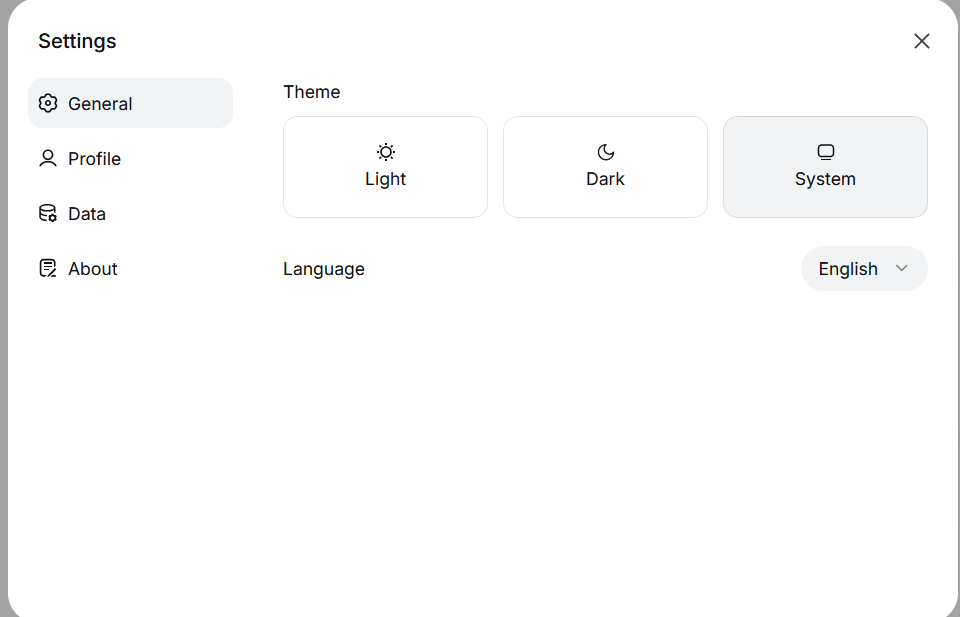
Hello. I have a problem with the chat.deepseek.com website - every time I launch the browser, the language settings are reset from the system (or Russian) language set manually to English. Interestingly, this problem only occurs in Firefox, while other browsers work as expected. Additionally, the test profile created again also works properly. What I have done: 1. Reinstalled the browser, but it did not help 2. Deleted the folders responsible for Local Storage in the profile folder - didn't help 3. Cleared the cookies - helped until the first restart, then it was the same. History is enabled, and cookies are not cleared when the browser is closed. How can I solve this issue without deleting my profile? I don't want to lose my bookmarks, passwords, and website settings. Thank you in advance for your assistance.
Hello. I have a problem with the chat.deepseek.com website - every time I launch the browser, the language settings are reset from the system (or Russian) language set manually to English. Interestingly, this problem only occurs in Firefox, while other browsers work as expected. Additionally, the test profile created again also works properly. What I have done: 1. Reinstalled the browser, but it did not help 2. Deleted the folders responsible for Local Storage in the profile folder - didn't help 3. Cleared the cookies - helped until the first restart, then it was the same. History is enabled, and cookies are not cleared when the browser is closed. How can I solve this issue without deleting my profile? I don't want to lose my bookmarks, passwords, and website settings. Thank you in advance for your assistance.
첨부된 스크린샷

모든 댓글 (1)

Did you try to create a cookie allow exception for this origin?

질문하기

글에 답글을 달기 위해서는 계정으로 로그인해야만 합니다. 계정이 아직 없다면 새로운 질문을 올려주세요.