


Default profile resets due to files being deleted

The question has been edited after doing further testing on the issue.
During the last week or so I have encountered the issue that one or more of my Firefox profiles keep resetting after every update.
I noticed there's couple of threads with similar issues already but the generic profile restore instructions are not helping at all since it seems that Firefox is actually wiping some files. I'm not currently sure what causes the files to be wiped, but it's either related to rebooting the PC or starting / closing Firefox. The file deletion also doesn't always hit the same profile either.
I'm running Firefox 150.0.1 for Arch on CachyOS.
I did a clean reinstall of Firefox. After the install I created 2 new accounts in addition to the one that's pre-created on install. All of the profiles work as expected at this point.
The profiles seem to have files in three places
- $HOME/.cache/mozilla/firefox
- $HOME/.config/mozilla/firefox
- /run/user/1000/psd/
The issue seems to be that after a reboot the files under /run/user/1000/psd/ are missing. Both of the other locations seemingly are unchanged but under $HOME/.config/mozilla/firefox the linked files claim no target in /run/user/1000/psd/ is found.
When looking at the missing files, it seems that in total 6 folders have been wiped at the time of testing. All of the wiped directories were ending as ".Profile 1" or ".default-release". Directories ending with ".Profile 2" or ".default" were still there. At this point I'm not sure what is causing this but it seems to explain why the profile is inaccessible.
Manually restoring the files under /psd/ seems to fix the missing profiles completely.
글쓴이 morkkis 수정일시
모든 댓글 (4)
I can't seem to edit the post so additional information in here.
It actually seems that only the default profile is reset. My other profile was actually intact.
It seems that the best way to keep ones profile functional is to leave the initially created default profile unused and create another profile where to store all the user data.
I seem to have been wrong assuming that his has anything to do with the update process.
Instead there seems to be something wonky going on with the Profiles in general. I was using today my secondary profile when I opened my main profile from the top bar. The main profile opened correctly with the themes and extensions it was supposed to have.
However after closing the window running the main profile and then re-opening it later I noticed it had no theme and none of the extensions I had earlier installed. It was also disconnected from my Mozilla account. The secondary profile didn't have most of the extensions that the main profile had and it was not logged in to my Mozilla account. Only the main was logged in.
Is there a way to verify if the profiles are somehow overwriting each others files partially?
You can find "Edit this question" under the sidebar "Question Tools" menu (you may have to scroll to the top). For a reply, "Edit this post" is in the three-dot menu next to a reply.
Firefox would normally store its main profile in "~/.mozilla" and the secondary profile in "~/.cache" Profile management is done via profiles.ini and installs.ini in "~/.mozilla/firefox". Are the profiles gone in these locations or is this a problem with profiles.ini?
cor-el said
You can find "Edit this question" under the sidebar "Question Tools" menu (you may have to scroll to the top). For a reply, "Edit this post" is in the three-dot menu next to a reply.
Oh, haha - I was expecting it to be under the three dots for the post as well that I didn't see the button on the side... Thanks.
cor-el said
Firefox would normally store its main profile in "~/.mozilla" and the secondary profile in "~/.cache" Profile management is done via profiles.ini and installs.ini in "~/.mozilla/firefox". Are the profiles gone in these locations or is this a problem with profiles.ini?
The brief response is that there is only "extensions" in the "~/.mozilla/" directory. No "firefox" folder at all. Instead I can find all the (assumedly) profile directories under "~/.config/mozilla/firefox" along with the profiles.ini and installs.ini.
In the profiles.ini (the one existing under ~/.config/mozilla/firefox)there are Profile1, Profile0 and General tags. I'm not completely certain how to read the entries, since the profile selector shows still 3 profiles for me.
I ended up doing quite a bit of retesting and updated the question accordingly. But I'm hitting a bit of a wall, so I'm happy that the issue seemingly only wipes the pre-created profile.
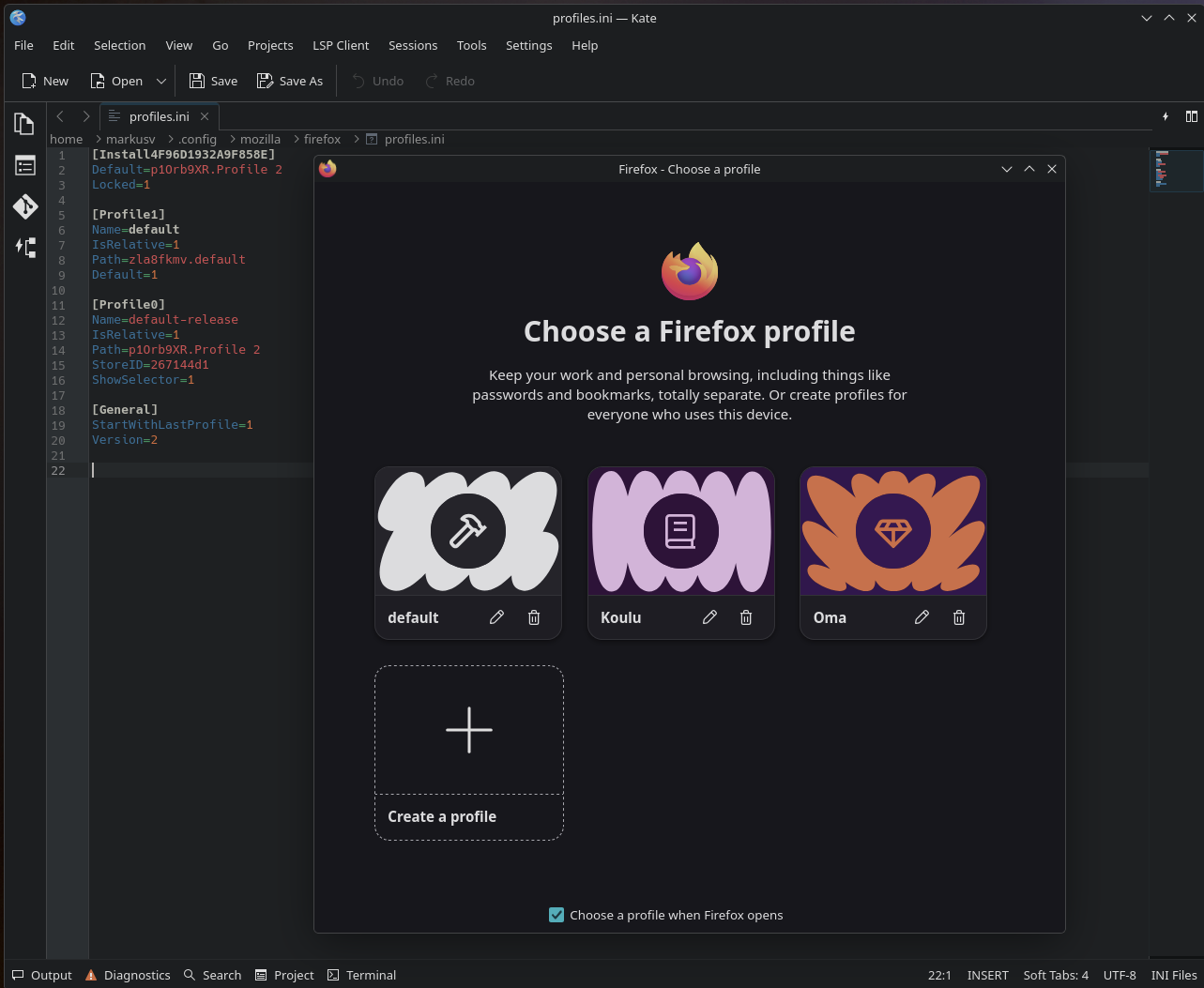
글쓴이 morkkis 수정일시