


Getting error during deployment: You have launched olderversion of firefox

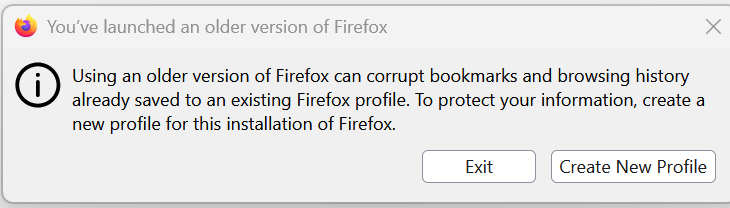
I have deployment firefox 148.0.2 version from SCCM, its on autoupdate. So, when it is pushing to machine and during launch its giving prompt " You have launched olderversion of firefox ". even though i have cleared old version or any other version and then pushed still giving same prompt. We need to remove this prompt from appearing to users. kindly suggest how to fix
I have deployment firefox 148.0.2 version from SCCM, its on autoupdate. So, when it is pushing to machine and during launch its giving prompt " You have launched olderversion of firefox ". even though i have cleared old version or any other version and then pushed still giving same prompt. We need to remove this prompt from appearing to users. kindly suggest how to fix
모든 댓글 (1)
The most recent version is 150, so you should have deployed this one. Downgrading is not advised.
If you must, you have to run firefox with --allow-downgrade parameter, at least for the first time.