


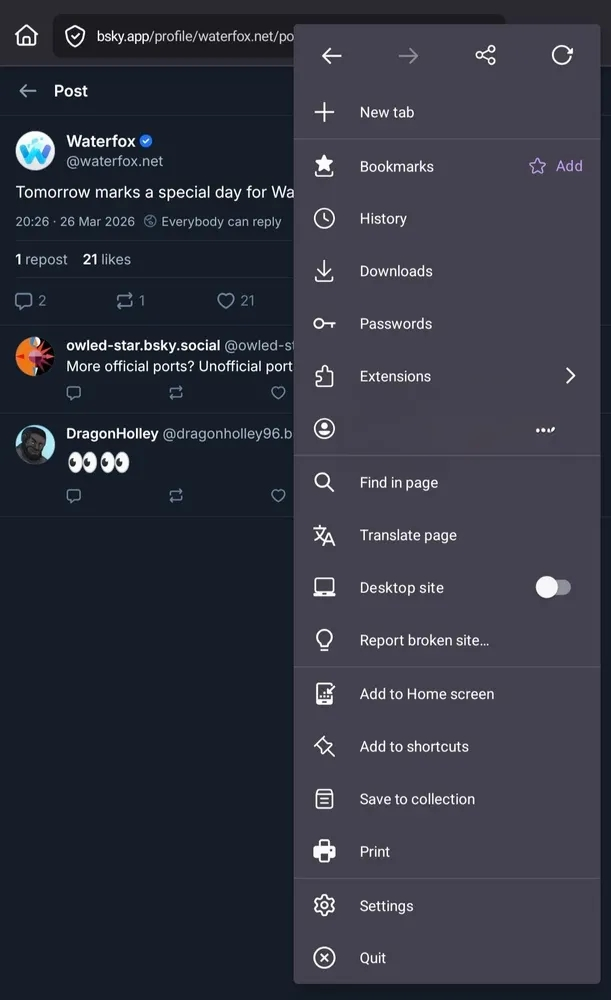
Enable Composable Toolbar setting is disabled, but still shows instead of drop-down menu

Ongoing bug that first started occuring on Firefox Nightly before being introduced to Firefox stable and now showing on forks such as Waterfox and Fennec
When viewing first view it takes up 3/5 of screen to extra click of full menu covering virtually entire page, also slower both from a usable standard along with the animation introduced.
Classic menu is simpler to use especially when with different browsers such as Chrome, webpages and many other none browser Android apps. Default use of address bar at top - same as on desktop - means that navigation involves moving thumb from top right of screen to bottom, instead of keeping in same area.
Example attached on how the function did and should still work.
모든 댓글 (1)
Hi,
The people who answer questions here, for the most part, are other users volunteering their time (like me), not Mozilla employees or developers. If you wish, you can leave feedback for developers on the Mozilla Connect website. Click the Firefox Menu  button in the toolbar, click Help and select Share ideas and feedback…. Alternatively, you can use this link. Your feedback is collected by a team that reads it and gathers data on the most common issues.