"reply" and "reply all" no longer show in my thunerbird e-mail task bar and I recieve a message saying there is no identity matching FROM adderess. How can I get my usual Reply and Reply All format back?

The details were given in my question. I am receiving the following message in all my incoming e-mails and have no way of replying to the sender because REPLY and REPLY ALL no longer appear in my Thunderbird e-mail task bar. Here is the message I receive with each incoming e-mail: "A unique identity matching the From address was not found.. This message will be sent using the current From field and settings from identity lonearranger <lonearranger@telus.net>" How can I get rid of this message and go back to seeing REPLY and REPLY ALL in my task bar?
모든 댓글 (1)
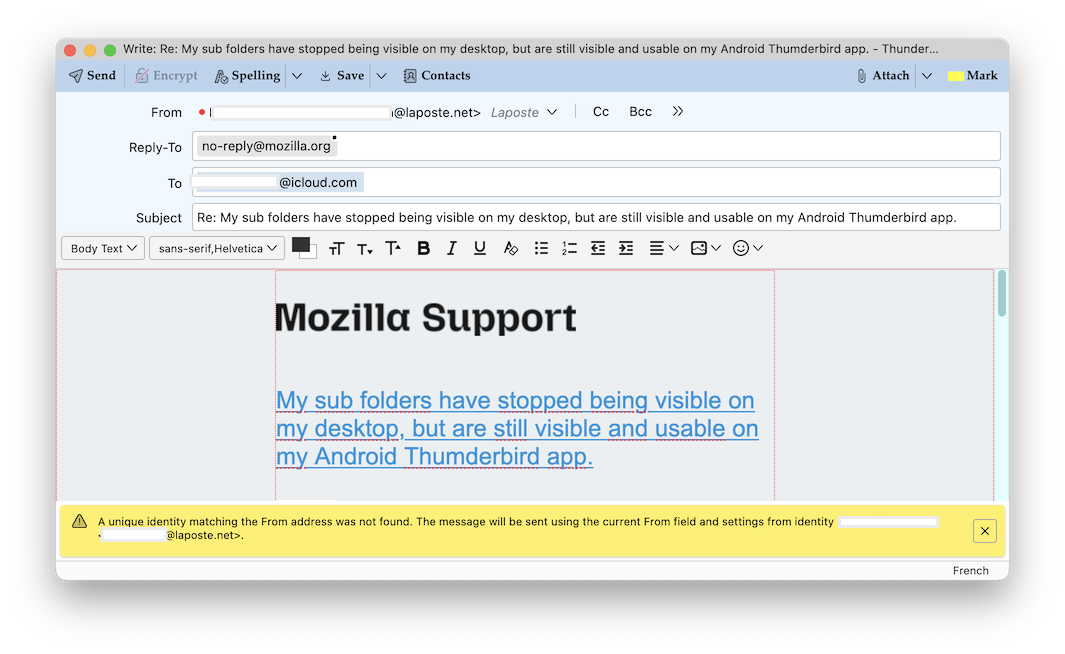
I assume that when you want to read the contents of a message you double-click it to open it in a new tab (or a new window). But, as I understand your description, actually this no longer happens like before in your email account in Thunderbird: instead of opening the message in a new tab Thunderbird opens a "Write" window (such as shown in my first picture) with at the bottom the yellow message you cite in your description.
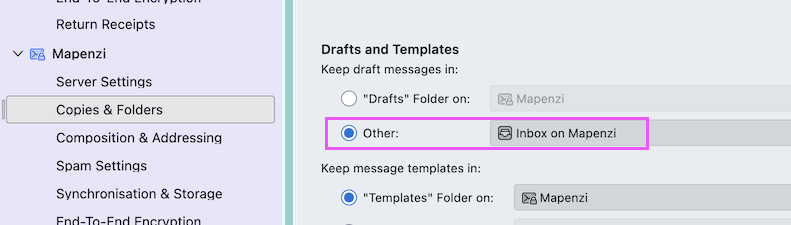
This can happen when in Account Settings > Copies & Folders > Drafts > Keep draft messages in ◉ "Other" is checked and the Inbox folder of this account is erroneously chosen as destination folder (second image). So please first verify your account settings for keeping draft messages.
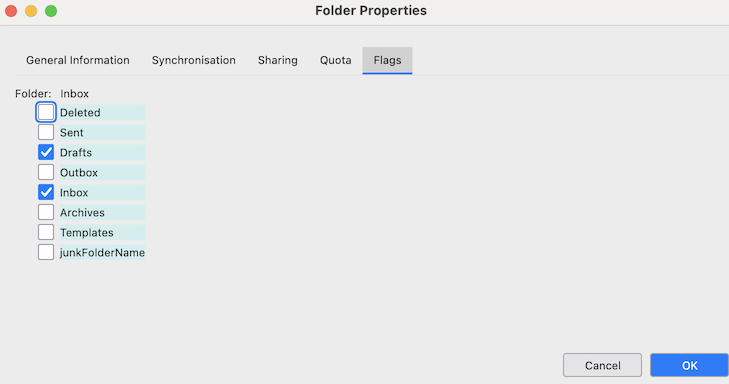
But there also can be another cause for your issue, when an Inbox folder has two "flags": one as Inbox and another for Drafts. To detect and handle this anomaly first install the add-on "FolderFlags" https://services.addons.thunderbird.net/En-uS/thunderbird/addon/folderflags/ Then R-click on Inbox > Properties > Flags und disable (uncheck) the flag for "Drafts"