


Windows 10 reached EOS (end of support) on October 14, 2025. If you are on Windows 10, see this article.

Vyhľadajte odpoveď

Vyhnite sa podvodom s podporou. Nikdy vás nebudeme žiadať, aby ste zavolali alebo poslali SMS na telefónne číslo alebo zdieľali osobné informácie. Nahláste prosím podozrivú aktivitu použitím voľby “Nahlásiť zneužitie”.

Ďalšie informácie

Account settings alert message on incoming email

  • 2 odpovede
  • 1 má tento problém
  • 258 zobrazení
  • Posledná odpoveď od Bob
  • Archivované

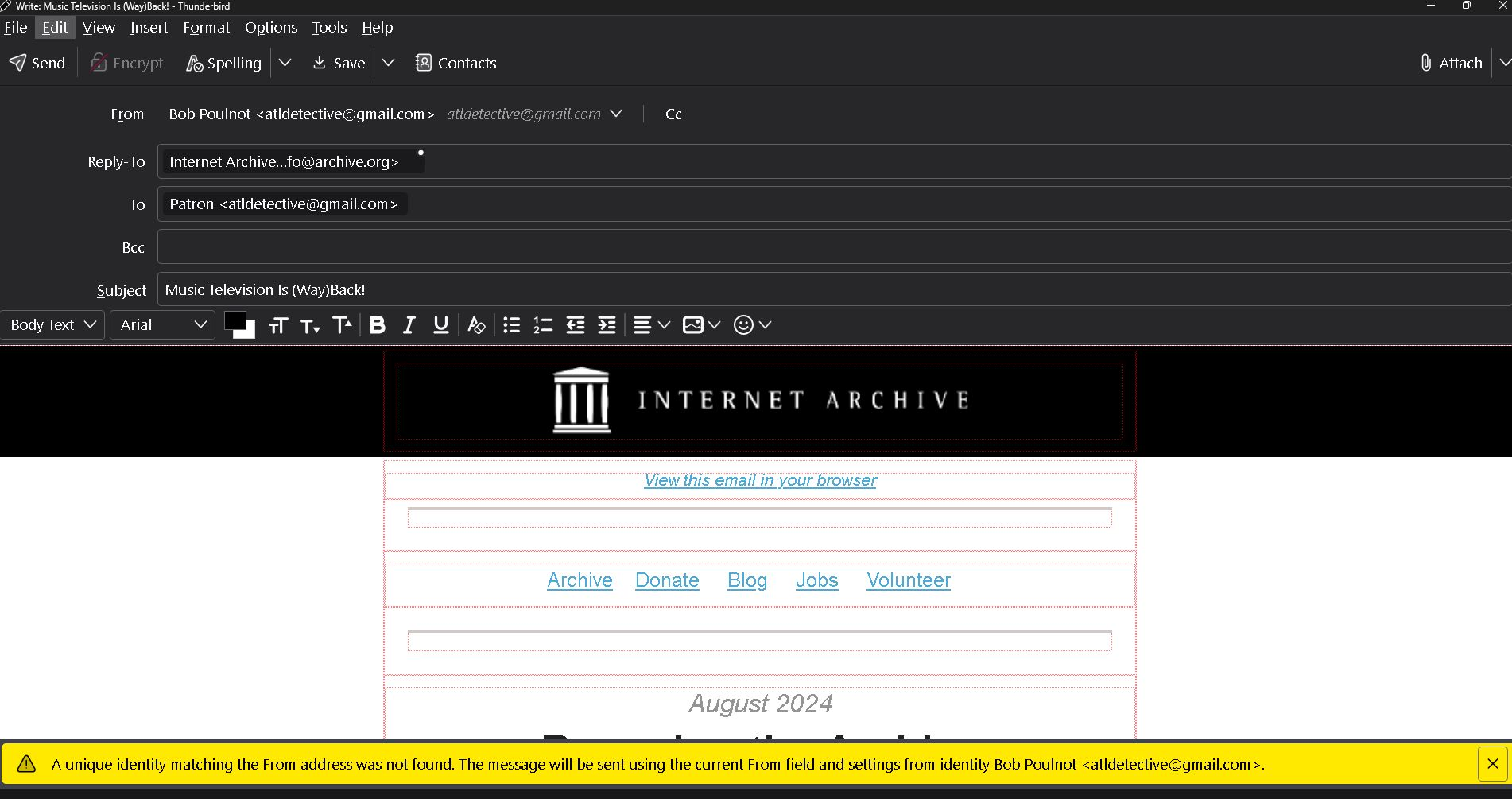
Apparently I have changed the Thunderbird account settings causing an alert message on all incoming emails. As shown in the bottom of the example attachment it reads, " The unique identity matching the prom address was not found. The message will be sent using the current from field and settings from identity Bob Poulnot <atldetective@gmail.com>.

Also by opening this incoming email it is showing at the top that it is "From" Bob Poulnot <atldetective@gmail.com> as a reply. I did not click on reply.

Please help. Thank you
Apparently I have changed the Thunderbird account settings causing an alert message on all incoming emails. As shown in the bottom of the example attachment it reads, " The unique identity matching the prom address was not found. The message will be sent using the current from field and settings from identity Bob Poulnot <atldetective@gmail.com>. Also by opening this incoming email it is showing at the top that it is "From" Bob Poulnot <atldetective@gmail.com> as a reply. I did not click on reply. Please help. Thank you
Priložené obrázky

Všetky odpovede (2)

Folderflags did not solve the problem. Also, I am having to reply to your email via google gmail instead of Thunderbird. The links in your message won't open.