


Windows 10 reached EOS (end of support) on October 14, 2025. If you are on Windows 10, see this article.

Mozilla 도움말 검색

고객 지원 사기를 피하세요. 저희는 여러분께 절대로 전화를 걸거나 문자를 보내거나 개인 정보를 공유하도록 요청하지 않습니다. "악용 사례 신고"옵션을 사용하여 의심스러운 활동을 신고해 주세요.

자세히 살펴보기

"about:translations" produces error --> "Your device does not meet the minimum requirements to use this feature. Try on another device"

  • 1 답장
  • 0 이 문제를 만남
  • 135 보기
  • 최종 답변자: Agent virtuel
  • Open

I don't have that translate icon in the address bar, never did, not on a single page. Can i get that somehow? And, when attempting to access the firefox translation settings through;

about:translations

I receive the following error message;

"Your device does not meet the minimum requirements to use this feature. Try on another device" Please check the screenshot i uploaded as well.

Even though i do see several language & translation settings in the regular preferences menu, and even though i see a page full of settings containing the string "transla", Firefox inline website translations are only accessible through the context menus using a right mouse-click. There, i can select a source and target language and all the options seem to be there and functioning well. I just don't have anything related to translation in the address bar, the regular alt-key menus, or the hamburger menu. Also not when customising the buttons etc.

I also have to say that the quality of the translations is nowhere near that of the ones on the Google Translate page, which surprises me somewhat, since it should have access to the same bucket of linguistic data as the website (i assume it works through an API), or am i incorrect in my assumptions ?

F.Y.I. My device is a PC running Devuan (Linux) with FF v140.8, my gpu is outdated so GL (hardware rendering) hasn't worked in a while, i'm using that shoddy Nouveau driver, but that hasn't caused any problems, i bought a 2nd hand supported GPU about 2 years ago, but i just can't be bothered to install it...eheh).
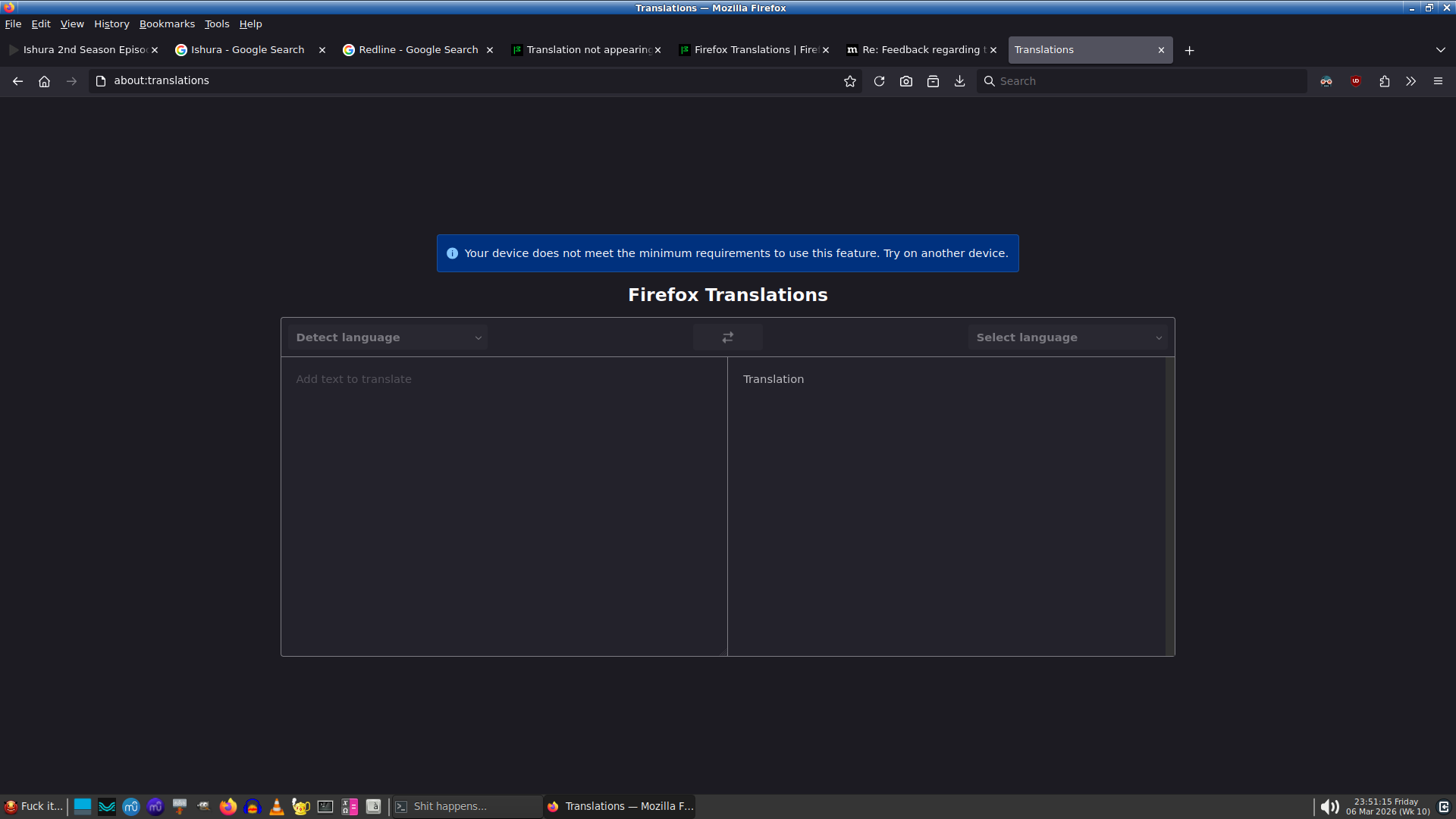
I don't have that translate icon in the address bar, never did, not on a single page. Can i get that somehow? And, when attempting to access the firefox translation settings through; '''''about:translations''''' I receive the following error message; '''''"Your device does not meet the minimum requirements to use this feature. Try on another device" ''''' Please check the screenshot i uploaded as well. Even though i do see several language & translation settings in the regular preferences menu, and even though i see a page full of settings containing the string "transla", Firefox inline website translations are only accessible through the context menus using a right mouse-click. There, i can select a source and target language and all the options seem to be there and functioning well. I just don't have anything related to translation in the address bar, the regular alt-key menus, or the hamburger menu. Also not when customising the buttons etc. I also have to say that the quality of the translations is nowhere near that of the ones on the Google Translate page, which surprises me somewhat, since it should have access to the same bucket of linguistic data as the website (i assume it works through an API), or am i incorrect in my assumptions ? F.Y.I. My device is a PC running Devuan (Linux) with FF v140.8, my gpu is outdated so GL (hardware rendering) hasn't worked in a while, i'm using that shoddy Nouveau driver, but that hasn't caused any problems, i bought a 2nd hand supported GPU about 2 years ago, but i just can't be bothered to install it...eheh).
첨부된 스크린샷

모든 댓글 (1)

Hello

According to https://firefox-source-docs.mozilla.org/toolkit/components/translations/resources/01_overview.html#supported-platforms

Translations is available only on devices support SSE4.1

Similar subject https://connect.mozilla.org/t5/firefox-labs/firefox-doesn-t-offer-to-translate-sites-to-persian-language-via/m-p/107232/highlight/true#M4798

Type about:telemetry#environment-data-tab into your address bar.

Take a look at cpu.extensions

And you?

질문하기

글에 답글을 달기 위해서는 계정으로 로그인해야만 합니다. 계정이 아직 없다면 새로운 질문을 올려주세요.