


Windows 10 reached EOS (end of support) on October 14, 2025. If you are on Windows 10, see this article.

Mozilla 도움말 검색

고객 지원 사기를 피하세요. 저희는 여러분께 절대로 전화를 걸거나 문자를 보내거나 개인 정보를 공유하도록 요청하지 않습니다. "악용 사례 신고"옵션을 사용하여 의심스러운 활동을 신고해 주세요.

자세히 살펴보기
보존

Issues Playing Audio From Firefox Notification

AUserWithThatUsernameAlreadyExists

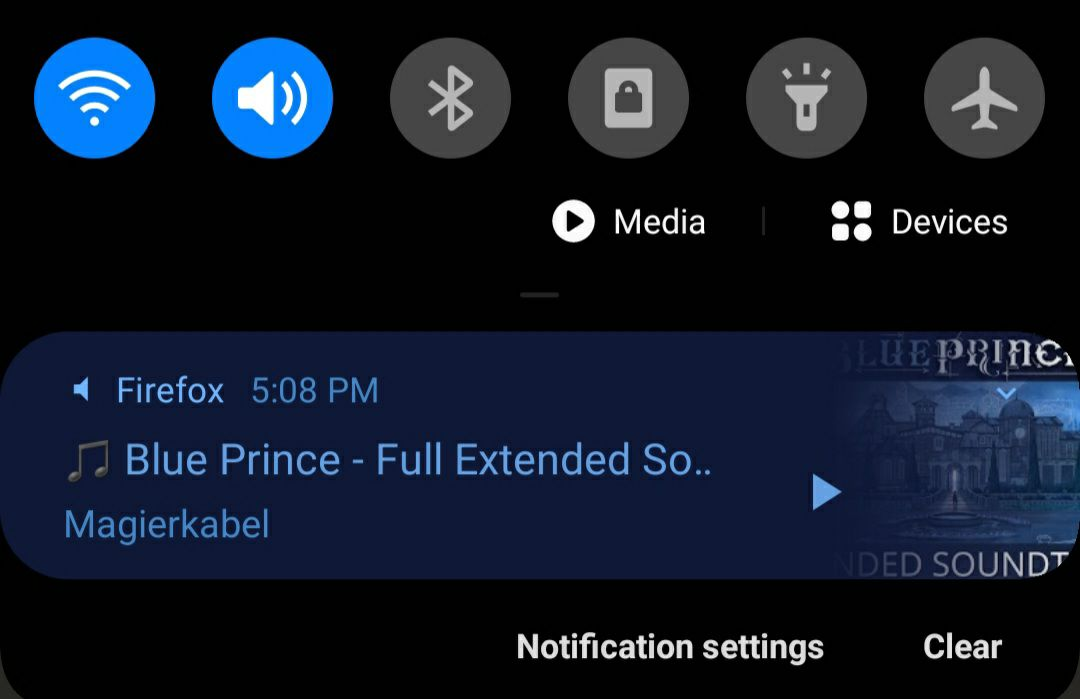
Hello! I've recently been having some issues getting videos to play in the background from Firefox's audio notification media player feature. I very frequently use YouTube in the Firefox browser so that I can then exit the browser and still play the audio of a video via the media player, but last night that media player stopped working for me. When I close the Firefox app, I still get the notification as usual, but tapping the "play" button achieves absolutely nothing. I've tried to search the issue and test some fixes myself, but nothing has worked so far. The fixes I've tried include:

  • Activated "Allow video and audio" in the Firefox Autoplay setting
  • Made sure autoplay was allowed in the YouTube browser tab
  • Tried to play the audio while connected to wi-fi and while on data
  • Checked for updates to my phone, YouTube, and Firefox (I am up to date)
  • Deployed the old "turn it off and turn it back on again" fix, both in Firefox (closing all tabs and re-opening), and for my phone (shut it down and restarted it).

None of the settings for the media player or general notifications for Firefox seem to govern this issue, so I'm bringing it here. Thank you for taking the time to read through all of this. Please let me know if you have any suggestions for me! (I've included a photo of the notification bar for extra reference)
Hello! I've recently been having some issues getting videos to play in the background from Firefox's audio notification media player feature. I very frequently use YouTube in the Firefox browser so that I can then exit the browser and still play the audio of a video via the media player, but last night that media player stopped working for me. When I close the Firefox app, I still get the notification as usual, but tapping the "play" button achieves absolutely nothing. I've tried to search the issue and test some fixes myself, but nothing has worked so far. The fixes I've tried include: * Activated "Allow video and audio" in the Firefox Autoplay setting * Made sure autoplay was allowed in the YouTube browser tab * Tried to play the audio while connected to wi-fi and while on data * Checked for updates to my phone, YouTube, and Firefox (I am up to date) * Deployed the old "turn it off and turn it back on again" fix, both in Firefox (closing all tabs and re-opening), and for my phone (shut it down and restarted it). None of the settings for the media player or general notifications for Firefox seem to govern this issue, so I'm bringing it here. Thank you for taking the time to read through all of this. Please let me know if you have any suggestions for me! (I've included a photo of the notification bar for extra reference)
첨부된 스크린샷

모든 댓글 (2)

I been having the same problem too!

From the last update it is happening. It also started switching youtube app installed staying on the browser.