


Firefox password manager stopped working

I have firefox running on my mac desktop, macbook and iphone. Starting yesterday the firefox password manager has stopped working on my desktop - it won't make any suggestions for passwords on web pages. I've been reduced to going to about:prefererences, manage passwords and manually searching for my password. It still works on my macbook and iphone. Any suggestions as to how to debug this?
모든 댓글 (4)

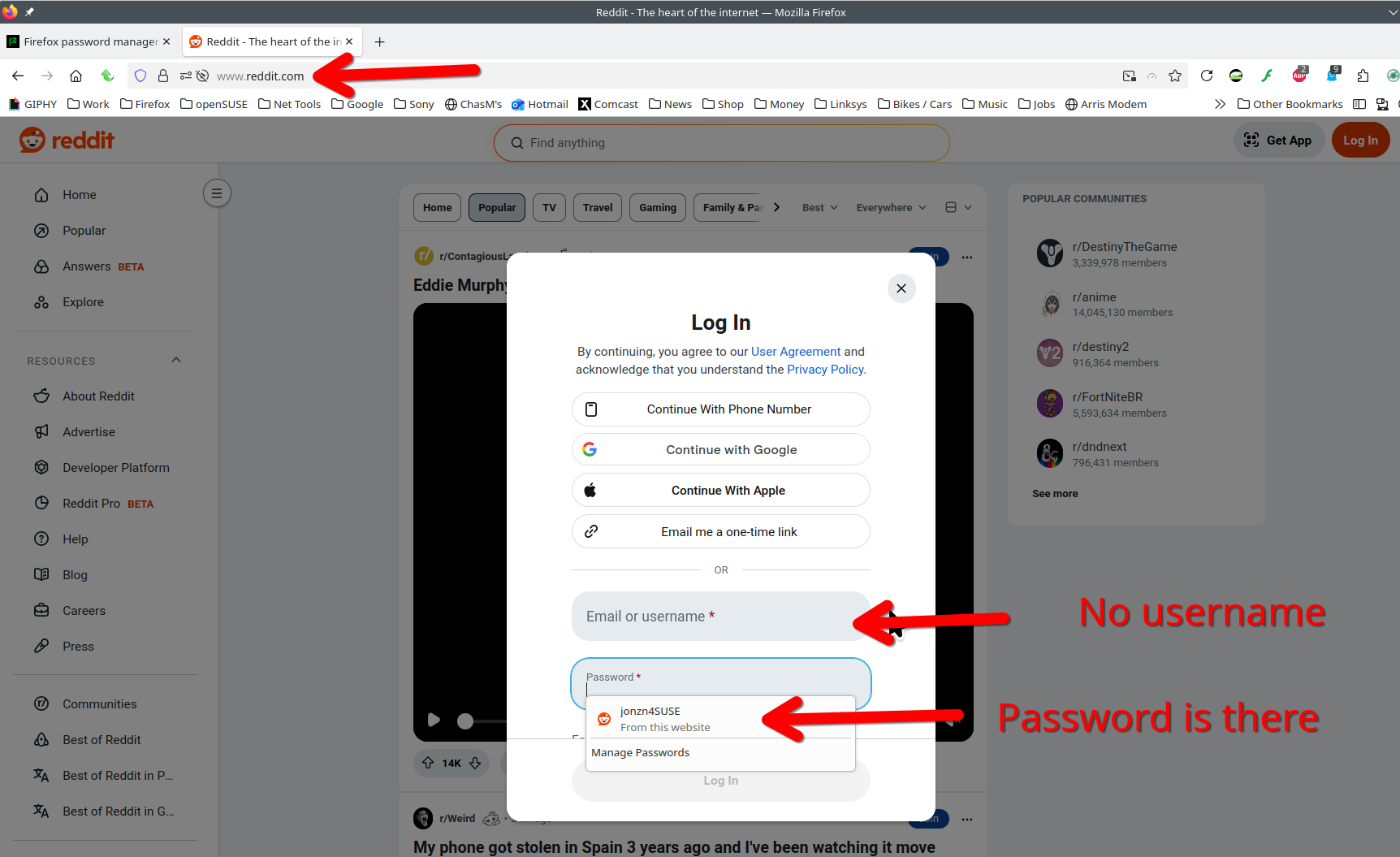
I'm seeing several site wanting you to type in the user ID and then the password will autofill. I guess a wee bit of security. One of my banks, reddit, and hotmail are all doing it. What site(s) are you seeing it on?
I haven't done a comprehensive test, but all sites that I've tried.
Just try one site by typing in the user and see if the password autofills. Here is reddit. see screenshot
글쓴이 jonzn4SUSE 수정일시

I'm having the same issue and it's started at the 150 update install. None of my saved e-mail accounts auto-fill anymore since.