


Thunderbird Desktop Client can no longer access Yahoo mail Plus - "Edge: Too many requests"

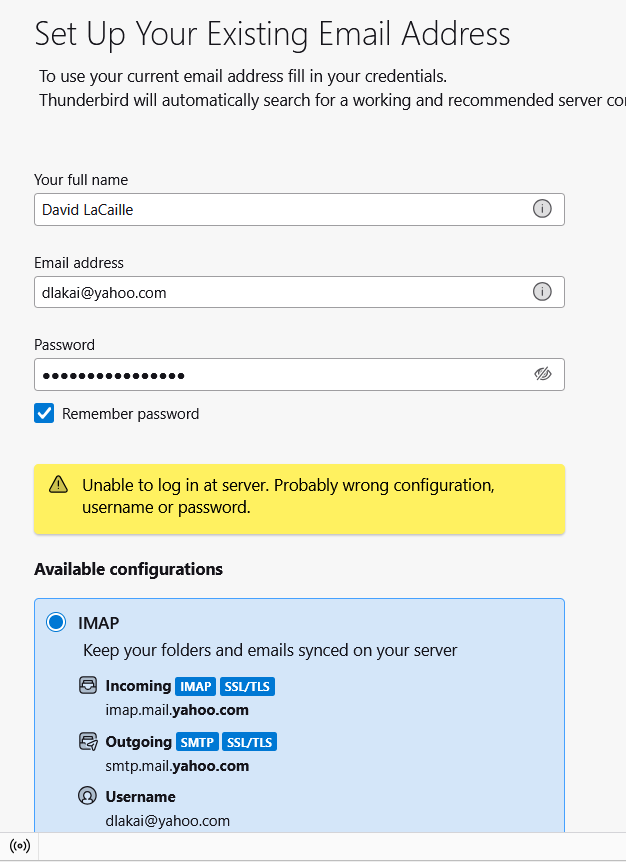
This just started October 30th. I am running Thunderbird 140.4.0esr (64-bit) on a Windows 11 Pro 24H2 on a PC and Laptop. Thunderbird email can no longer access my Yahoo Mail Plus account and I get a pop up windows stating Edge: Too many requests several times. I tried deleting the account and trying to reinstalling it back in but I get a error message in yellow pop up box in the account page stating "incorrect password or username". I have also tried to generate a tried party app password in Yahoo mail Plus web client and using that in place of my regular password with the same error message. I can no longer add this account into Thunderbird and I am not able to use my Yahoo mail plus account. This has occurred on both my PC and Laptop. I am fairly certain this has to due with Yahoo Mail's new security policies. I have checked the current setting are correct according to the latest FAQ & Help articles and see many others just starting see this same issue. Please provide me with solution so I can resolve this issue.
글쓴이 Wayne Mery 수정일시
모든 댓글 (3)
If you have been using the product for some time, why are you trying to add it again?

This has fixed it for many:
First, generate an app PW - see https://help.yahoo.com/kb/SLN15241.html.
Then go to TB menu > Account Settings > Server Settings and set the following:
- Server Name: export.imap.mail.yahoo.com - Port: 993 - Connection Security: SSL/TLS - Authentication method: Normal password
On the left column, scroll down and click 'Outgoing Server' and edit the Yahoo entry:
- Server Name: smtp.mail.yahoo.com - Port: 465 or 587 - Connection Security: SSL/TLS - Authentication method: Normal password
Finally, go to TB menu > Settings > Privacy & Security > Passwords
- click the 'Saved Passwords' button and edit the Yahoo entry to add your new app PW
After that's done, try logging in.
BTW, this fix is mentioned in the related [bug](https://bugzilla.mozilla.org/show_bug.cgi?id=1997062).
If you are still having problems when using oauth and a newer version, please post a new question and we'll take a new look at it.