


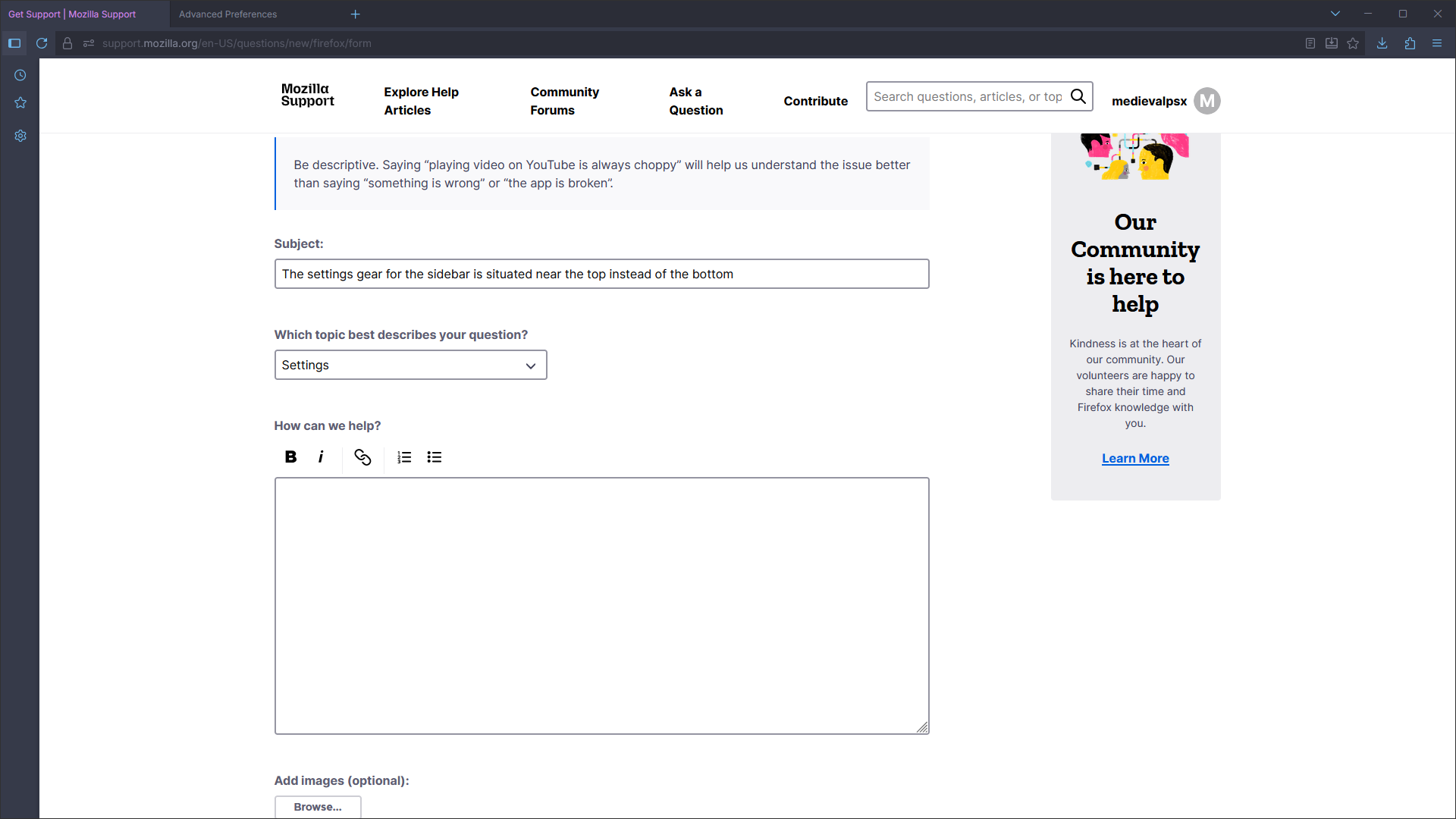
The settings gear for the sidebar is situated near the top instead of the bottom

I really enjoy the new sidebar revamp, but I've had an issue with it recently that I haven't been able to find a solution for. Typically, the settings gear is supposed to be situated near the bottom of bar. However, as demonstrated in the attached image, it is at the top near the bookmarks and history buttons. I have tried reinstalling the browser from scratch, turning the sidebar on and off, turning vertical tabs on and off, and even getting rid of my custom CSS theme for a time. None of these have worked. If anyone knows what the root of this issue is, I'd really appreciate the help.
I really enjoy the new sidebar revamp, but I've had an issue with it recently that I haven't been able to find a solution for. Typically, the settings gear is supposed to be situated near the bottom of bar. However, as demonstrated in the attached image, it is at the top near the bookmarks and history buttons. I have tried reinstalling the browser from scratch, turning the sidebar on and off, turning vertical tabs on and off, and even getting rid of my custom CSS theme for a time. None of these have worked. If anyone knows what the root of this issue is, I'd really appreciate the help.
모든 댓글 (2)
Hi again,
Sorry for reaching back a bit late, but the issue should have been resolved with Firefox 144.0.2 release!